How to Organize Research Papers for Peak Efficiency
Tired of digital clutter? Learn how to organize research papers with a proven system for file naming, folder structures, and reference managers.
Let's be honest. If your research folder looks like a digital junk drawer filled with PDFs named final_paper_v3.pdf or smith2021.pdf, you're setting yourself up for a lot of unnecessary pain. We've all been there. But getting a handle on this chaos is about more than just tidiness; it's about making your research process faster, smarter, and far less frustrating.
A truly effective system for organizing your research papers really comes down to three core pieces working together: a sensible folder structure, a consistent file naming rulebook, and a powerful reference manager to act as the central command center. When you get these three right, your collection of random files transforms into an active, searchable knowledge base you can actually use.
Why You Can’t Afford a Messy Research Library
The sheer volume of published research is staggering. From 2008 to 2018 alone, the number of science and engineering articles published worldwide grew by about 4% annually, jumping from 1.8 million to 2.6 million articles. That firehose of information isn't slowing down.
Without a system, you're constantly fighting against that tide. You waste precious time digging for a specific paper, a key statistic, or that one crucial methodology you remember reading somewhere. Every minute spent searching is a minute you're not thinking, analyzing, or writing. That's the real cost of digital clutter—it kills your momentum and leads to duplicated work.
This infographic lays out the basic flow from a chaotic mess to an organized library that actually works for you.
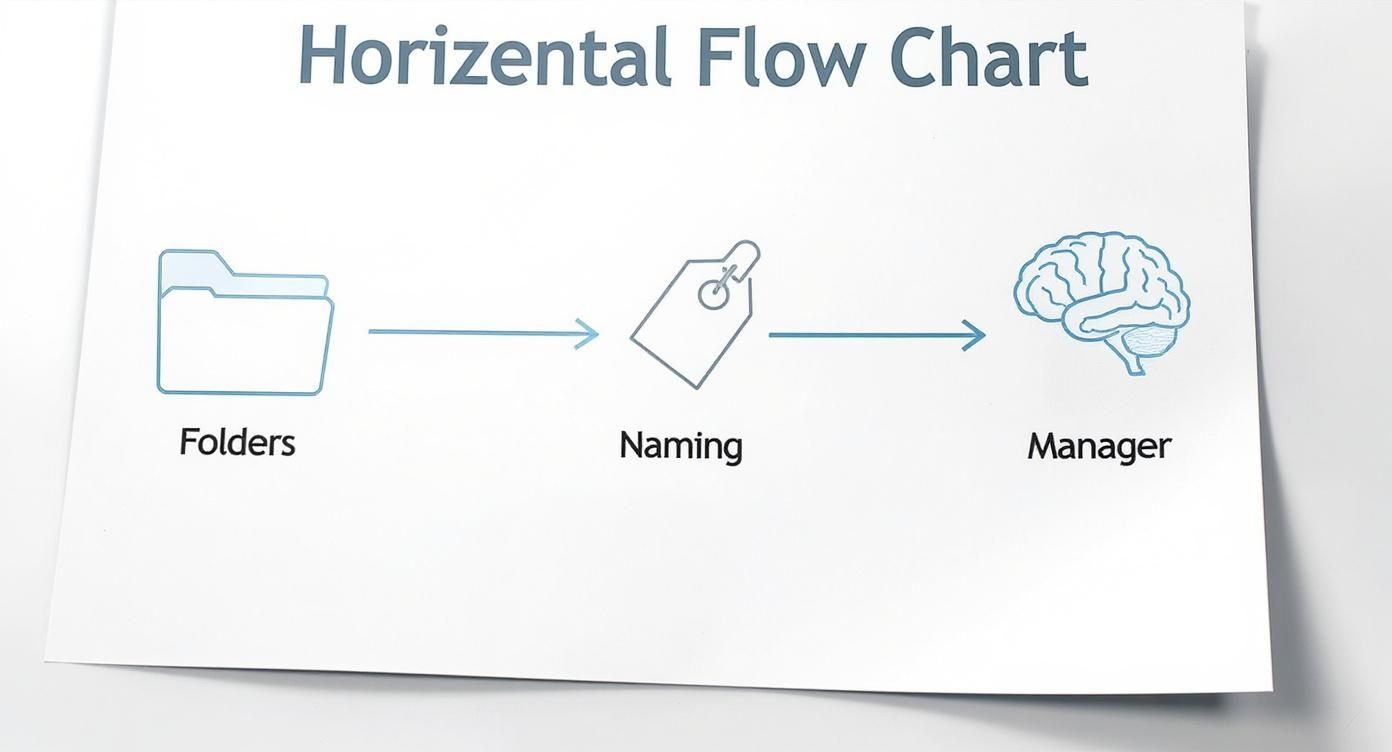
The secret isn't just following one tip; it's seeing how these pieces connect to create a system that’s much more powerful than the sum of its parts.
The Three-Part System We're Going to Build
The goal here is to create a workflow that feels natural and eventually becomes second nature. This guide will walk you through building that system, focusing on three fundamental pillars.
Here’s a quick overview of the system we’ll build together. Think of it as your new research command center.
Your Three-Part Research Organization System
| Component | Core Purpose | Immediate Benefit |
|---|---|---|
| Folder Structure | Creates a logical, browsable hierarchy for all your files. | Find papers by project or topic without relying on search. |
| File Naming Convention | Makes every file instantly identifiable just by its name. | Know what a PDF is about before you even open it. |
| Reference Manager | Acts as the "brain," managing metadata, citations, and notes. | Automates citations and connects your files to your writing. |
This framework isn't just about cleaning up the files you already have; it's about creating a sustainable process for every new paper you download.
Once you’ve got your files in order, you can finally focus on what’s inside them. For a great resource on that, check out our guide on how to summarize a research paper. And if you're looking to apply these principles more broadly, this is a fantastic guide on how to organize computer files efficiently.
Laying the Foundation: Folders and Files
Before you even think about fancy software or complex tagging systems, you have to get the basics right. This is all about building a solid, logical home for your documents on your computer's hard drive—a system you own and control. If you nail this part, you'll be able to find what you need years from now, even if your favorite app disappears.
The first piece of the puzzle is a clean, hierarchical folder structure. Think of it as building the shelves for your library before you start collecting books. A good system lets you browse intuitively, finding papers by their context instead of just relying on a search bar.
Designing Your Core Folder Structure
Let’s be clear: there's no single "perfect" structure. The best system is one that clicks with how you think and work. The real goal here is consistency. Pick one primary method of organization and commit to it.
I've seen three models work exceptionally well in both academic and professional settings:
- Project-Based: This is my go-to when I'm juggling multiple, distinct research projects. Each main folder represents a project, and inside, I'll have subfolders for things like literature, data, or drafts.
- Topic-Based: If your work centers on a few core themes instead of separate projects, organizing by topic is incredibly effective. You might create folders like
Machine_Learning_EthicsorRNA_Sequencing_Techniques. - Course-Based: For students, this is the most natural fit. Make a folder for each class (e.g.,
BIOL-401_Advanced_Genetics) and then create subfolders for each week's readings or major assignments.
A rookie mistake is getting too granular too soon. Start with broad categories. Only create a subfolder once you have at least five papers that fit within it. A system with a bunch of empty folders is just as confusing as no system at all.
For instance, a simple project-based structure might look something like this:
📁 Research├── 📁 CRISPR_Gene_Therapy│ ├── 📁 01_Literature│ │ ├── 📄 Smith2023_Delivery_Mechanisms.pdf│ │ └── 📄 Jones2022_Off_Target_Effects.pdf│ └── 📁 02_Methods└── 📁 Quantum_Computing_Algorithms └── 📁 01_Literature
This setup makes it incredibly easy to find all the files for a specific line of research in seconds.
The Non-Negotiable Art of Naming Your Files
If folders are your shelves, a consistent file naming convention is the label on the spine of each book. Honestly, this is the single most powerful habit you can adopt for digital organization. A good file name tells you what a paper is about before you even open it.
The trick is to create a simple, repeatable formula. Through years of trial and error, I’ve landed on the AuthorYear_CoreConcept format. It’s effective, easy to remember, and perfectly balances bibliographic info with the topic, making your files instantly sortable.
Here’s how it works:
- Author: Just the last name of the first author.
- Year: The four-digit publication year.
- CoreConcept: Two or three keywords, separated by underscores, that nail the paper's main idea.
Using this formula, a useless file name like document_123.pdf becomes something you can actually work with: Johnson2023_CRISPR_Ethics.pdf.
Why This System Is a Game-Changer
Sticking to this pays off massively. When every file follows the same pattern, your folder transforms into a scannable, sortable database.
| Before Naming Convention | After Naming Convention |
|---|---|
paper.pdf |
Smith2021_AI_Bias_Audits.pdf |
Final Draft (2).pdf |
Chen2022_Quantum_Cryptography.pdf |
Nature_Article_112.pdf |
Williams2020_Glacial_Melt_Rates.pdf |
This small change has a huge impact. You can sort your folder by name and instantly see all papers by a specific author grouped together or track the chronological evolution of research on a topic. It empowers you to understand your entire library at a glance.
This foundational layer—a logical folder hierarchy paired with a strict naming rule—is the bedrock of an organized research life. It gives you stability and control. Once you have this in place, you’re ready to bring in the power of a reference manager to handle automation and metadata.
Okay, you've got your files and folders looking sharp. Now it's time to bring in the brains of the operation: a reference manager.
Think of it less like a digital bookshelf and more like a command center for your entire research workflow. It's the secret weapon that connects your neatly named PDFs to rich data, your personal notes, and, ultimately, your finished work. This isn't about replacing your folder system—it's about supercharging it.

Comparing Top Reference Managers
Picking the right tool really boils down to your personal workflow, budget, and what your institution might already provide. While new options pop up now and then, three titans dominate the field: Zotero, Mendeley, and EndNote. Each has its own personality and strengths.
Here's a practical breakdown to help you decide which tool best fits your research workflow.
Comparing Top Reference Managers
| Feature | Zotero | Mendeley | EndNote |
|---|---|---|---|
| Cost | Free & Open-Source | Freemium Model | Paid (Often institution-provided) |
| Best For | Flexibility, customization, and users who value open-source software. | A modern interface, social networking features, and a slick PDF reader. | Researchers in institutions with a site license and those needing complex citation styles. |
| Key Strength | Powerful community plugins (like Better BibTeX) and complete user control. | Seamless cloud sync and a built-in platform for discovering new research. | Deep integration with academic databases and robust technical support. |
Honestly, if I have to recommend one for someone just starting out, it’s Zotero. It's free, open-source, and has an incredible community building powerful extensions. The skills you develop with it are completely transferable, so you're never locked in.
The Magic of Automated Metadata Extraction
Here’s where a reference manager really starts to feel like magic. It almost completely eliminates the soul-crushing task of manual data entry. You'll never have to type out author names, journal titles, or publication years again.
This all works thanks to a clever bit of digital plumbing. Most modern academic papers are published with a DOI (Digital Object Identifier)—a unique fingerprint for that specific article. By 2020, over 150 million DOIs had already been assigned, creating a universal standard.
When you drop a PDF into your reference manager, the software finds that DOI, phones home to a database like CrossRef, and pulls down all the correct bibliographic information in a heartbeat.
What used to be a tedious, five-minute chore for every single paper now happens automatically in seconds. This single feature gives you back an incredible amount of time to actually read and think about the research instead of just cataloging it.
Set Up a "Watched Folder" for a Zero-Friction Workflow
To make this process even smoother, you can set up a "watched folder." It’s a game-changer. You simply tell your reference manager to keep an eye on a specific folder on your computer.
It works like this:
- You create a folder on your desktop called something like
_INBOX. - You tell your reference manager to "watch" this
_INBOXfolder. - Now, whenever you find a paper online, you just save it directly into
_INBOX.
Your reference manager, humming along in the background, sees the new file, grabs it, imports it into your library, and starts fetching all the metadata. It's a completely seamless bridge from discovery to organization.
Weaving Your Manager into Your Daily Workflow
An organized library is great, but its real power is unlocked when it talks to your other tools.
- Citation Plugins: This is the payoff. These plugins for Microsoft Word, Google Docs, and others let you drop perfectly formatted citations into your document as you write. Building your bibliography becomes a one-click affair.
- Annotation Syncing: When you highlight text or add notes inside your reference manager's PDF reader, those annotations are saved and linked directly to the paper's entry. They sync across your devices, so your thoughts are always connected to the source material.
- Smart Collections: You can set up filters that automatically group papers for you. For instance, create a "smart collection" for
ToRead_AI_Ethics. Any new paper you tag with both "ToRead" and "AI_Ethics" will automatically show up there.
Once your papers are neatly filed and tagged, you can focus on synthesis. A great way to do this is with a tool like the one at https://pdfsummarizer.pro, which is designed for this kind of work. It lets you chat with multiple PDFs at once, making it incredibly effective for literature reviews where you need to compare findings and pull ideas from across your entire collection without juggling dozens of open files.
Advanced Workflows for Reading and Synthesis
https://www.youtube.com/embed/OzFHGFnAM2Q
Having an organized library of PDFs is great, but it's just the starting point. The real work—and the real breakthroughs—happen when you start connecting the ideas within those papers. This is how your collection stops being a digital filing cabinet and becomes an active part of your thinking process. It all begins with how you read and annotate.
Develop a Strategic Annotation System
If you're just highlighting passages at random, you're missing a trick. A simple, color-coded highlighting system can completely change how you engage with a text. The goal isn't to make the page colorful; it's to create a mental shortcut for your brain. Consistency is everything here.
A well-defined color scheme trains you to instantly recognize different types of information. It breaks up a dense wall of text into a structured argument, which makes revisiting the paper later a breeze.
You could start with a simple, three-color system. For instance:
- Yellow for Key Arguments: Use this for the thesis, the main findings, and any standout conclusions.
- Blue for Methodology: This is for the nuts and bolts—the study's design, specific techniques, or how the data was analyzed.
- Green for Future Research: Mark any gaps, limitations, or suggestions for future work the authors mention.
This small habit pays off big time. When you pull up that paper weeks or months from now, you won't have to reread the whole thing. A quick scan for blue takes you straight to the methodology, and a glance at the yellow reminds you of the core argument. For a deeper dive into effective reading techniques, check out our guide on how to read scientific papers.
Build Connections with Smart Tags and Notes
While colors help you dissect a single paper, tags are what weave your entire library together. Think of them as conceptual breadcrumbs. Don't just tag a paper with its general topic; get specific in a way that reflects your own research questions.
A paper on AI bias, for example, might get tagged with quantitative_analysis, machine_learning_ethics, and algorithmic_fairness. Now, you're just one click away from surfacing every single source you have on the ethics of machine learning. Your library just became a powerful discovery tool.
The best notes are messages to your future self. After you finish a paper, take two minutes to jot down a quick, informal summary in the notes field. Something like: "Key takeaway is X, which contradicts Smith (2021). Solid methods, but watch out for the small sample size."
This simple practice is a lifesaver. It stops that "Why on earth did I save this?" moment dead in its tracks and preserves the fresh connections you made right after reading.
Create a Synthesis Matrix for Literature Reviews
When you're working on a big project like a thesis or a major literature review, you need to see the entire conversation at a glance. The best tool I've found for this is a synthesis matrix. It’s a surprisingly simple way to map out the landscape across dozens of papers.
The process is straightforward but incredibly powerful:
- Export Your Annotations: Pretty much every good reference manager lets you export your highlights and notes from a group of papers.
- Set Up Your Matrix: Fire up a spreadsheet or create a simple table. Make columns for the key themes you’re tracking, like "Main Argument," "Methodology," "Key Findings," and "Limitations."
- Fill in the Blanks: Create a row for each paper and paste your exported notes into the right columns.
What you end up with is a bird's-eye view of your field. You can instantly see where researchers agree and disagree, spot common methods, and—most importantly—identify the gaps. The synthesis matrix is often where your own original contribution starts to become clear, built on a solid foundation of organized knowledge.
How to Maintain and Future-Proof Your System
You've built a powerful system for your research papers, which is a huge accomplishment. But like any good tool, it needs a little maintenance to stay sharp. The good news is that keeping your library in pristine condition isn't about massive, time-sucking overhauls. It's about building a few small, consistent habits that stop digital clutter before it even starts.
This is how you make sure your library remains a reliable, professional asset for years, not just a temporary fix.
Establish a Reliable Sync and Backup Routine
Let's be honest: your research library represents countless hours of work. Losing it would be a disaster. The absolute first step in protecting that investment is setting up a solid backup routine that you can set and forget. Please, don't rely on manual saves.
Most reference managers like Zotero have built-in cloud syncing for your metadata and notes, which is a great start. But for the PDFs themselves, I highly recommend pointing your storage directory to a folder that's already synced with a service like Dropbox, Google Drive, or OneDrive. This creates a powerful, two-pronged backup solution that runs quietly in the background.
With this setup, if your computer ever decides to give up, your entire library—files, notes, and all—is safe and sound in the cloud. You can restore it on a new machine in minutes and get right back to work.
The Weekly Review Checklist
Consistency is the secret sauce here. All it takes is 15-20 minutes at the end of each week to process any new papers you've collected. This tiny time investment is what prevents a messy backlog from ever forming and keeps your system humming along.
A simple weekly checklist can turn this into a satisfying ritual instead of a chore:
- Process Your Inbox: Open that temporary
_INBOXorTo-Be-Processedfolder. Drag any new PDFs straight into your reference manager. - Verify Metadata: Give the information your manager pulled a quick once-over. Are the author, year, and title correct? A quick glance now saves a major headache later.
- Assign Key Tags: Add the crucial tags you need to connect this paper to your current projects or core research themes.
- Empty the Inbox: Once a file is processed, get it out of the inbox. Starting the next week with a clean slate feels fantastic and keeps the momentum going.
This weekly habit is more than just digital housekeeping. It’s a chance to re-engage with what you found during the week, helping you spot connections and spark new ideas while the material is still fresh.
Handling Multilingual Research and Non-Standard Files
Research is a global conversation, and your system needs to reflect that. When you're working with papers in different languages, I find it incredibly helpful to add a simple language tag (like lang_german or lang_japanese). This makes it a breeze to filter and find all your non-English sources on a specific topic.
You’re also going to run into non-standard files—things like scanned book chapters or old, crusty PDFs without any machine-readable text. For these, you'll probably have to enter the metadata by hand. It’s a bit more work upfront, I know, but taking two minutes to do it right means these valuable sources get fully integrated into your searchable library instead of being lost in some miscellaneous folder. For particularly tricky cases, specialized document archiving software can offer more robust solutions for long-term preservation.
Aligning with FAIR Principles for Professional Impact
Here's the thing: organizing your research is no longer just a personal productivity hack. It's becoming a professional standard. More and more, funding bodies and institutions expect research data and literature to follow the FAIR data principles—meaning they should be Findable, Accessible, Interoperable, and Reusable.
A well-organized library gets you most of the way there automatically.
- Your consistent naming convention makes files Findable.
- Using a reference manager with standard metadata makes them Accessible and Interoperable with other systems.
- Your clear notes and tags make the knowledge inside them Reusable for future projects.
This isn't some far-off trend. The adoption of FAIR principles is growing fast, with some reports showing that around 80% of research institutions are already putting FAIR-compliant workflows into place. By building your system this way, you’re not just organizing PDFs; you’re aligning your personal workflow with the highest standards of modern research, making your work more transparent and reproducible. For more on these trends, SAGE Journals published some great insights on this topic.
A Few Common Questions
When you start getting serious about organizing your research, a few common questions always pop up. Let's tackle them head-on with some practical advice drawn from years of managing digital libraries.
What's the Best Software for Organizing Research Papers?
Honestly, there isn't a single "best" tool for everyone. The right choice really comes down to your personal workflow and what feels most intuitive to you.
That said, for anyone just starting out, my go-to recommendation is always Zotero. It’s completely free, open-source, and has a massive community behind it, meaning it's incredibly powerful and well-supported.
Mendeley is another solid contender, especially if you like a more modern look and feel. Its annotation tools are nicely integrated, and it has some useful social features. And of course, if you're at an institution with a site license, EndNote is the traditional workhorse, fantastic at managing the thousands of niche citation styles out there.
My advice? Start with Zotero. The habits you'll build—handling metadata, smart tagging, and syncing your library—are the same core skills you'll need no matter what tool you use. You can always switch later if you feel the need.
How Should I Organize My Papers for a Big Literature Review?
For a huge project like a literature review, your reference manager is your command center. The trick is to establish your system right from the start, before things get chaotic.
First, create a dedicated collection or a "saved search" just for this project. Give it a unique, memorable tag you won't forget, something like 'LitReview_AI_Ethics'.
Then, as you read, be ruthless with your tagging. Tag every paper with your review's specific sub-themes—maybe things like 'regulation', 'bias', or 'transparency'. This simple step is a game-changer because it lets you instantly pull up every source related to a particular section of your paper.
The most powerful habit you can build is this: as soon as you finish a paper, write a quick one-paragraph summary in the notes field. What was the core argument? How does it fit into your project? Doing this will save you countless hours of re-reading down the line.
Can This System Help Me Fix the Messy Folder of PDFs I Already Have?
Absolutely. But the key is not to try and fix everything in one go. A massive, all-day organization marathon is a surefire way to get frustrated and give up.
The better way is to chip away at it.
First, set up your new, pristine folder structure. Then, create a temporary holding pen, maybe a folder called 'To Be Processed'.
Now, just follow this simple loop:
- Grab a small batch of just 15-20 old PDFs and move them into your 'To Be Processed' folder.
- Drag them into your reference manager and let it work its magic fetching the metadata.
- Do a quick scan to fix any obvious errors in the author, title, or year.
- Use your software's 'rename file' function to instantly apply your consistent naming convention.
- Finally, move the newly renamed, organized file into its permanent home.
By tackling the mess in small, manageable chunks, you make steady, satisfying progress. It turns a daunting task into a series of small wins, which makes the whole process of organizing your research papers feel much more achievable.
Ready to take your research synthesis to the next level? With PDF Summarizer, you can chat with multiple research papers at once, ask complex questions across your entire literature review, and get instant, verifiable answers with clickable sources. Stop juggling dozens of tabs and start uncovering insights faster. Try PDF Summarizer for free and see how it transforms your workflow.
Relevant articles
Discover the best methods to take notes on PDF documents. Learn to use smart annotation, AI summaries, and advanced workflows for better learning and research.
Discover how to improve your workflow for taking notes on PDF files. Learn core techniques, AI-powered tools, and advanced strategies for better recall.
Discover how to convert any PDF to notes efficiently. This guide offers actionable workflows for students, researchers, and professionals using modern tools.