Your Guide to Effortless PDF to Notes Conversion
Discover how to convert any PDF to notes efficiently. This guide offers actionable workflows for students, researchers, and professionals using modern tools.
Let's be honest, staring at a 50-page research paper or a dense technical manual is nobody's idea of a good time. The old-school approach—endless highlighting, manually typing out notes—is a one-way ticket to burnout. It's slow, tedious, and the real struggle isn't just getting through the material, but actually understanding and remembering it.
This is where things get interesting. Modern tools are completely changing the game by turning passive reading into an active, engaging process. Instead of just plowing through text, you can now interact with it, ask it questions, and pull out the most important insights without getting lost in the weeds. This isn't just a small time-saver; it’s a fundamental shift in how we work with complex information.
Just look at the clean, simple interface of a tool like PDF Summarizer. It’s built for exactly this.
The layout is designed to be intuitive. You upload your file and can immediately start a conversation with it, making the whole process of turning a PDF into usable notes feel effortless.
So, Why is This Happening Now?
This move toward smarter document handling isn't happening in a vacuum. It's part of a much bigger trend in how we all get work done. The market for note-taking apps that do this kind of heavy lifting was valued around USD 11.11 billion in 2023 and is on track to more than double to USD 23.79 billion by 2029. That kind of growth, as reported by sources like Research and Markets, signals a massive change in our expectations for digital tools.
A few key things are pushing this forward:
- The rise of remote work and online learning: We all need digital workflows that are fast and efficient.
- Better technology is now available: Features like AI summarization, handwriting recognition, and instant cloud sync are no longer niche—they're becoming standard.
- We're all drowning in information: Students, researchers, and professionals alike are under pressure to process more information in less time.
The big idea here is to stop treating your documents like static files and start seeing them as dynamic knowledge bases. This helps you go beyond just finding facts and start truly analyzing the material, connecting ideas, and uncovering insights you might have otherwise missed.
By making this shift, you can dramatically improve how well you understand and recall information. You’re essentially turning stacks of digital paper into a well-organized, searchable library of your own insights. If you want to dive deeper into the theory behind this, our guide on what is document analysis is a great place to start. It’s a strategic move that sets you up for a future where intelligently processing information is a non-negotiable skill.
Building Your PDF-to-Notes Workflow
Alright, let's move from theory to action. This is where you actually start saving time and getting smarter with your documents. We're going to build a practical workflow for turning any PDF into a set of clear, useful notes. This isn't about just hitting "summarize"; it's about creating a system that works for you.
At the heart of any PDF to notes system is the ability to pull out the important stuff. PDFs were made for viewing, not for easy data extraction, which has always been a headache. If you're curious about the nitty-gritty, understanding how to extract data from PDF files gives you a good sense of the technical hurdles these new tools are designed to overcome.
Your First Step: Uploading and Summarizing
It all starts the second you drop your file into a tool like PDF Summarizer. Let’s say you’ve got a dense, 30-page academic paper on climate innovation sitting on your desktop. Before you even think about reading it line-by-line, your first move should be to get a high-level overview.
Try a simple, direct prompt: "Give me a one-paragraph executive summary of this document. Focus on the main arguments and conclusions."
This first summary is your compass. It gives you the lay of the land, helping you decide if this paper is even worth your time before you go any deeper. You instantly know if it's relevant to your project, potentially saving you hours of reading.
This process perfectly illustrates the shift from drowning in information to gaining clear, actionable insights.
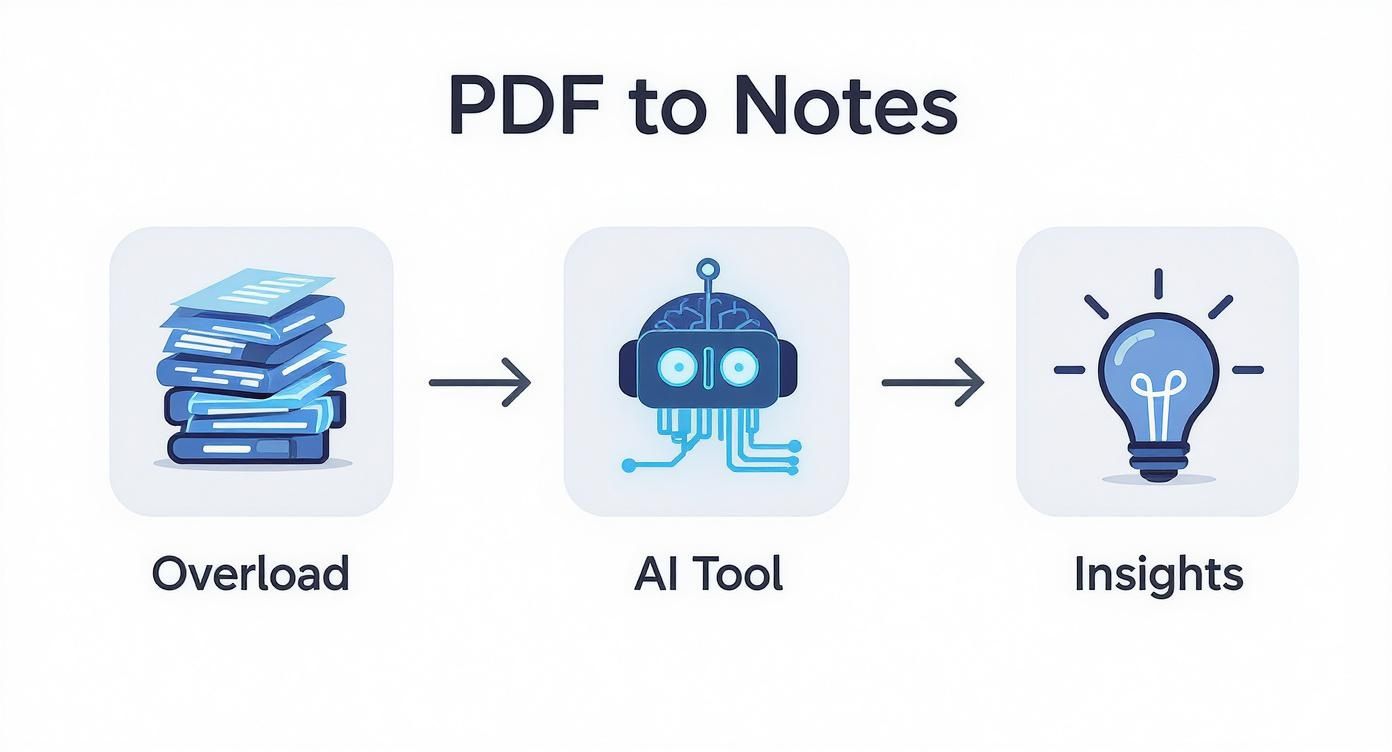
AI acts as a powerful filter, turning a mountain of text into knowledge you can actually use.
Extracting Key Points and Specific Data
Once you've got the big picture, it's time to drill down. The goal now is to pull out the building blocks for your notes: key arguments, supporting data, and specific quotes. This is where asking targeted questions becomes a game-changer.
Let's stick with that climate paper example. You can flesh out your notes by asking things like:
- "List the five key sectors responsible for carbon emissions mentioned in this paper."
- "Pull all statistics related to the 'Green Premium' for solar and wind power."
- "Find and quote the author's main point about how economic growth affects climate-related deaths."
Each question gives you a clean, citable nugget of information. The tool won't just spit out the answer; it will often link you directly to the sentence or paragraph it came from in the PDF. This makes verification a breeze. It’s a far more active and effective approach than just passively highlighting text.
If you want more tips on handling this kind of detailed information, our guide on how to organize research papers is a great next step.
Think of it this way: asking direct questions turns a static document into an interactive database. You're basically interviewing the paper to get precisely what you need, right when you need it. This targeted method is the foundation of a solid PDF to notes strategy, guaranteeing your final notes are both detailed and straight to the point.
Dealing With Multiple and Complex Documents
Let's be honest, real-world research isn't about one neat and tidy PDF. It’s usually a chaotic collection of reports, articles, and papers. The real work is in connecting the dots between all of them, which can feel like a huge headache when you're trying to turn a pile of PDFs into useful notes. Juggling ten different files is a recipe for information overload.
This is where a tool like PDF Summarizer really starts to shine. Instead of having countless tabs open, you can simply upload all your relevant files into one conversation. This creates a single, unified workspace where you can actually talk to your documents—all at once. It makes spotting common themes, comparing arguments, and even finding contradictions across your entire reading list so much easier.
Combining Multiple Reports for Analysis
Picture this: you're a market analyst who needs to get the big picture from three separate reports on renewable energy. One's a dense economic analysis, another is a highly technical paper, and the third is a policy brief. Each one speaks its own language and has its own focus.
With a multi-file chat, you can ask questions that cut across all three sources instantly.
- "Compare the projected growth rates for solar energy mentioned in all three documents. List the figures and sources."
- "What are the main policy recommendations from each report? Do any of them clash?"
- "Find the technical barriers mentioned in the engineering paper and check if the economic report talks about their financial impact."
This turns a messy copy-and-paste marathon into a focused conversation with your research material. The AI becomes your research assistant, fetching the data points you need so you can spend your time on the actual analysis. For anyone doing academic work, this approach is a game-changer for getting a literature review off the ground. We explore this further in our guide on how to conduct a literature review.
Breaking Down Language Barriers
The challenge gets even bigger when your sources are in different languages. A researcher studying global supply chains might have crucial PDFs in English, Mandarin, and German. The old way—manually translating each one before you can even start summarizing—is painfully slow and full of potential mistakes.
AI-powered tools completely change this dynamic. You can upload files in different languages and just ask your questions in English. The tool handles the translation and summarization behind the scenes, giving you a synthesized answer drawn from everything you've uploaded.
For instance, you could ask, "Based on all provided documents, what are the primary risks to the global semiconductor supply chain?" The tool will process the English report, the Mandarin technical manual, and the German market analysis to give you one consolidated answer in English.
This is huge. It removes the language barrier, opening up a world of information that might have been inaccessible before. Your pdf to notes process becomes more thorough and globally informed than ever.
Making Sure Your Notes Are Accurate and Ready to Use
You've generated a set of notes from a dense PDF—that’s a huge time-saver. But the job isn't quite done. The final steps are arguably the most important: making sure those notes are trustworthy and getting them into a format you can actually use for your project, whether it's an academic paper, a client brief, or just your personal study guide.
This is where you bridge the gap between AI-generated output and your own workflow. It's all about building confidence in the information and making it your own.
Check Your Sources—It’s Easier Than You Think
Before you copy-paste anything, you need to trust it. The best tools don't just spit out a summary; they link every key point back to its origin in the document with citations. This is an absolute must-have for anyone doing serious research or academic work.
With a tool like PDF Summarizer, you can quickly spot-check the AI’s work. Just click a citation number next to a summarized point, and it will take you to the exact spot in the original PDF where that information came from.
This isn’t just about catching errors; it’s about active learning. For instance, if your notes mention that 28% of global emissions are from electricity, a quick click on the citation should land you on that exact sentence in the source report. This direct pdf to notes link is what makes the process so reliable.
I always recommend doing this for a few key facts in any summary. It’s a great way to confirm the AI understood the context and helps you internalize the material by revisiting the source. You often pick up extra details you might have missed otherwise.
Get Your Notes Into Your Favorite Apps
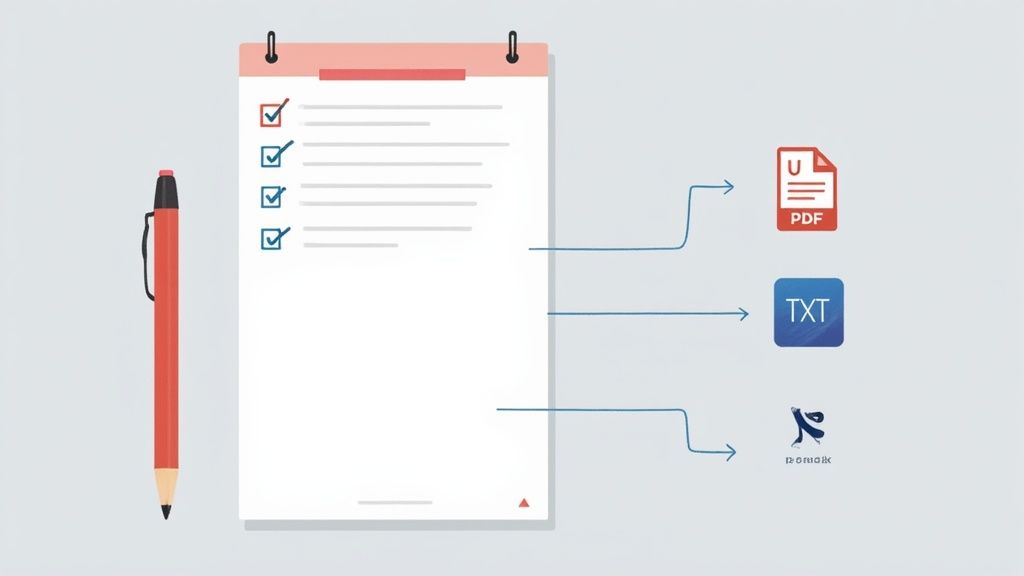
Once you’re happy with the accuracy, it's time to export. You need your notes where you do your thinking, right? Look for tools with flexible export options, like plain text (.txt) or Markdown (.md), since these formats play nicely with just about every app out there.
Here’s how I typically handle exports for different workflows:
- Notion or Obsidian: Markdown is your best friend here. It keeps all the formatting—headings, lists, bold text—so you can drop a perfectly structured document right into your knowledge base.
- Anki or Quizlet: For making flashcards, a simple plain text (.txt) export is all you need. It makes it easy to copy and paste key terms and definitions into your study decks.
- Microsoft Word or Google Docs: You can often just copy the formatted text straight from the chat window. The structure usually holds up, giving you a clean draft for an essay or report.
The need for this kind of document flexibility is a big deal. In fact, the market for PDF editor software, which is all about this type of conversion, is expected to balloon from about USD 3.97 billion in 2024 to USD 17.71 billion by 2033. That's a huge leap driven by our need to make documents work for us.
For a deeper dive into polishing your output, check out these AI tools for generating and structuring notes. Ultimately, a good pdf to notes process ends when your insights are organized, accessible, and ready to go, no matter where you work.
Tailoring Your Strategy for Different Use Cases
Turning a PDF to notes isn't a one-size-fits-all process. A student cramming for a final exam needs something completely different from a lawyer dissecting a contract. To get the best results, your approach has to be as unique as your goal.
Think of it this way: you wouldn't use a microscope to gaze at the stars. In the same way, feeding every document a generic "summarize this" prompt will only get you so far. The real power comes from tailoring your questions and the format of your notes to the specific job at hand.
For the Dedicated Student
Students are often drowning in dense textbook chapters and academic articles. The main goal isn't just to make the text shorter; it's about creating practical study aids—outlines, definitions, and flashcard-ready content that actually helps you remember things. The focus here is on distillation for active learning.
Forget generic summaries. Try getting more specific with your prompts:
- "Create a bulleted outline of Chapter 5, focusing on key theories and their proponents."
- "Pull all the key vocabulary terms from this document and give me a concise definition for each."
- "Generate 10 potential exam questions based on the core arguments in this paper, along with the answers."
This instantly turns passive reading into an active study session. You're not just getting a summary; you're building a personalized study guide.
For the Meticulous Researcher
Researchers sift through a mountain of academic papers. Their biggest challenge is quickly synthesizing information—spotting core findings, understanding methodologies, and identifying gaps in the literature across dozens of documents at once. Efficiency is the name of the game when you're trying to build on the work of others.
A researcher’s prompts should be all about deep analysis and comparison:
- "Summarize the methodology section of this paper. What was the sample size and what were the key variables?"
- "Extract every citation related to 'quantum computing' from this literature review."
- "Compare the conclusions of these three uploaded papers. Where do their findings agree, and where do they conflict?"
This kind of focused inquiry can dramatically speed up a literature review. Instead of spending days reading from start to finish, you can quickly map out the intellectual landscape of a topic and get right to the analysis.
For the Driven Professional
In the business world, time is money. Professionals need to quickly boil down long reports, legal documents, or market analyses into clear, actionable insights for decision-making. It’s all about brevity and finding the bottom line.
This constant need for efficient information management has fueled the rapid growth of digital note-taking software. As teams went remote, the shift toward paperless, mobile-first solutions that help manage data and document meetings has only accelerated. You can find more data on the growth of note-taking management software at Fortune Business Insights.
A professional might ask for things like:
- "Give me a one-page executive summary of this market research report, highlighting key trends and financial projections."
- "Identify all the risks and liabilities outlined in this legal contract."
- "Create a list of actionable next steps based on the recommendations in this project proposal."
This kind of targeted PDF to notes strategy makes sure you pull out only the critical information you need to make a decision and move forward.
PDF to Notes Strategies by Profession
Different roles demand different outputs. The table below breaks down how students, researchers, and professionals can best shape their AI prompts to get the notes they need.
| User Profile | Primary Goal | Example AI Prompt | Ideal Note Format |
|---|---|---|---|
| Student | Active learning & exam prep | "Create 15 flashcards from this chapter on cellular biology, with key terms and definitions." | Flashcards, study guides, bulleted outlines, Q&A lists. |
| Researcher | Synthesis & literature review | "Compare the methodologies of these two studies. What are the key differences in their approach?" | Comparative summaries, annotated bibliographies, methodology breakdowns. |
| Professional | Actionable insights & decision-making | "Draft an email summarizing the key takeaways from this report for my team, with three recommended actions." | Executive summaries, bulleted action items, risk/opportunity analysis. |
Ultimately, the more specific your request, the more valuable the notes will be. Thinking about your end goal before you even upload the PDF is the secret to turning a pile of documents into a powerful knowledge base.
Common Questions About PDF to Notes Conversion
Once you get the hang of turning a PDF to notes, you'll inevitably run into more complex situations. Moving beyond simple summaries, you'll start wondering how to handle tricky documents or guarantee your insights are solid. Let's dig into some of the real-world questions that pop up all the time.
These aren't just technical quirks; they're about building a workflow you can actually trust for your most important work.
Can I Convert Scanned PDFs or Documents with Images?
Absolutely, but there’s a catch. The quality of your notes hinges entirely on the tool’s Optical Character Recognition (OCR) technology. A powerful OCR engine can pull text from a clear scan and turn that static image into editable, searchable text for the AI to analyze.
For the best results, always start with a high-resolution scan. If the text is blurry, handwritten, or the image itself is low-quality, you're going to see some errors. It's just the nature of the tech.
A smart habit to get into is always double-checking the OCR output for any critical documents. Think of the extracted text as a first draft. Give it a quick read-through before generating summaries to catch any mistakes before they make their way into your notes.
How Do I Ensure an AI Summary Is Accurate and Unbiased?
This is the big one. The best way to think about an AI-generated summary is as a highly intelligent first draft, not the final word. Ultimately, you are the one responsible for the accuracy of your work.
A great feature to lean on is the linked citations that tools like PDF Summarizer provide. When the AI pulls out a key fact or makes a strong claim, just click the citation. It will take you right to that spot in the original document so you can see the context for yourself. This is the fastest way to verify stats, quotes, or critical data points.
To check for potential bias, you can use a simple conversational prompt. After getting your initial summary, try asking the AI:
- "What are the primary arguments the author makes?"
- Then follow up with: "Now, can you find any counterarguments or limitations the author mentioned in this text?"
This little trick encourages the AI to look for nuance and present a more balanced perspective, which really improves the quality of your pdf to notes conversion.
Ready to see how this works with your own documents? The best way to grasp the power of this process is to just dive in and try it. With PDF Summarizer, you can upload your files and start chatting with them in seconds—no signup required.
Relevant articles
Discover the best methods to take notes on PDF documents. Learn to use smart annotation, AI summaries, and advanced workflows for better learning and research.
Master taking notes on a pdf with practical annotations, smart organization, and AI tools to boost understanding and retention.
Discover how to improve your workflow for taking notes on PDF files. Learn core techniques, AI-powered tools, and advanced strategies for better recall.
Tired of digital clutter? Learn how to organize research papers with a proven system for file naming, folder structures, and reference managers.