How to Process Information Faster and End Overload
Feeling buried in data? Learn how to process information faster using strategic reading, smart note-taking, and AI tools designed to end information overload.
The real secret to processing information faster isn't about brute force—it’s not about reading more. It's about a complete shift in strategy. You have to move from being a passive consumer to an active filter, learning to grab, organize, and hold onto only what actually matters. This is how you turn a flood of raw data into genuinely usable knowledge.
Why It Feels Like We’re Drowning in Information
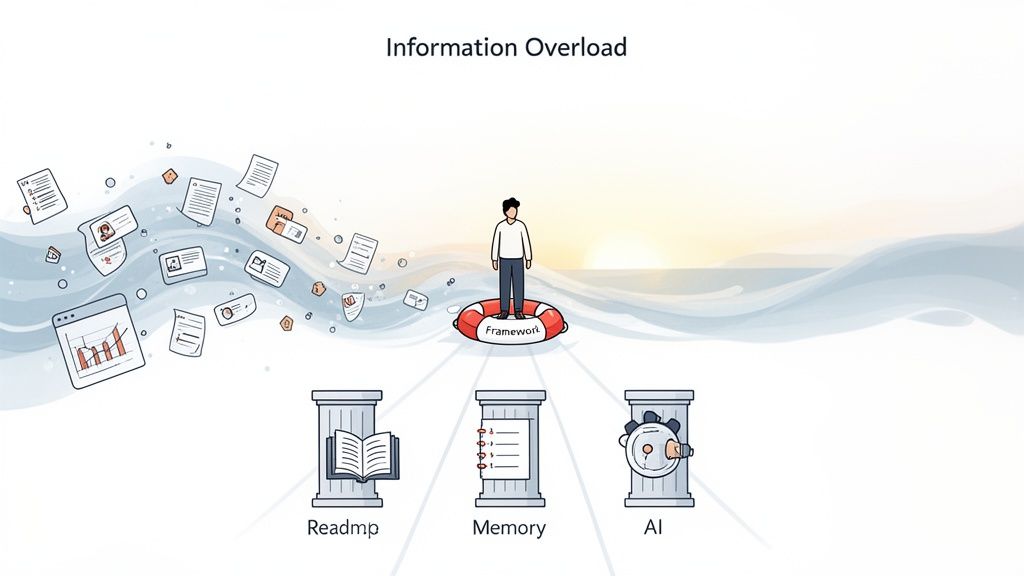
If you feel like you're constantly buried under a mountain of reports, articles, and data streams, that’s because you are. The feeling of being completely overwhelmed isn't just in your head; it’s a modern reality. Simply trying to keep up with the exponential growth of digital content is a losing game.
Let’s put the scale of the challenge into perspective. Every single day, the world generates an almost unbelievable 402.74 million terabytes of data. To picture that, it's like stacking over 90 billion DVDs—every day.
And it’s only getting worse. By 2025, that number is expected to balloon to 181 zettabytes annually, a 150% jump from 2023, thanks in large part to billions of new IoT devices coming online. You can get a deeper dive into this data explosion and its impact on modern work if you’re curious.
This guide is designed to be your lifeline. We're moving past the usual generic tips and giving you a practical framework to regain control. The goal here isn't just to survive the information onslaught but to actually thrive in it.
This article is built on a clear, actionable framework designed to transform how you learn. We’re going to get into specific workflows and tools you can start using right away.
Here’s a quick overview of the core strategies you'll learn, designed to give you a clear path from information overload to mastery.
Your Framework for Faster Information Processing
| Strategy Pillar | What It Solves | Your Key Takeaway |
|---|---|---|
| Reading with Purpose | Wasting time on irrelevant details. | Focus on structure and key insights, not every single word. |
| Building a Knowledge System | Forgetting what you've learned. | Turn isolated facts into an interconnected, searchable web of knowledge. |
| Retaining What You Learn | Information that goes in one ear and out the other. | Use proven memory techniques to make important information stick long-term. |
| Working with Technology | The manual grind of sifting through dense documents. | Use smart tools, like AI summarizers, to automate grunt work and speed up comprehension. |
By the time you're done with this guide, you’ll have a clear roadmap to stop drowning and start thinking. It's all about building a personal system that puts you back in the driver's seat.
This frees up your time and, more importantly, your mental energy for the things that really move the needle—analysis, creativity, and making smart decisions.
Read for Insights, Not for Speed
Most of us were taught to read the same way: start at the first word and plow through until the last. That works for a good novel, but for a dense report or a technical paper? It's a painfully slow way to get to the point.
The goal isn't just to read faster; it's to understand faster. This means ditching the old habit of passive reading and becoming an active information extractor. You have to stop thinking you need to absorb every single sentence. The real skill is pinpointing the valuable stuff and pulling it out with minimal time wasted.
Create a Mental Map Before You Read
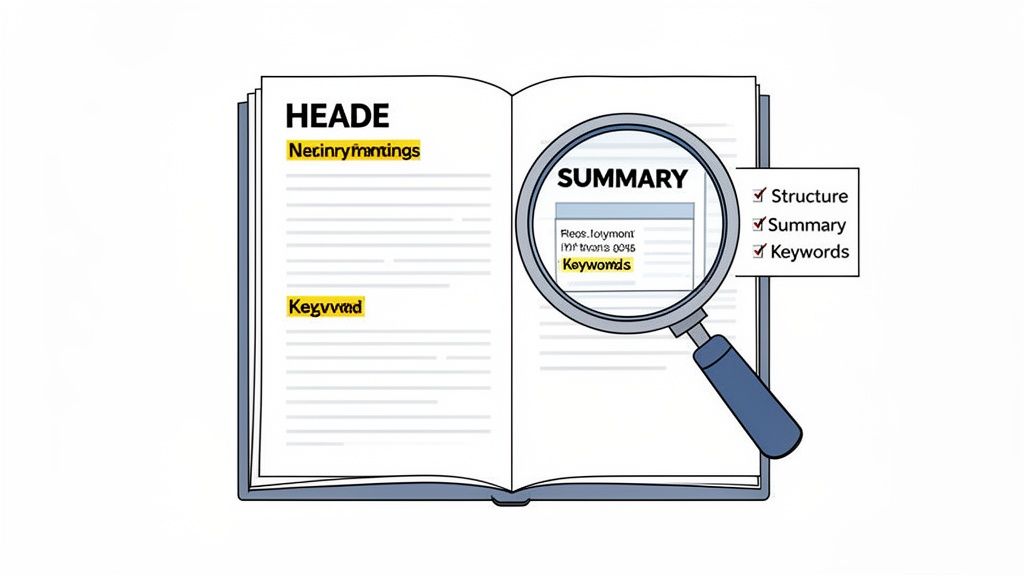
Before you even think about reading the first paragraph, give yourself just 60 seconds to get the lay of the land. This isn't reading—it's reconnaissance. You're building a mental map of the document, looking for signposts that tell you where the author has hidden the most important ideas.
This quick preview makes a huge difference. By understanding the structure upfront, you’re essentially giving your brain a cheat sheet, making the actual reading process far more efficient.
Here's what to look for in that first minute:
- Headings and Subheadings: These are your road map, outlining the entire flow of the document.
- Introduction and Conclusion: This is where you’ll find the core thesis and summary. You get the main arguments right away.
- Bolded Text and Bullet Points: The author is literally flagging the key takeaways for you. Pay attention!
- Charts, Graphs, and Tables: A quick scan of a visual can often give you the same information as three paragraphs of text.
Use Skimming and Scanning Strategically
Once you have your mental map, you can bring in two of the most powerful tools in your reading arsenal: skimming and scanning. They are not the same thing, and knowing when to use each is crucial.
Skimming is all about getting the gist. You let your eyes glide over the text, paying attention to the first sentence of each paragraph, the headings, and any summary sections. The point is to grasp the overall argument without getting bogged down in the details. To see how this really strengthens your ability to retain information, check out our guide on how to improve reading comprehension skills.
Scanning is more like a search-and-rescue mission. You aren’t reading at all. You're hunting for a specific piece of information—a keyword, a name, a date, or a number. Your eyes jump across the page, ignoring everything until you spot your target.
Think of it like this: Skimming is like watching a movie trailer to understand the plot. Scanning is like using the chapter selection on a DVD to jump straight to the action scene you want to see.
Let's make this real. Imagine a business analyst gets a 50-page market research report. Instead of reading it cover to cover, she spends five minutes previewing the executive summary and table of contents. Next, she skims the sections on "Market Trends" and "Competitor Analysis." Finally, she scans the document for her company's name and any mentions of "Q3 revenue."
In less than 30 minutes, she's pulled out every critical insight that would have taken her hours to find with traditional reading. That’s how you process information faster without sacrificing an ounce of comprehension.
Build Your Second Brain to Connect Ideas
Reading strategically is great for getting information into your head, but that’s only half the battle. If all those insights just sit there, isolated and forgotten, what's the point? The real breakthrough happens when you start connecting ideas from different sources—transforming passive highlights into an active, growing web of knowledge. This is the whole idea behind building a "second brain."
Think of a second brain not as a digital filing cabinet, but as a dynamic external network for your thoughts. It’s a dedicated space where you actively process, synthesize, and link information. This system turns your past learning into a powerful asset for future projects, decisions, and creative work. It’s how you guarantee that the effort you put into learning something today pays off for years.
Visualize Your Knowledge with Mind Mapping
One of the best ways to immediately start connecting different pieces of information is through mind mapping. Linear, text-based notes can easily bury connections. A mind map, on the other hand, is a visual, radial diagram that brings them to the surface. You start with a central concept and branch out with related ideas, keywords, and data points.
This method works so well for complex topics because it mimics how our brains naturally link ideas.
- Planning a Research Paper: Imagine you're organizing research for a thesis. Your main argument is the central topic, with primary branches for each supporting chapter. From there, sub-branches can link to specific studies, key quotes, and even counterarguments, letting you see your entire paper's structure at a single glance.
- Deconstructing a Client Brief: A project manager could use a mind map to break down a new client's needs. The client's company sits at the center, with main branches for "Goals," "Challenges," "Target Audience," and "Competitors." This visual layout makes it incredibly easy to spot overlaps and kickstart strategic thinking.
A well-structured mind map doesn't just store information; it reveals it. You'll start to see patterns and relationships you would have completely missed in a standard document, helping you process information faster and more creatively.
Create an Interconnected Web with Zettelkasten
If you're looking for a more robust, long-term system, the Zettelkasten method is hard to beat. It’s a German term meaning "slip box," and the system is built around creating small, single-idea notes (or "zettels") and then intentionally linking them together. Each note is a self-contained idea, but it also becomes a node in a much larger network of thought.
Instead of filing notes into rigid categories, you connect them based on context and association. A note about productivity might link to one about cognitive biases, which in turn connects to a concept from a psychology book you read last year. This creates a web of knowledge that grows and evolves right alongside you. To really make your knowledge work for you, it's worth learning how to build a personal knowledge management system that fits your specific needs.
This approach transforms your notes from a passive archive into an active thinking partner. Over time, you build a unique repository of interconnected ideas that can spark new insights for articles, projects, or complex problem-solving. This is one of the most effective knowledge management strategies out there for anyone serious about turning raw information into true wisdom.
Ultimately, the specific tool you use—whether it’s a simple notebook or a sophisticated app like Obsidian or Roam Research—is less important than the system itself. The goal is to build a process that forces you to think, synthesize, and connect. That’s what truly builds a second brain and helps you process information faster and more deeply than ever before.
Use AI as Your Personal Research Assistant
Fighting back against information overload means using the best tools for the job. And today, that means AI. Bringing a tool like PDF Summarizer into your daily workflow isn't some far-off concept; it's a practical, here-and-now strategy that automates the most tedious parts of research. This frees you up to do what you do best: think, analyze, and connect ideas.
Think about a student staring down a 120-page academic paper that’s due in two days. The old way involved hours of painstaking reading. The new way? Get an instant summary, a list of key takeaways, and the core arguments in just a few minutes. It's not about skipping the work; it's about focusing on the right work.
Automate the Grunt Work of Research
The magic of AI is its ability to do the initial heavy lifting. For students cramming for an exam, a researcher drowning in literature reviews, or a professional trying to make sense of a dense legal brief, traditional reading is a serious bottleneck. The average person reads at about 250 words per minute, but when you're dealing with jargon-heavy PDFs, that speed can easily drop below 100 wpm.
This is where AI completely changes the game. A tool like PDF Summarizer can process a massive report in seconds, not hours. You can even take it a step further. Imagine uploading several competitor analysis reports and simply asking, "What are the overlapping market threats mentioned in these documents?" This transforms a full day of cross-referencing into a single, straightforward question.
The process of turning raw information into useful knowledge is pretty simple, and AI can supercharge the first two stages.
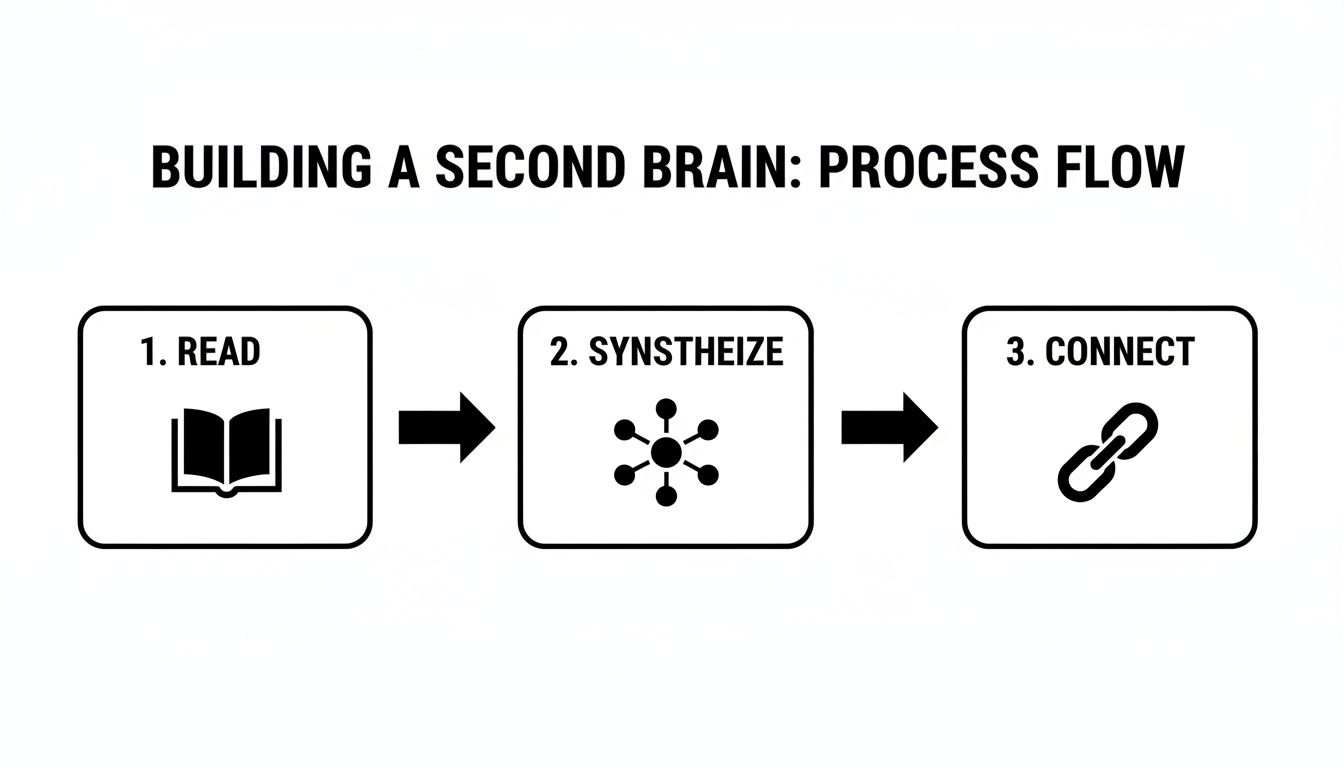
As you can see, building real knowledge requires reading, synthesizing, and then connecting. AI nails the first two, leaving you with more time and energy to focus on the third, which is where true insight happens.
Ask Better Questions, Get Better Answers
To really get the most out of an AI assistant, you have to learn how to talk to it. Learning how to create effective AI prompts is the key. Vague questions will always get you vague answers. But specific, context-rich questions? That’s how you unlock genuinely useful insights.
Instead of a lazy prompt like, “What is this document about?” you need to get granular.
Try being more direct:
- “Summarize the methodology section of this research paper in three bullet points.”
- “Pull out all mentions of Q4 financial projections and list the key figures.”
- “What are the main counterarguments presented in this legal brief?”
This shifts you from getting a basic summary to having a dynamic conversation with your documents. It’s an essential skill for anyone who needs to process information quickly and accurately. For more ideas, our guide on https://pdfsummarizer.pro/blog/questions-to-ask-ai offers dozens of ready-to-use examples.
The quality of your output is directly tied to the quality of your input. Think of the AI as a brilliant but very literal assistant—you need to give it clear, precise instructions to get the best results.
Make Your Knowledge Stick with Proven Memory Tools
Taking in new information is just the first step. The real challenge? Making it stick. You can read a mountain of material, but it means nothing if you can’t recall the important parts when you actually need them. True mastery happens when you move knowledge from short-term memory into long-term storage, ready to be pulled out at a moment's notice.
This is where proven memory techniques come into play. Forget passively re-reading your notes and just hoping for the best. You need to actively engage with the material to build strong, lasting neural pathways. It’s all about working smarter to truly cement your understanding.
Test Your Understanding with The Feynman Technique
One of the best ways to figure out what you don't actually know is the Feynman Technique. It's named after Nobel Prize-winning physicist Richard Feynman, and its simplicity is its genius. This method is incredibly powerful for turning surface-level familiarity into deep comprehension.
The whole idea is to explain a concept you've just learned in the simplest terms you can muster, as if you were teaching it to someone who knows nothing about the subject. When you're forced to ditch the jargon and complicated language, you quickly run into the weak spots in your own understanding.
Here are a few real-world examples of how you might use it:
- A legal professional: After reviewing a dense new regulation, try explaining its core impact to a colleague outside that specialty.
- A student: Take a complex topic from biology, like photosynthesis, and try to write an explanation that a middle schooler could easily understand.
- A programmer: Instead of just memorizing code, explain a new algorithm by drawing the logic on a whiteboard for your team.
If you find yourself getting stuck or falling back on technical terms, you've just found a knowledge gap. That’s your cue to go back to the source material, fill in that blank, and then try your simple explanation again. This cycle is what truly embeds the information in your brain.
This process forces you to convert passive knowledge into active understanding. If you can’t explain it simply, you don’t understand it well enough.
Lock in Knowledge with Spaced Repetition
While the Feynman Technique is perfect for deepening your understanding of a single concept, spaced repetition is the key to holding onto that information for the long haul. This scientifically-backed method works by interrupting the brain’s natural forgetting curve.
It’s a simple but profound shift. Instead of cramming, you review information at increasing intervals, right at the point where you’re about to forget it. Each time you review it, the memory becomes stronger and more resistant to fading over time. This is the difference between remembering something for a test tomorrow and having that knowledge ready for a project next year.
For instance, someone learning a new coding language might use flashcard software like Anki. You'd review new syntax daily at first, then every few days, then weekly, and eventually, even less often. This deliberate rhythm is what moves information from fragile, short-term memory into a permanent, reliable part of your knowledge base.
Common Questions About Processing Information
Whenever you start to overhaul old habits, questions are bound to pop up. It’s one thing to read about a new workflow; it's another to actually put it into practice. Let’s tackle some of the common hurdles people run into when they start learning to process information more effectively.
How Quickly Can I Actually See Results?
You'll see some wins almost immediately. The very next time you open a report, try a strategic preview—scan the headings, introduction, and conclusion first. Just doing that will instantly save you from wasting time on irrelevant sections and point you straight to the good stuff.
The bigger, system-wide changes, like building out a “second brain” with connected notes, naturally take a bit more time to feel automatic. My advice? Don't try to do everything at once. Pick one new technique and apply it to a single task each day. Within a week, you’ll feel more organized. After a month of consistent practice, these new habits will start to feel like second nature, and you'll wonder how you ever managed without them.
The real secret is consistency over intensity. A small, daily effort builds momentum and makes huge improvements feel almost effortless over time. It’s far more effective than a massive, one-time push to change everything.
Is It Better to Work on a Screen or on Paper?
Honestly, this is less about the medium and more about your method. There’s a good reason people still love paper—it’s great for deep, focused reading of one critical document. No notifications, no distractions. For many, concentration just comes easier with physical pages.
But when you're dealing with a high volume of information, digital is hard to beat. You can search for keywords in an instant, use sophisticated annotation apps, and bring in powerful AI tools to do the heavy lifting.
Here’s a hybrid approach I swear by:
- Use a tool like a PDF summarizer for the first pass on a digital document. Get the gist, pinpoint the key sections, and extract the core arguments.
- Then, if you need to do a deep dive, print out just those 5-10 crucial pages for focused, offline study. This way, you get the speed and scale of digital tools and the deep focus of paper. It’s the best of both worlds.
Do These Methods Work for Non-Native Speakers?
They absolutely do. In fact, they can be even more of a game-changer. Strategic reading trains you to look for universal signposts in a document—things like introductions, conclusions, and headings. This helps you grasp the main ideas before you get bogged down in translating every single word. You get the context first, which makes understanding the details much easier.
Smart note-taking is another huge asset. It forces you to rephrase complex ideas in your own words, which is one of the best ways to solidify both your understanding of the topic and your language skills.
Plus, modern AI summarizers often support multiple languages. You can analyze a document in one language and ask questions about it in another. This turns them into incredible aids for both comprehension and translation, helping you bridge any language gaps on the fly.
Ready to stop drowning in dense documents and start extracting insights in seconds? PDF Summarizer uses AI to give you instant summaries, key takeaways, and a way to chat with your files. Upload a PDF for free and see how much faster you can learn. Get started at https://pdfsummarizer.pro.
Relevant articles

Explore critical thinking skills for students with practical strategies to analyze information, argue persuasively, and boost academic success.

Feeling overwhelmed? This guide explains what is information overload, its causes, and gives you practical strategies to regain clarity and boost productivity.
Discover how to read faster and retain information with practical strategies, exercises, and science-backed tips you can apply today.