Intelligent document processing software: Automate data extraction with AI
Discover how intelligent document processing software uses AI to automate data extraction, boost accuracy, and streamline workflows.
Picture this: a mountain of invoices, contracts, and customer forms piling up. Digging through that stack for one specific piece of information is a slow, manual grind that’s just asking for expensive mistakes. This is exactly the kind of chaos that Intelligent Document Processing (IDP) software is built to fix. Think of it as a digital assistant that reads, understands, and organizes information from any document, all in a matter of seconds.
From Document Chaos to Business Clarity
Every organization runs on documents, but managing them often feels like trying to solve a puzzle with half the pieces missing. The old ways of handling paperwork—manual data entry, endless filing cabinets, and searching for a needle in a haystack—just don't cut it anymore. They drain employee time, invite human error, and create operational bottlenecks that slow everything down.
This is the core business problem that intelligent document processing software tackles head-on. It’s a huge leap beyond simple scanning or basic Optical Character Recognition (OCR). Instead, IDP uses sophisticated artificial intelligence to actually understand the context and meaning of the data, much like a human expert would, but at a massive scale and incredible speed.
The Power of AI-Driven Understanding
Let's break it down. A standard scanner simply takes a picture of a document. An IDP solution, on the other hand, reads it, recognizes that one page is an invoice and the next is a legal agreement, and then pulls out the exact information needed from each one.
It manages this by combining a few powerful technologies:
- Automated Classification: It can instantly sort a jumbled pile of documents—invoices, purchase orders, receipts—into the right digital folders.
- Intelligent Data Extraction: The software pinpoints and grabs specific details like invoice numbers, client names, total amounts, and contract dates, no matter how the document is formatted.
- Continuous Learning: Thanks to machine learning, the system actually gets smarter with every document it handles, adapting to new layouts and improving its accuracy over time.
This move from manual work to automated intelligence is a game-changer. The market growth for intelligent document processing software proves it. Valued at USD 2.8 billion in 2026, it’s expected to jump to USD 5.26 billion by 2032 as more businesses rush to turn their messy data into a real asset. You can see the full analysis on Research and Markets.
By taking over the most tedious parts of paperwork, IDP frees up your team to concentrate on what really matters. It’s not just about better organization; it's about unlocking the valuable data trapped inside your documents to make smarter, faster decisions. To dive deeper, check out our guide on document management best practices.
How Intelligent Document Processing Software Works
Think of Intelligent Document Processing (IDP) software as a digital expert that knows how to read, understand, and organize information from any document you give it. It doesn't just scan for words; it actually gets the context and purpose behind them. This whole process hinges on three core AI technologies working together in a really smart, coordinated way.
The goal is to turn a messy pile of documents—digital or physical—into perfectly structured, usable data. It’s a journey from chaos to clarity.
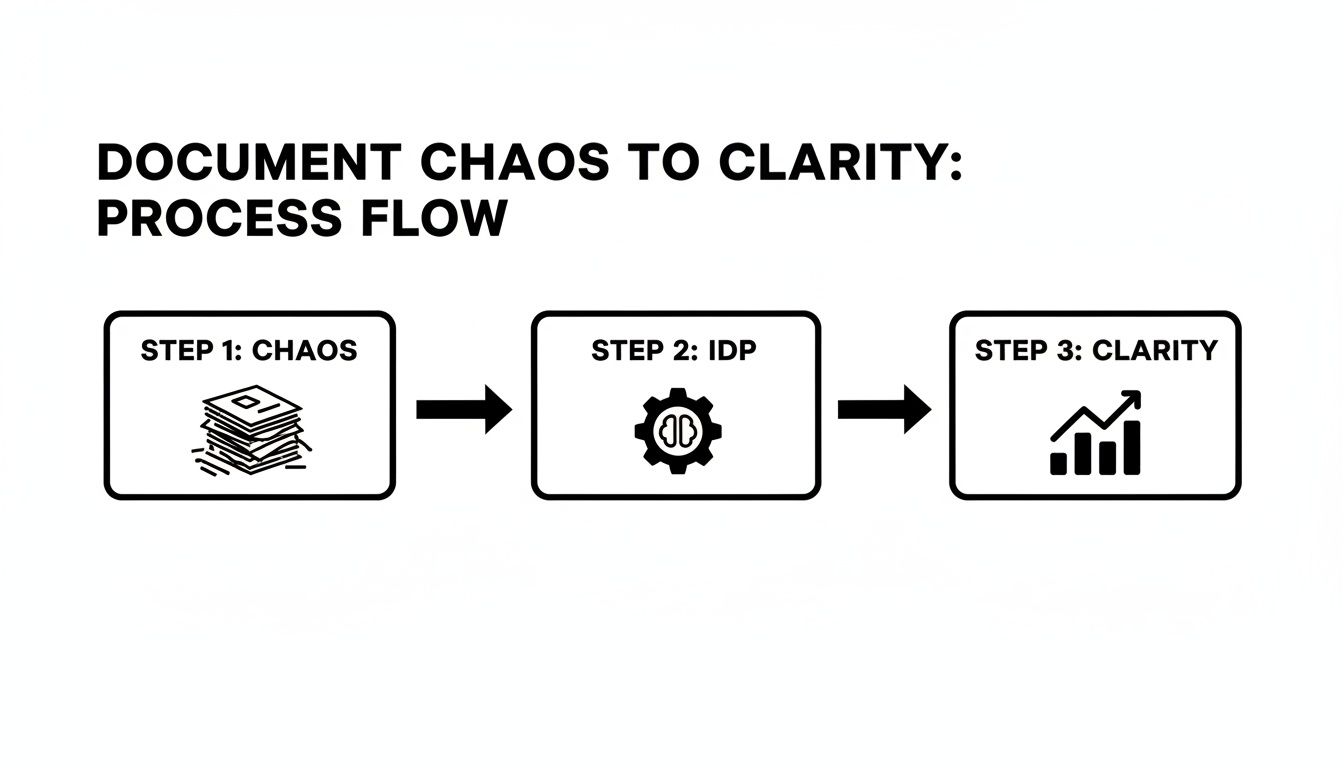
This is the fundamental workflow of an IDP engine: taking jumbled information and turning it into something your business can actually act on. Let’s break down the tech that makes it happen.
The Core AI Technologies Driving IDP Software
To truly grasp how IDP works, you need to understand the trio of technologies that power it. Each one has a distinct job, and they build on each other to create a system that’s much smarter than the sum of its parts.
| AI Technology | Core Function | Real-World Example |
|---|---|---|
| Optical Character Recognition (OCR) | The "Eyes" | Scans a PDF invoice and turns the picture of words and numbers into editable digital text. |
| Natural Language Processing (NLP) | The "Brain" | Reads the digitized text from the invoice and identifies "Total Amount: $5,400" as the final payment due, not just a random number. |
| Machine Learning (ML) | The "Memory" | Remembers the layout of invoices from a specific vendor. After a few examples, it automatically knows where to find the PO number every time. |
Together, these components create a seamless workflow that goes from simply seeing a document to truly understanding it.
The Eyes: Seeing the Text with Optical Character Recognition
The first job in any IDP process is to turn a document image into text a computer can read. This is where Optical Character Recognition (OCR) comes in. Think of it as the system's eyes. It scans everything—a PDF, a photo of a receipt, a signed contract—and translates all the characters into digital text.
But OCR alone is just a starting point. It can read the number "5,000" but has no idea if that's a price, an item quantity, or part of a street address. It sees the words but misses the meaning. That’s where the brain comes in.
The Brain: Understanding Context with Natural Language Processing
Once the text is digitized, Natural Language Processing (NLP) takes over as the "brain." NLP is all about teaching computers to understand human language just like we do. It looks at grammar, sentence structure, and the relationships between words to figure out what the OCR-scanned text actually means.
So, when it's looking at an invoice, NLP can tell the difference between the "Invoice Date" and the "Due Date" because it understands the surrounding words. It spots key pieces of information—like company names, addresses, and line items—and tags them correctly.
Simply put, NLP allows an IDP system to move from just recognizing characters to actually comprehending the document. This is the magic step that turns a sea of unstructured text into a neatly organized dataset.
This ability to grasp context is what makes IDP so powerful for handling the crazy variety of documents businesses deal with every day. To learn more about how this works behind the scenes, you can check out our guide to automatic document processing.
The Memory: Learning and Adapting with Machine Learning
The final piece of the puzzle is Machine Learning (ML), which acts as the system’s memory and its engine for getting smarter over time. ML models are trained on thousands, sometimes millions, of sample documents, teaching them to spot patterns, layouts, and specific data fields.
When a new document comes in, the software uses this "experience" to pull out the right information. But here's the best part: it keeps learning. Every time a human user confirms or corrects a piece of data, the ML model learns from that feedback. This is often called "human-in-the-loop" validation, and it’s what makes an IDP solution get progressively more accurate.
This continuous learning loop means the system can adapt to new document formats on its own and keep its accuracy sky-high. Here’s how it looks in a simple purchase order workflow:
- Ingestion: A supplier emails a purchase order as a PDF.
- OCR Conversion: The OCR engine immediately converts the PDF into raw digital text.
- NLP Interpretation: The NLP model scans the text, identifying key fields like "Vendor Name," "PO Number," and "Total Amount."
- ML Validation: The ML model checks the extracted data against patterns it has learned, flagging any weird or low-confidence entries for a quick human review.
By weaving OCR, NLP, and ML together, IDP transforms a tedious manual task into a fast, accurate, and fully automated process. This frees up your team to focus on work that actually requires human intelligence.
Where IDP Software Is Making a Real-World Impact
The theory behind intelligent document processing software is interesting, but its real value shines when you see it solving actual business problems. Let's move past the technical diagrams and look at how this technology is turning major operational headaches into huge efficiency gains in industries you interact with every day.
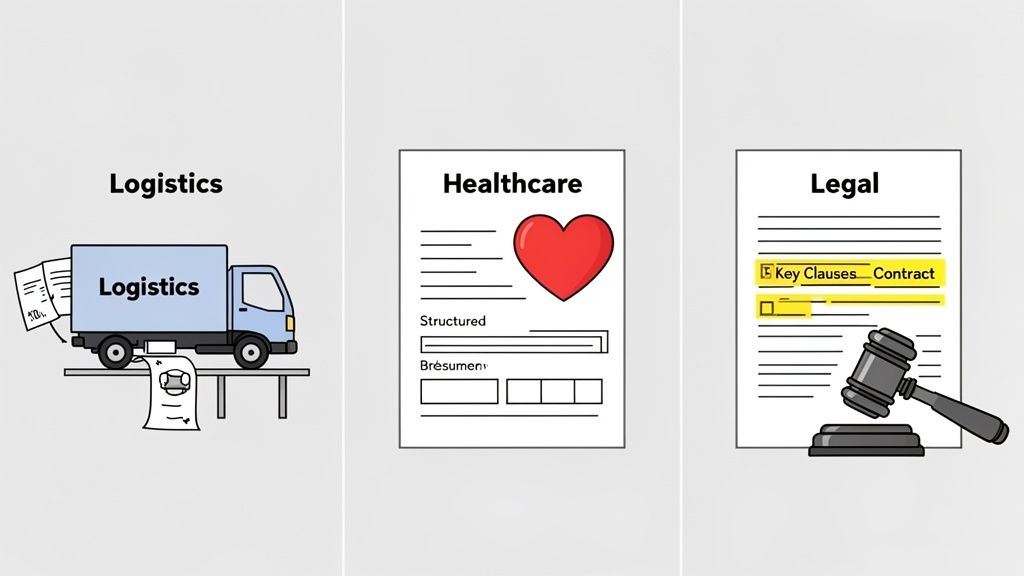
From getting packages delivered faster to improving patient care, IDP is delivering tangible results right now. These aren’t pie-in-the-sky ideas; they are practical solutions that companies are using today to slash costs, minimize errors, and speed up how they do business.
Untangling Logistics and Supply Chains
In the world of logistics, every second and every detail counts. A single mistake on a bill of lading can bring a shipment worth thousands of dollars to a screeching halt. That's why logistics firms are turning to IDP to automate the flood of critical paperwork. The software can instantly pull out key details like shipper info, cargo descriptions, and destination ports.
This automation isn't just a minor improvement; it's a game-changer.
- Faster Shipments: Processing paperwork in minutes instead of hours means goods clear customs and checkpoints without delay.
- Fewer Manual Errors: By taking human data entry out of the equation, costly typos in shipping details vanish, ensuring cargo gets where it needs to go.
- Clearer Visibility: Data from shipping documents is instantly fed into tracking systems, giving everyone a real-time view of the supply chain.
In a related field like construction, specialized tools such as the Exayard AI plan reading software are automating data extraction from complex blueprints, which dramatically improves the accuracy of project estimates.
Modernizing Healthcare and Patient Management
Healthcare providers are practically drowning in paperwork. Think about it: patient intake forms, insurance claims, lab results, and endless medical histories. IDP offers a lifeline. A hospital can use it to instantly digitize a new patient's forms, automatically funneling medical history and insurance details straight into their electronic health record (EHR).
The result is a direct improvement in both patient outcomes and daily operations.
When you automate document handling, you free up healthcare professionals to focus on patient care instead of administrative drudgery. IDP makes sure critical information is both accurate and immediately available when it matters most.
The impact is huge. IDP helps cut down on rejected insurance claims by catching errors early, speeds up the entire patient check-in process, and dramatically reduces the risk of human error when transcribing sensitive medical data.
Bolstering Precision in Finance and Legal
In the financial and legal worlds, precision is non-negotiable. One misplaced decimal point on an invoice or a single overlooked clause in a contract can lead to disastrous consequences. This is precisely why the adoption of intelligent document processing software is skyrocketing. By 2025, a staggering 63% of Fortune 250 companies will have integrated these tools, with the financial sector leading the charge at a 71% penetration rate. It makes sense when you consider that manual processing used to eat up as much as 40% of an employee's time.
Legal teams are using IDP to sift through thousands of contracts to find specific clauses, renewal dates, and liability terms—a task that would otherwise take a team of people weeks to complete. In finance, IDP automates the three-way matching of invoices, purchase orders, and receiving reports, instantly flagging discrepancies and stopping fraudulent payments in their tracks. This kind of automation doesn't just make things faster; it builds a stronger foundation for compliance and risk management.
How to Choose the Right IDP Solution
Picking the right intelligent document processing software isn't just a tech purchase—it's a strategic move that will directly affect your team's productivity and your company’s bottom line. The market is packed with options, and it’s easy to get lost. The goal is to find a solution that genuinely fits your business, not one that forces you to cram your existing workflows into its rigid system.
The first step is to see past the marketing hype and get a real feel for performance. Not all IDP tools are built the same, and how they perform in the real world can be wildly different from what the sales pitch promises. What works wonders for one company could be a complete mismatch for another, which is why a methodical evaluation is so important.
Defining Your Core Requirements
Before you even glance at a vendor website, you need to have a crystal-clear picture of what you need the software to accomplish. This internal audit is, without a doubt, the most crucial part of the process. Start by mapping out the specific document workflows you’re looking to automate.
For instance, is your main goal to process invoices day in and day out? Or are you dealing with a messy mix of contracts, new customer forms, and shipping manifests? Each document type brings its own unique set of challenges. Make a detailed list of every format you handle, from clean, structured PDFs and spreadsheets to unstructured emails and blurry scanned images.
Doing this homework upfront gives you a solid set of criteria to judge every potential solution against. It stops you from being distracted by shiny features you’ll never actually use.
Key Evaluation Criteria for IDP Software
Once you know what you need, you can start assessing vendors with a consistent scorecard. Think of these as the non-negotiables for any intelligent document processing software you consider.
Here are the most critical areas to dig into:
- Extraction Accuracy: This is the heart of any IDP solution. Ask for accuracy benchmarks, of course, but the real test is using your own documents. How well does it pull data from your most common—and your most difficult—files?
- Scalability: The platform has to be able to grow with you. Can it handle a few hundred documents a day now and scale up to tens of thousands later without breaking a sweat? This is where cloud-based tools often shine.
- Integration Capabilities: An IDP tool that can't talk to your other systems just creates more manual work. Make sure it has pre-built connectors or a flexible API to plug directly into your ERP, CRM, or other business-critical applications.
A great IDP solution should feel like a natural extension of your existing technology stack, not a separate island of data. Seamless integration is what turns extracted data into actionable business intelligence.
Also, don't overlook the platform’s ability to handle a wide range of document types. The best systems are chameleons, capable of managing everything from perfectly structured forms to messy, unstructured contracts with equal skill.
The Rise of Cloud-Based Solutions
When you're thinking about scalability and how easy a tool is to implement, you can't ignore the massive shift toward cloud-based IDP. There's a reason this model is taking over the market.
Cloud-based intelligent document processing software is on track to generate USD 3,773.2 million by 2028, which will account for over 58% of the total market revenue. This explosive growth is fueled by the cloud's natural flexibility and speed. It gives businesses access to powerful AI without the headache and expense of managing on-premise hardware. You can discover more insights about IDP statistics and see the data for yourself.
Ultimately, the choice between cloud and on-premise often comes down to your company's IT resources, security protocols, and growth plans. For most organizations, however, the agility and lower upfront investment of a cloud platform make it the more practical and future-proof option. By carefully weighing these factors, you can make a confident decision that aligns with both your immediate needs and your long-term goals.
From Data Extraction to Deeper Understanding
Getting an intelligent document processing software solution up and running is a huge win. Suddenly, all that messy, unstructured document data becomes clean, organized, and ready to use. This is fantastic for boosting efficiency, but honestly, it’s just scratching the surface.
True document intelligence isn't just about pulling out data points. It's about actually understanding the meaning, context, and nuance buried inside your most complex files.
This is where the next evolution of document AI comes in, picking up right where standard IDP leaves off. Sure, an IDP system can flawlessly extract invoice numbers and vendor names. But what about the dense, long-form content that really drives big decisions? Think market research reports, hefty legal contracts, or technical white papers.

Pulling a few keywords from a 50-page report is one thing, but a professional still has to read the whole thing to grasp the core arguments, spot potential biases, and synthesize the key takeaways. That’s a ton of manual work that simple data extraction just can’t fix. A complete document intelligence strategy has to move beyond data entry and toward genuine, AI-powered insight.
Moving Beyond Extraction to Comprehension
Here’s a good way to think about the relationship between IDP and deeper document analysis.
IDP is like a brilliant librarian who can instantly find and neatly catalog every book on a specific topic. Document comprehension AI, on the other hand, is the scholar who has actually read all those books, understands their arguments, and can debate the finer points with you.
This deeper level of interaction is what knowledge workers really need. A financial analyst doesn't just need the revenue number from a quarterly report; they need to understand the story behind that number, which is usually buried deep in the management discussion section. This is where advanced tools perfectly complement a traditional IDP workflow.
The Power of Interactive Document AI
Instead of just getting a spreadsheet of extracted data, what if you could have a direct conversation with your documents? This is the game-changer that document-centric AI brings to the table, letting you shift from passively consuming data to actively exploring it.
These advanced tools unlock capabilities like:
- Instant Summarization: Get a concise, accurate summary of a massive report in seconds. You can grab the main ideas without having to read every single word.
- Interactive Q&A: Ask your document a direct question, like, "What were the key risks identified in this project proposal?" and get a precise answer, complete with citations pointing back to the source.
- Cross-Document Analysis: Upload a whole batch of files—maybe a few research papers or competing vendor proposals—and ask questions across the entire set to compare findings and spot trends.
This interactive layer turns static documents into a dynamic knowledge base. It’s a critical piece of any modern document management strategy. Once the data is extracted and truly understood, it can fuel intelligent, AI powered knowledge management systems that turn scattered information into a valuable, centralized asset.
A Complete Document Intelligence Strategy
A smart strategy acknowledges that not all documents are created equal. Transactional files like invoices and purchase orders are perfect for intelligent document processing software. The main goal is to get structured data into another system, fast.
But knowledge-based documents demand a different approach entirely. With these, the real value is in comprehension, synthesis, and critical analysis. By pairing a powerful IDP solution with a document comprehension tool, organizations can build a complete, end-to-end workflow that handles everything.
The ultimate goal is to create a seamless flow from data extraction to deep understanding. This empowers teams to not only process information faster but also to make smarter, more informed decisions based on a comprehensive grasp of their documents.
This two-pronged approach ensures every document, no matter how simple or complex, is used to its full potential. It bridges the gap between automated data entry and genuine, AI-driven wisdom. If you're curious about the mechanics, you can dive into our guide on how question answering AI is changing our relationship with complex information. This strategy doesn't just help you manage documents—it helps you unlock the intelligence trapped inside them.
Frequently Asked Questions About Intelligent Document Processing
When you start looking into a technology as powerful as intelligent document processing software, a lot of questions pop up. It’s a big shift from old-school manual work to an AI-powered system, so it's natural to want to know what's really going on under the hood. Let's tackle some of the most common questions to clear up the confusion and show you what this tech can actually do.
Getting these details straight is the first step in figuring out if an IDP solution is the right move for your business.
What's the Difference Between OCR and Intelligent Document Processing?
This is probably the most common question, and it gets to the heart of what makes IDP special. Many people have heard of Optical Character Recognition (OCR) and think they're the same thing, but OCR is just one ingredient in the recipe.
Think of OCR as the eyes of the operation. It looks at a scanned document or a PDF and turns the images of letters and numbers into digital text that a computer can read. That's it. It’s a crucial first step, but it’s also where OCR’s job ends. It might read the date "04/15/2024," but it has no clue if that’s an invoice date, a due date, or a birthday. It sees the text, but it doesn’t understand the context.
Intelligent document processing software, on the other hand, is the brain. It takes the text from OCR and applies layers of AI—like Natural Language Processing (NLP) and Machine Learning (ML)—to actually understand it. IDP doesn't just see "04/15/2024"; it recognizes it as the "Invoice Date" and knows precisely where that piece of information needs to go in your accounting system.
In a nutshell: OCR turns a picture of words into text. IDP turns that text into structured, usable information. That's the game-changing difference.
How Accurate Is Intelligent Document Processing Software?
You’d be surprised. Modern IDP systems are incredibly accurate, often hitting 95-99% precision on documents like invoices and forms once they've been trained. This isn't just a marketing number; it's the result of sophisticated machine learning models that get better over time.
Of course, accuracy isn't a single, fixed number. It's influenced by a few key things:
- Document Quality: A clean, high-resolution scan is always going to produce better results than a blurry, skewed photo from a phone. Garbage in, garbage out.
- Layout Consistency: The more standardized your documents are, the quicker the AI learns. It loves patterns.
- Model Sophistication: The power of the underlying AI and the quality of the data it was trained on make a huge difference.
One of the smartest features in top IDP platforms is the "human-in-the-loop" review process. If the AI sees something it’s not sure about—maybe a smudge on the paper or a totally new layout—it flags it for a person to check. This isn't just about fixing one mistake. Every correction you make is fed back into the system, teaching the AI so it doesn't make the same mistake again. It's constantly learning on the job.
Is IDP Software Difficult to Implement?
It used to be. In the past, getting a system like this up and running was a massive project, requiring months of IT resources and a hefty investment in servers. Thankfully, those days are pretty much over.
The rise of cloud-based, Software-as-a-Service (SaaS) platforms has made intelligent document processing software accessible to just about everyone. Many of these tools come with pre-built models for common documents—think invoices, receipts, and purchase orders. This means you can get started almost right away, sometimes in a matter of days instead of months, with very little technical fuss.
These subscription models also mean you don't have to sink a bunch of cash into hardware. They're built to scale, so as your business grows and you need to process more documents, the system just grows with you. While a really complex, custom workflow might still need some expert setup, the barrier to getting started with the core benefits of IDP has never been lower.
Can IDP Handle Handwriting and Multiple Languages?
Absolutely, and this is where the really advanced systems shine. The technology for reading handwriting is called Intelligent Character Recognition (ICR), and it's a souped-up version of OCR designed to decipher messy cursive and varied printing styles. Its accuracy depends on how readable the writing is, but modern ICR engines are impressively good.
Support for multiple languages is also a must-have for any business operating on a global scale. The best IDP platforms are built on NLP models that have been trained on dozens of languages. A single system can pull key data from an invoice in Spanish, a contract in French, and customer feedback in Japanese without breaking a sweat.
This is a critical feature for any company with international clients or suppliers. When you're looking at different intelligent document processing software, make sure you check which languages and formats it supports. You need to be confident it can handle the full spectrum of documents that actually cross your desk.
Ready to move beyond simple data extraction and unlock a deeper understanding of your documents? With PDF Summarizer, you can chat directly with your research papers, reports, and contracts to get instant summaries and precise answers. It’s the perfect tool to complement any document workflow, turning complex information into clear, actionable insights in seconds.
Discover how easy it is to interact with your PDFs at https://pdfsummarizer.pro.
Relevant articles
Discover how legal document automation software transforms legal workflows. This guide covers features, real-world uses, and AI's role for modern legal teams.

Discover 10 actionable document management best practices to streamline workflows, boost security, and ensure compliance. Master your data today.
Learn how to extract information from PDF files using the best methods. Our guide covers manual, OCR, code, and AI tools for any data extraction task.