A Guide to Automatic Document Processing for AI Workflows
Discover how automatic document processing uses AI to transform workflows. Learn to convert document piles into actionable data and choose the right tools.
Picture a digital assistant who doesn't just scan your documents, but actually reads, understands, and organizes them in an instant. That's the essence of automatic document processing (ADP). It's a technology designed to cut through the information clutter, using AI to turn the tedious, error-prone chore of manual data handling into a speedy, automated workflow.
From Document Chaos to Actionable Clarity
Most businesses are swimming in a sea of paperwork, both digital and physical. Invoices, contracts, customer forms, and internal reports flow in constantly, and someone has to deal with it all by hand. This old-school approach is a huge bottleneck, causing delays, expensive mistakes, and tying up skilled people with mind-numbing tasks.
The real headache isn't the documents themselves, but the unstructured data trapped inside them. A signed contract or a PDF invoice contains vital information, but it’s essentially locked up until a person manually reads it and types the data into another system. This isn't just inefficient—it actively holds back growth and smart decision-making.
The Strategic Shift to Automation
This is where automatic document processing changes the game. Instead of treating documents like static files to be filed away, ADP sees them as active sources of data. By using artificial intelligence, these systems can:
- Read and understand text from all sorts of files, including scanned images and PDFs.
- Pinpoint and pull out key details like invoice numbers, client names, or contract renewal dates.
- Check and organize this information into a clean, usable format.
- Feed the data directly into other business software like your CRM, ERP, or company database.
The magic of automatic document processing is its ability to transform messy, unstructured information into clean, structured data that fuels smarter business decisions and smoother operations.
Unlocking Business Potential
Moving from manual processing to an automated system is far more than a simple time-saver; it’s a genuine strategic advantage. When data can flow seamlessly from a document right into the systems that need it, companies can speed up everything from paying suppliers to onboarding new clients.
Your team is freed from the drudgery of data entry, allowing them to focus on more valuable work like analysis, problem-solving, and building customer relationships. To learn more about setting up an organized system, check out our guide on document management best practices.
Ultimately, automatic document processing turns a major administrative burden into a source of clear, actionable insights, setting the stage for a more agile and data-informed way of working.
How AI Learns to Read and Understand Documents
Think of automatic document processing as a highly skilled digital team, where each member has a specific job. Together, they work in a perfect sequence to transform a static document—like a scanned PDF or a photo of a receipt—into structured, usable data. The entire process is a fascinating mirror of how a person reads and understands information, just executed at a blistering pace and massive scale.
It all begins with the digital equivalent of sight. If you’ve ever tried to copy and paste text from a simple image file, you know the problem: your computer sees a picture, not words. That's where the first specialist on our team comes in.
Step 1: Optical Character Recognition as the Eyes
The first and most fundamental component is Optical Character Recognition (OCR). Its mission is straightforward: to act as the "eyes" of the system. OCR scans a document and converts the visual text it sees into characters that a computer can actually read.
Without OCR, a document is just a meaningless collection of pixels to a machine. Modern OCR has come a long way, too. It can now handle different fonts, complex layouts, and even some handwriting, laying the critical groundwork for everything that follows.
This diagram shows how the technology turns a chaotic mess of files into clean, organized data.
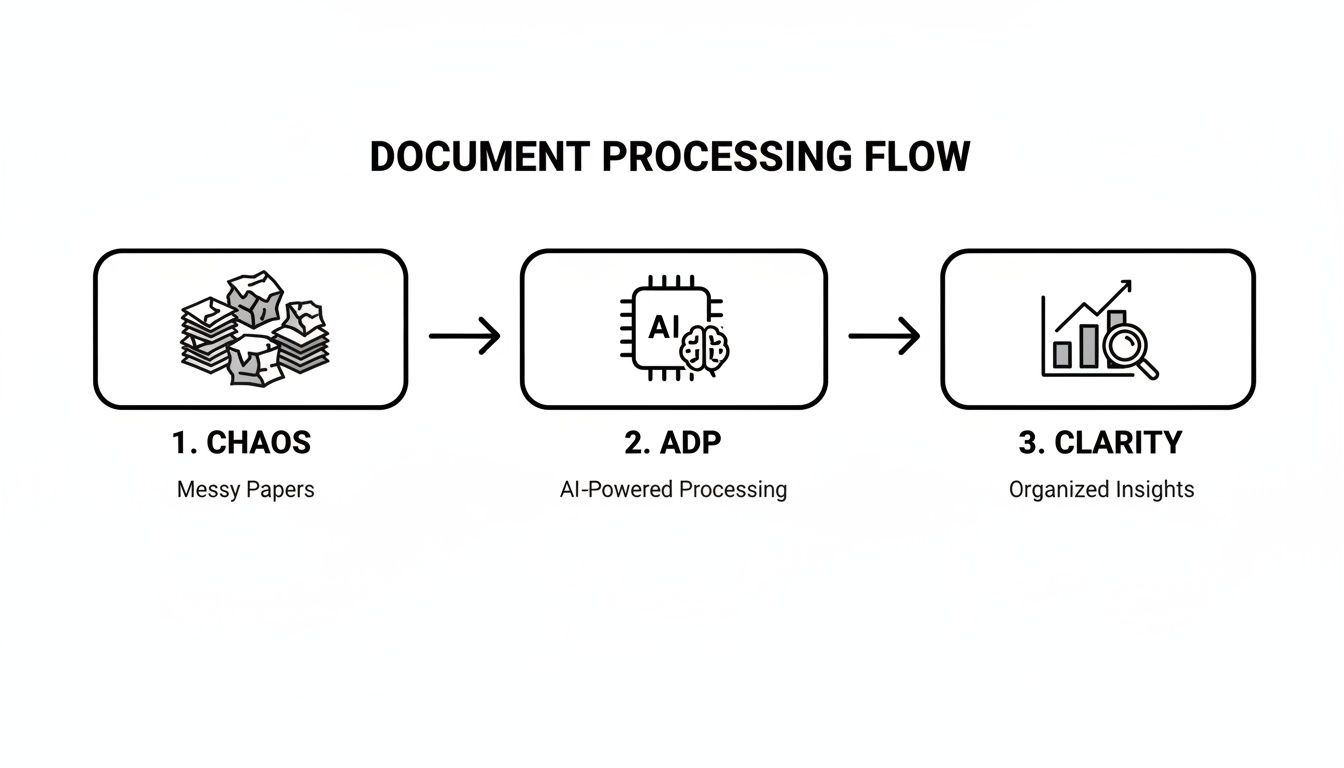
This workflow gets right to the heart of what automatic document processing does best: bringing order and purpose to the flood of documents businesses deal with every day.
Step 2: Natural Language Processing as the Brain
Once the text is readable, the "brain" of the operation kicks in. This is Natural Language Processing (NLP), a branch of AI that gives computers the ability to understand human language. NLP goes beyond just recognizing characters; it analyzes grammar, context, and the actual meaning behind the words.
For example, NLP is what helps a system know whether "Apple" refers to the tech giant or the fruit, based on the words around it. This contextual understanding is what separates basic text conversion from true document intelligence. It’s absolutely essential for making sense of complex documents, which is why AI for contract review has become such a powerful application.
Step 3: Data Extraction as the Hands
Now that the system understands the document's content, the "hands" get to work. Data extraction models are trained to find and pull out specific pieces of information you care about. These models learn to spot the patterns associated with key data points.
- In an invoice, the system knows to look for labels like "Invoice Number," "Due Date," and "Total" to grab the corresponding values.
- In a contract, it can pinpoint and lift out party names, effective dates, and renewal clauses.
- In a resume, it instantly identifies the candidate's name, skills, and previous employers.
This is the step that makes the raw text truly useful by isolating the exact details your business needs.
The real magic of automatic document processing isn't just reading documents. It's about finding the needle in the haystack—extracting the precise data points that drive your workflows and turning walls of text into structured, actionable information.
Step 4: Validation and Ingestion for Quality Control
The final stages are all about quality control and delivery. First, data validation rules double-check the extracted information for accuracy. For instance, a validation rule can confirm a date is in the correct format or that the line items on an invoice add up to the stated total.
Once validated, the data is ready for ingestion. This is the last step, where the clean, structured information is automatically sent into your other business systems. Invoice data flows into your accounting software, customer details from a web form land in your CRM, and so on. This seamless handoff completes the automation loop, making sure the data is put to work right away.
Comparing Document Processing Methods
Not all document handling is created equal. To really get a feel for what automatic document processing brings to the table, it helps to see it next to the older ways of doing things. Each method—from manual human labor to rule-following bots and finally to AI-powered systems—represents a different leap in technology.
Figuring out the pros and cons of each one is the first step in picking the right strategy for your business. Let's walk through the three main approaches: good old manual processing, Robotic Process Automation (RPA), and Intelligent Document Processing (IDP).
The Baseline: Manual Processing
This is the classic, hands-on method we’ve used for centuries. Someone physically or digitally opens a document, scans it for the right information, and then types that data into another system, like a spreadsheet or company software.
It’s straightforward, sure, but it's also painfully slow, costly, and a magnet for human error. One misplaced decimal or a simple typo can spiral into major headaches, from miscalculated payments to compliance nightmares. For any modern business buried under thousands of documents, manual processing is a bottleneck that just can't keep up.
The Digital Assistant: Robotic Process Automation
Robotic Process Automation (RPA) was the first real step into automation. The best way to think of an RPA bot is as a digital assistant that perfectly copies what a human does on a computer. You can program it to handle repetitive, rule-based tasks: open an email, download an attachment, copy data from a specific cell, and paste it into a specific field.
RPA is brilliant when you're dealing with highly structured data. For example, it can chew through a huge batch of digital forms as long as every single one has the exact same layout. The bot just follows its script: "go here, click this, copy that, paste there."
But here's the catch: it's completely inflexible. The moment a document layout changes—say, an invoice from a new supplier arrives—the RPA bot hits a wall. Its rigid rules no longer work. It can't actually read or understand what's on the page; it can only follow the path it was programmed to take.
RPA automates tasks by mimicking human clicks and keystrokes. It follows a strict set of rules, making it perfect for structured data but unable to adapt to variations or understand the content it's moving.
The Cognitive Thinker: Intelligent Document Processing
This brings us to the next evolution: Intelligent Document Processing (IDP). If RPA is a digital assistant following a script, IDP is more like a cognitive thinker that can actually read, understand, and make decisions on its own. It's the engine behind modern automatic document processing, blending technologies like OCR and AI to tackle the messy, varied documents we see in the real world.
IDP doesn't need rigid templates to work. It uses AI to figure out the context of a document, much like a person would. It can process unstructured information from emails, contracts, and a jumble of different invoice formats because it understands concepts like "vendor name" or "total amount," no matter where they are on the page. This adaptability is what makes it so powerful. To see how this tech can unlock even locked-down files, you can learn more about how to make a PDF searchable and extract its valuable data.
To see these differences side-by-side, let’s compare them directly.
Manual Processing vs RPA vs Intelligent Document Processing
| Feature | Manual Processing | Robotic Process Automation (RPA) | Intelligent Document Processing (IDP) |
|---|---|---|---|
| Data Type | All (handled by humans) | Structured (fixed templates) | Unstructured & Semi-Structured |
| Speed | Very Slow | Fast (for rule-based tasks) | Very Fast & Scalable |
| Accuracy | Low (prone to human error) | High (for structured data only) | Very High (learns and improves) |
| Scalability | Low (requires more people) | Medium (new rules needed) | High (adapts to new documents) |
| Cost | High (ongoing labor costs) | Medium (setup and maintenance) | Lower (operational efficiency) |
| Flexibility | High (human adaptability) | Low (breaks with variations) | Very High (AI-driven adaptation) |
Ultimately, while RPA showed us what automation could do, IDP delivers the intelligence needed to solve today's document chaos. It moves way beyond just mimicking actions to provide genuine understanding, making it the clear choice for any organization that's serious about efficiency and using its data well.
Putting Automatic Document Processing to Work
The theory behind automatic document processing is interesting, but seeing it solve real-world problems is where it really clicks. Across all kinds of industries, this technology is shifting from a niche tool to a must-have for daily operations. It’s turning historically slow, tedious workflows into models of speed and accuracy.
Let's look at how different departments are actually using this technology. Each example shows a clear "before" picture of manual struggle and an "after" shot of automated efficiency, highlighting results you can actually measure.
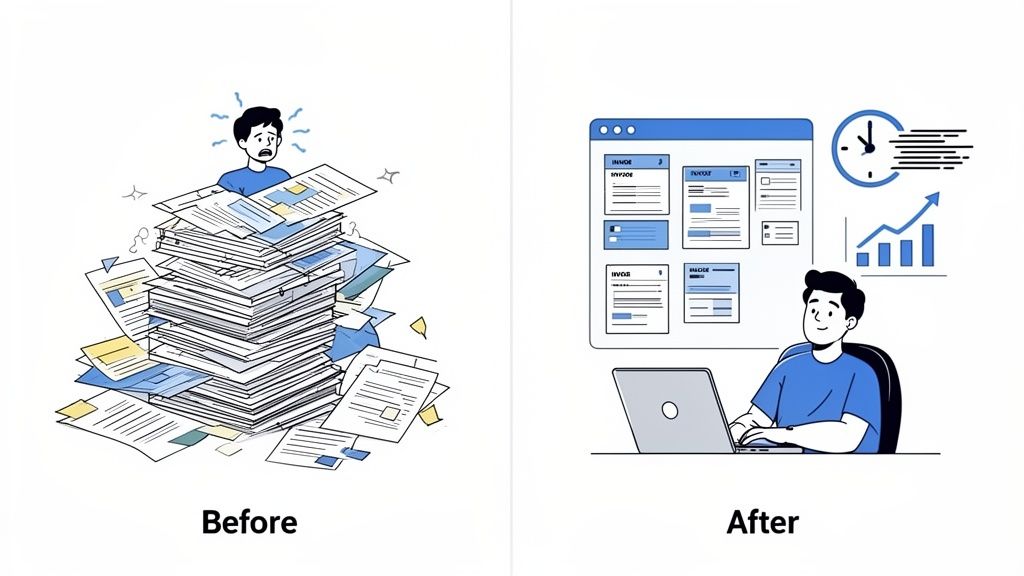
This shift is what's fueling some serious market growth. The intelligent document processing market is projected to grow like a weed, with some estimates predicting a compound annual growth rate as high as 37.5%. This explosive adoption just goes to show how critical these tools are becoming for professionals who need fast, reliable answers from their documents. You can explore more of these powerful market growth projections and the forces behind them to see just how big this trend is.
Finance Teams Reclaiming Their Time
If you've ever worked in finance, you know the feeling of being buried under a mountain of invoices, purchase orders, and expense reports. The old way of doing things is a classic bottleneck: print the document, manually type the data into a system, chase down approvals, and finally, file it all away. This cycle isn't just slow—it's a recipe for late payment fees, unhappy vendors, and costly typos.
With automatic document processing, that entire workflow gets a complete makeover.
- Before ADP: An accounts payable specialist could easily spend their entire day just keying in line-item data from hundreds of invoices, each one formatted slightly differently. A single invoice might take several minutes, and the risk of a typo was always there.
- After ADP: Now, an AI-powered system grabs invoices the moment they arrive. It instantly knows the vendor, pulls out the due date and total amount, and flags anything that looks off. A task that once took days of mind-numbing work is now done in minutes, with over 95% accuracy.
This completely changes the game, freeing up the finance team to focus on big-picture strategy like cash flow analysis instead of just shuffling paper.
Human Resources Modernizing Talent Management
HR departments are swimming in sensitive paperwork, from resumes and applications to onboarding forms and employee contracts. Manually sifting through hundreds of resumes for one job opening is a massive time-drain and can unintentionally let bias creep into hiring decisions.
Automatic document processing lets HR shift from being reactive paper-pushers to proactive talent strategists. It takes care of the low-value tasks, giving professionals the time and data to focus on what really matters: the people.
By bringing in automation, HR teams can transform how they work:
- Resume Screening: An ADP system can tear through a stack of resumes in seconds, pulling out key details like skills, years of experience, and qualifications. It then matches candidates against the job description and hands recruiters a ranked shortlist of the best fits.
- Employee Onboarding: The new hire paperwork, which can feel like dozens of forms, gets automated. The system pre-fills information, checks for errors, and sends everything off for digital signatures, giving new employees a smooth, professional start from day one.
For a closer look at the mechanics behind this, our guide on how to extract information from a PDF breaks it down further.
Legal Firms Accelerating Contract Review
In the legal world, time is money, and there is zero room for error. Lawyers and paralegals can spend hundreds of hours poring over dense contracts, hunting for specific clauses, and making sure everything is compliant. It’s exhausting work, and there’s always the nagging fear of missing one critical detail buried in 50 pages of legalese.
Automatic document processing tools act like a super-powered assistant for legal teams. The system can scan a 100-page contract in moments, pinpointing and extracting key terms, dates, and obligations. It can even flag non-standard language that might hide a potential risk. This slashes the time needed for due diligence, tightens up compliance checks, and lets legal experts save their energy for high-level strategy and negotiation.
How to Choose the Right Automation Tools
Picking the right automatic document processing tool is a big decision, and it’s one that will directly shape your return on investment. The market is flooded with options, and it’s easy to get lost in the noise of marketing claims. The trick is to have a solid evaluation plan to find a solution that actually solves your problems.
Think of it like test-driving a car. You wouldn't buy one just based on the brochure; you need to feel how it handles on your roads and see if it fits your lifestyle. The same principle applies here—you need to see how a tool performs with your documents, in your workflow, before you commit.
First, Define Your Core Requirements
Before you even start looking at vendors, the first step is to look inward. The "best" tool is completely relative; it all depends on what you need it to do. A solution that’s fantastic for processing simple, standardized forms will probably fall flat when trying to make sense of a 50-page legal contract.
Get started by asking a few practical questions:
- What documents are we processing? Are they structured and predictable like W-2 forms? Semi-structured like invoices where the layout changes? Or completely unstructured like contracts and emails?
- What's our volume? Are we talking about a hundred documents a month or thousands every single day? A tool built for a small business won't survive an enterprise-level workload.
- What data do we really need? Get specific here. Is it just the grand total on an invoice, or does your team need every single line item, tax code, and PO number?
Answering these questions first creates a practical checklist. It keeps you grounded and prevents you from getting distracted by bells and whistles you’ll never use.
Key Evaluation Criteria for Automation Software
With your requirements list in hand, you can start digging into specific platforms. Your evaluation should zero in on a few make-or-break criteria that determine how effective a tool will be in the real world.
1. Accuracy and Document Handling
This is the big one. The single most important metric is data extraction accuracy. If a tool constantly pulls the wrong information or misses fields, it just creates more manual cleanup work, which completely defeats the point of automation.
Ask vendors for their typical accuracy rates, but don't stop there. Test their system with a batch of your own documents—especially the messy ones with bad scans or tricky layouts. A good solution needs to handle the full spectrum of what you throw at it.
2. Integration Capabilities
An automatic document processing tool can't be a silo. It has to play nicely with the software you already depend on, whether that’s an ERP like SAP or Oracle, a CRM like Salesforce, or your accounting platform.
Effortless integration is where you unlock massive efficiency gains. It ensures the data pulled from a document flows directly into the systems where your team works, eliminating manual data entry for good.
The ultimate goal is a frictionless flow of information from document to decision. If a tool can't easily integrate with your core business systems, it will create a new bottleneck instead of removing an old one.
3. Scalability and Performance
Your business isn't static, and your document processing needs will grow over time. You need a solution that can keep up.
Choose a platform that can handle a significant increase in document volume without slowing down or requiring a massive overhaul. This is where cloud-based solutions really shine, as they offer the flexibility to scale resources up or down on demand.
Always Start with a Pilot Project
After all the research, the single best way to make a confident decision is to run a pilot project. Don’t just watch a vendor’s polished demo—that’s their highlight reel.
Instead, give them a representative sample of your actual documents and see how the tool performs. This real-world test drive will quickly expose a solution's true strengths and weaknesses. It lets you measure accuracy, test the integrations, and get honest feedback from your team before you sign on the dotted line. This is how you find a true partner, not just a product.
How a PDF Summarizer Can Lighten the Load for Researchers and Analysts
We often think of automatic document processing in the context of back-office tasks like sorting invoices or digitizing forms. But its real magic happens when it becomes an analytical partner for people who live and breathe complex information. I'm talking about researchers, legal teams, and global strategists who aren't just looking for data points—they're trying to connect big ideas buried in pages and pages of dense text.
This is where a purpose-built tool comes into play, applying sophisticated document processing in a way that just makes sense for the end-user. Take a tool like PDF Summarizer, for instance. It’s designed to transform information overload into clear, usable insights by tackling the very specific frustrations these professionals face every day.
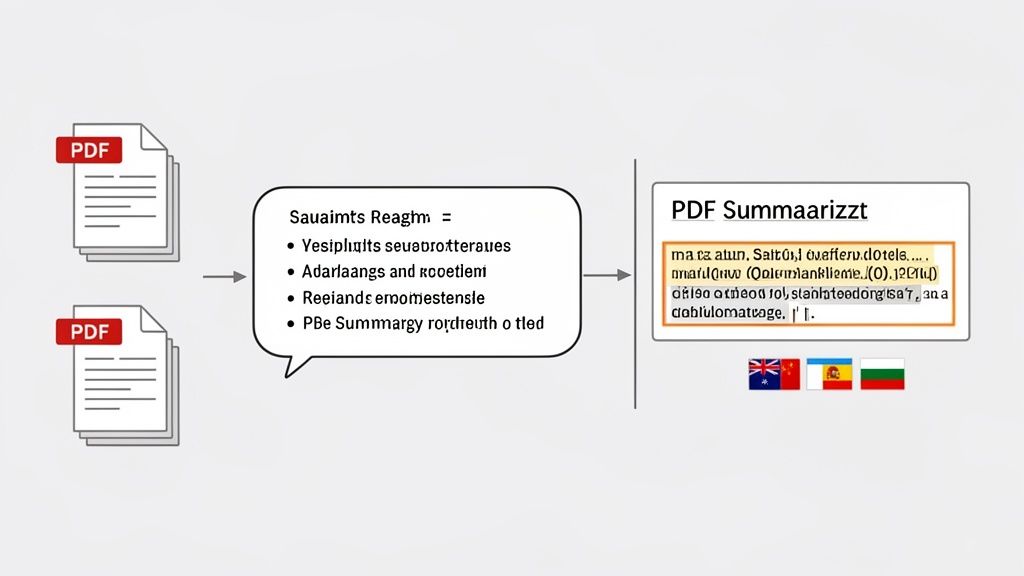
You can see how this works in practice. Instead of just reading a static file, you can "chat" with your documents. Ask a direct question, get a straight answer. It turns a one-way street into a two-way conversation, making analysis feel more natural and a whole lot faster.
For Academic Researchers Buried in Papers
Anyone who's done a literature review knows the feeling. You're staring at a digital pile of dozens, sometimes hundreds, of academic papers. Trying to manually pull out common themes, track citations, and connect findings is a monumental task.
This is where a Multi-File Chat feature is a lifesaver. Instead of juggling 20 different PDFs, a researcher can load them all into one workspace. From there, they can ask questions that span the entire collection, like, "What are the common methodologies used to study this topic across all these papers?" The system pulls together a synthesized answer, effectively condensing weeks of painstaking work into a few hours.
For Legal Professionals Who Need to Verify Facts in Seconds
In the legal world, there's no room for error. Every single claim in a brief or argument has to be tied back to a source. Sifting through a massive contract or a long case file to verify one small detail is meticulous, slow, and frankly, a grind.
The side-by-side view with clickable citations is a game-changer for verification. It connects an AI-generated summary directly to the original text, giving professionals the speed of automation with the confidence of manual review.
This is a perfect example of technology augmenting human expertise. A paralegal can read a summarized point, click a citation, and instantly jump to the exact sentence in the source document. No more scrolling and searching. This accelerates due diligence and makes it incredibly simple to ensure every fact is locked down and accurate. To get even more out of your documents, exploring dedicated PDF Summarizer tools can offer a significant advantage.
For Global Teams Trying to Bridge Language Gaps
When your team is spread across the globe, documents often come in a mix of languages. A critical report might be in English, with supporting data in German and market analysis in Japanese. This creates information silos that can bring collaboration to a halt.
A cross-language Q&A function completely flattens these barriers. A team member in Spain can upload documents in three different languages, ask questions in Spanish, and get back a single, coherent answer. Suddenly, that knowledge isn't trapped by language—it's accessible to everyone, instantly.
Common Questions About Document Processing
Even after getting the basics down, you probably have a few specific questions about how this technology actually works day-to-day. Let's tackle some of the most common ones to clear things up.
What’s the Difference Between OCR and Automatic Document Processing?
Think of it like this: Optical Character Recognition (OCR) is a single, crucial player on a team, while automatic document processing (ADP) is the entire coordinated game plan.
OCR is the technology that scans a document and turns the image of words into raw, editable text. It’s a foundational step, but its job ends there. ADP, on the other hand, is the whole intelligent workflow. It uses OCR to get the text, then deploys AI like Natural Language Processing to actually understand what that text means. It figures out what's an invoice number versus a shipping date, extracts it, checks if it's correct, and then sends that clean, structured data where it needs to go.
In short, OCR just reads the letters. ADP reads, understands, and acts on the information.
Can Automatic Document Processing Handle Handwritten Documents?
Yes, absolutely. Many modern ADP systems are surprisingly good at reading handwritten text. This is thanks to a more advanced technology called Intelligent Character Recognition (ICR). These systems have been trained on huge datasets filled with all kinds of handwriting styles, from neat cursive to messy scribbles.
This training allows them to accurately digitize handwritten notes, forms, and applications. While the accuracy can depend on how legible the writing is, it's a game-changer for industries like healthcare or logistics that still deal with a lot of handwritten paperwork.
The security of cloud-based ADP hinges on verifiable standards. Reputable providers prioritize robust encryption, strict access controls, and compliance with regulations like GDPR and SOC 2 to protect sensitive data.
How Secure Is Automatic Document Processing with Cloud-Based Tools?
This is a big one, and rightly so. Any reputable cloud-based ADP provider makes security their top priority. They use a layered approach to keep your sensitive information locked down tight.
This usually includes:
- End-to-end encryption, which protects your data while it's in transit and when it's stored on their servers.
- Strict access controls, ensuring only people with the right permissions can ever see or handle the documents.
- Compliance certifications that prove they meet tough international standards, like GDPR for data privacy and SOC 2 for operational security.
Before you commit to any tool, always dig into their security and compliance details.
How Long Does It Take to Implement an ADP Solution?
The timeline really depends on the scale of the solution. If you're using a straightforward, browser-based tool like PDF Summarizer, there's zero implementation time. You just upload a document and start working. No setup, no waiting.
For a large, enterprise-wide system that needs to connect with your existing software (like an ERP or CRM), the process is more involved. It could take anywhere from a few weeks to several months. A smart way to start is with a small pilot project. This lets you test the waters and prove the tool works for a specific use case before you go all-in.
Ready to turn your dense documents into clear insights? PDF Summarizer uses powerful AI to help you chat with your files, get instant answers, and summarize information in seconds. Try it for free and experience the future of document analysis.
Recent articles

Learn how to merge pdf foxit reader PDFs quickly with step-by-step tips, free options, and 2026 updates.

Learn how to open pdf in google docs across devices, fix formatting, and edit PDFs with ease.

Discover the 12 best document collaboration tools for any team. Compare features, pricing, and use cases to find the perfect platform for your workflow.

Learn how to add citations in Google Docs using the built-in tool, add-ons like Zotero, and an advanced PDF workflow. Master APA, MLA, and Chicago styles.

Discover the best citation management software for your research. Compare Zotero, EndNote, Mendeley, and more to find the perfect tool for your workflow.

Explore critical thinking skills for students with practical strategies to analyze information, argue persuasively, and boost academic success.