Executive Summary on a Report: Craft a Clear, Actionable Overview
Learn how to write an executive summary on a report that highlights key findings, drives decisions, and delivers impact in minutes.
An executive summary of a report isn't just an introduction—it's the entire report in miniature. Think of it as a standalone snapshot that gives a busy decision-maker all the essential findings, conclusions, and recommendations without them having to read the full document.
The Strategic Role of an Executive Summary
Let's be real: most executives simply don't have the time to read a 50-page report cover to cover. They depend on the summary to get the complete picture, and fast. This reality elevates the executive summary from a simple abstract to the most powerful tool in your entire report.
It's your best shot at influencing outcomes. A sharp, compelling summary can secure project funding, get the green light for a new initiative, or frame the entire conversation around your findings before anyone even flips to page two.
A Tool for High-Stakes Decisions
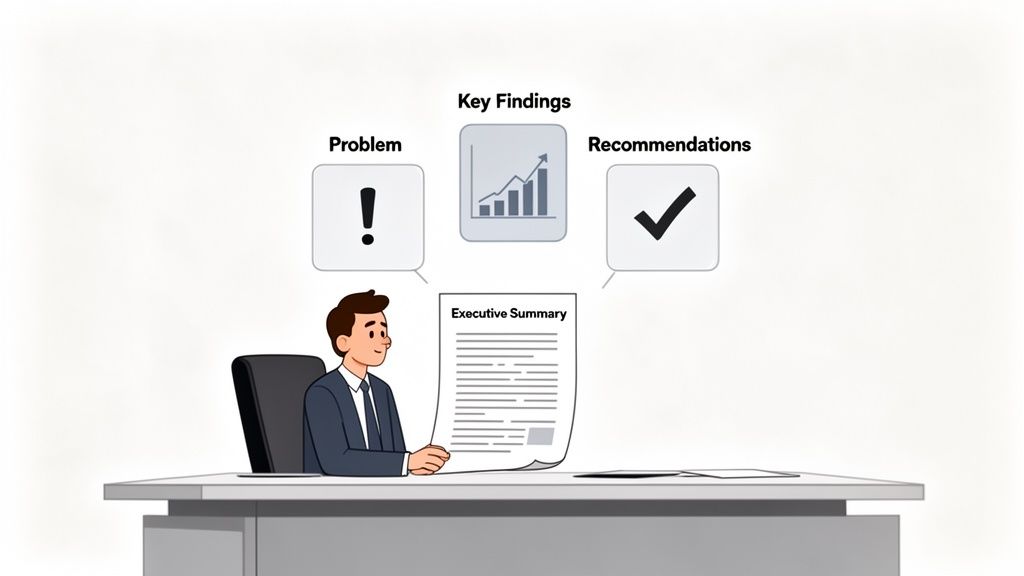
At its core, an executive summary is built to help time-crunched leaders make smart decisions. It must stand on its own, delivering everything they need to understand the situation and take action.
This is more critical than ever. For example, J.P. Morgan's 2026 Business Leaders Outlook found that while 73% of executives anticipate revenue growth, they're also grappling with serious inflation and hiring hurdles. Leaders in that position need information that is clear, concise, and gets straight to the point. That's exactly what a good executive summary does.
The goal is to distill complex information into strategic insight. You’re not just summarizing facts; you're building a case and guiding the reader toward a specific conclusion. This is the core of effective executive communication.
Before you start writing, it's helpful to have a clear framework in mind. This table breaks down the essential parts of any strong executive summary.
Core Components of an Effective Executive Summary
| Component | Purpose | Key Question It Answers |
|---|---|---|
| Problem/Objective | Sets the context and explains why the report was created. | "What problem are we trying to solve?" |
| Key Findings | Presents the most crucial data and insights from your analysis. | "What did we discover?" |
| Recommendations | Proposes specific, actionable steps based on the findings. | "What should we do about it?" |
| Implications/Conclusion | Explains the potential outcomes of taking action (or not). | "What happens next?" |
With these components in place, your summary provides a complete, persuasive narrative that respects the reader's time and intelligence.
More Than a Final Chore
Too many people treat the summary as an afterthought—something to quickly type up once the "real" work is done. That’s a huge mistake.
Instead, think of it as your opening argument. It’s your first, and sometimes only, chance to make an impact. The summary sets the tone, frames the key issues, and puts your proposed solutions front and center. To truly nail this, solid executive communication skills training is invaluable.
A key part of this is learning how to effectively synthesize information—not just repeating facts but connecting them to tell a coherent story. You can learn more about this skill here: https://pdfsummarizer.pro/blog/what-is-synthesizing-information.
By leading with the problem, your most important findings, and clear recommendations, you immediately take control of the narrative and show you have a firm grasp on the subject.
Crafting a Narrative for Maximum Impact
Think of a great executive summary not as a list of facts, but as a story. It needs a beginning, a middle, and an end that guides your reader on a journey—from understanding the core issue, to appreciating its importance, and finally, to seeing the clear solution you're proposing. When you frame it this way, a dry summary becomes a powerful tool for persuasion.
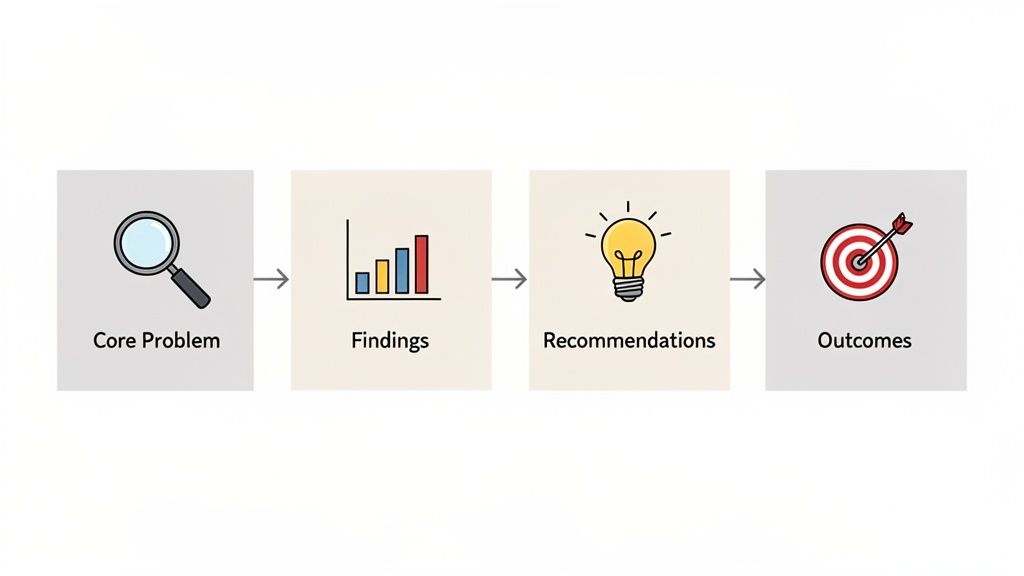
To build this narrative, you need to connect four key pillars. This structure is what makes a summary truly effective, turning information into a clear call for action.
Start with the Core Problem
First things first, you need to anchor your summary in a sharp, clear problem statement. This isn't just fluffy background context; it’s the hook that grabs your reader and makes them understand why this report even exists. Frame it as a challenge the business is facing, an opportunity you've spotted, or a critical question that needs an answer.
For instance, don't just say, "This report analyzes Q3 sales data." That’s a snoozer. Instead, try something with teeth: "Despite a 5% increase in marketing spend, Q3 sales fell short of our $2 million target, creating a significant revenue gap." See the difference? Now, the stakes are crystal clear.
Present Critical Findings That Matter
Next, you need to deliver the goods—your most critical findings. The key here is to be selective. Don't drown your reader in every single data point from your report. Pick out the two or three most powerful insights that directly speak to the problem you just outlined. These are the "aha!" moments of your work.
Imagine a technical audit summary. It could highlight something like: "Our analysis revealed that 75% of server downtime is directly attributable to an outdated firmware version, costing an estimated $50,000 per month in lost productivity." This finding is concrete, quantified, and tied directly to a painful business cost.
Connecting your findings to broader trends can add another layer of weight. For example, PwC's 2026 outlook projects the US economy will expand by 2.1%, thanks in large part to massive spending on AI and digital infrastructure. Knowing this, you could frame a recommendation as not just a fix, but a necessary step to keep pace with industry-wide investment.
Write Actionable Recommendations
This is where you answer the "So what?" question. Your recommendations must be the logical next step from your findings. Vague suggestions like "improve marketing efforts" are a waste of everyone's time. Good recommendations are direct, specific, and measurable.
The best recommendations are commands disguised as suggestions. They leave no room for ambiguity and empower the decision-maker to act with confidence.
Let's go back to our sales example. A powerful recommendation would be: "Reallocate $15,000 of the marketing budget from broad-reach campaigns to targeted influencer partnerships. We project this will increase lead conversion by 20% within one quarter." This tells your reader exactly what to do, how to do it, and the result they can expect.
Define the Expected Outcomes
Finally, you have to close the loop. What’s the payoff if your recommendations are implemented? This is your last chance to reinforce the value of your report and make an undeniable case for action.
Your conclusion should paint a vivid picture of success. For example: "By implementing these targeted marketing and firmware updates, we project a combined $700,000 annual improvement in revenue and operational savings." This final statement ties everything together, leaving your reader with a clear understanding of the benefits and a powerful reason to say "yes."
To see how these four pillars come together in practice, take a look at our collection of compelling executive summary examples.
Nailing the Tone and Keeping It Brief
Even a perfectly structured executive summary on a report can fall flat if the tone is wrong. You’re aiming for a voice that projects professional authority but is still easy to understand. Imagine you’re speaking directly to a sharp, incredibly busy executive—they need confidence and clarity, not dense academic prose or overly casual chatter.
Your tone needs to be objective and grounded in the data from your report. This isn't the place for emotional appeals or speculative language. For instance, instead of writing, "We feel this new strategy is going to be a huge success," you should state, "This new strategy is projected to increase market share by 15% within two years." The first sounds like a hopeful guess; the second is an authoritative projection.
Tailoring Your Voice for Your Reader
While keeping things professional, you absolutely have to adjust your language for your specific audience. The way you write for the board of directors will be quite different from how you’d write for a group of project engineers.
- For the C-Suite: They're focused on the 30,000-foot view. Stick to financial implications, strategic alignment, and competitive positioning. It’s all about the "why" and the potential ROI for them.
- For Technical Leads: You can get a bit more granular here with key operational details or specific metrics, but don't get lost in the weeds of technical jargon. They care about the "how" and whether the plan is actually feasible.
- For a Mixed Audience: This is a balancing act. If you have to use a technical term, define it simply. The key is to prioritize the business outcomes that matter to everyone in the room.
A common mistake I see is people writing to impress instead of to inform. Your credibility comes from being clear, not from using complicated words. If your reader has to pull up a dictionary, you've failed.
The Power of Being Concise
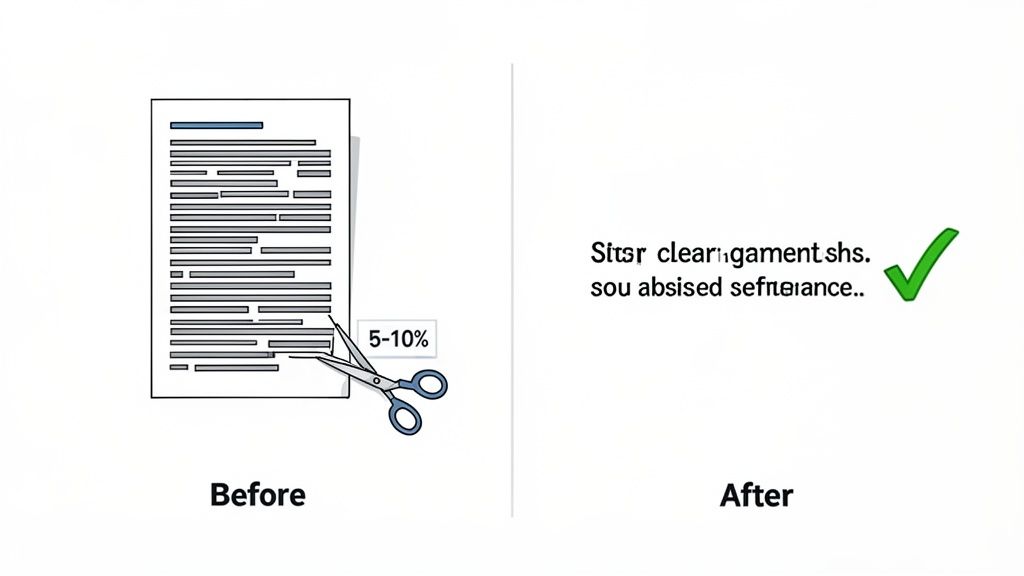
Brevity is everything in a great executive summary. The rule of thumb I’ve always followed is to keep it between 5% to 10% of the main report's length. So, for a 40-page report, you're looking at a summary that's two to four pages, max. This constraint forces you to be ruthless with your editing.
One of the most effective tricks to achieve this is to write in a strong, active voice. It’s simply more direct and powerful. Active voice puts the focus squarely on outcomes, not the meandering process.
Let's see it in action:
| Passive and Wordy | Active and Concise |
|---|---|
| "It was determined by the research team that sales were negatively impacted by our outdated software." (16 words) | "The research team determined our outdated software hurt sales." (9 words) |
| "A recommendation is being made that the budget should be reallocated to support new initiatives." (16 words) | "We recommend reallocating the budget to support new initiatives." (9 words) |
See the difference? The active versions are shorter, punchier, and immediately clear. They assign responsibility ("the team determined") and ownership ("we recommend")—precisely what decision-makers are looking for. Making this one small shift makes your writing feel more dynamic and helps you trim the fat to stay within that crucial 5-10% length.
Avoiding Common Executive Summary Pitfalls
Even the most seasoned professionals can fall into a few traps when writing an executive summary. Knowing what these pitfalls are is the best way to sidestep them and make sure your summary lands with the impact it deserves. Think of this as your final pre-flight check before the report gets into the hands of key decision-makers.
One of the most common mistakes I see is being far too vague. A summary that mentions "the project faced some challenges" tells the reader absolutely nothing. It’s a waste of their time. Be specific. Instead, say: "The project launch was delayed by three weeks due to supply chain disruptions, resulting in a $50,000 budget overrun." That kind of specificity gives leaders the concrete details they need to make informed decisions and builds your credibility.
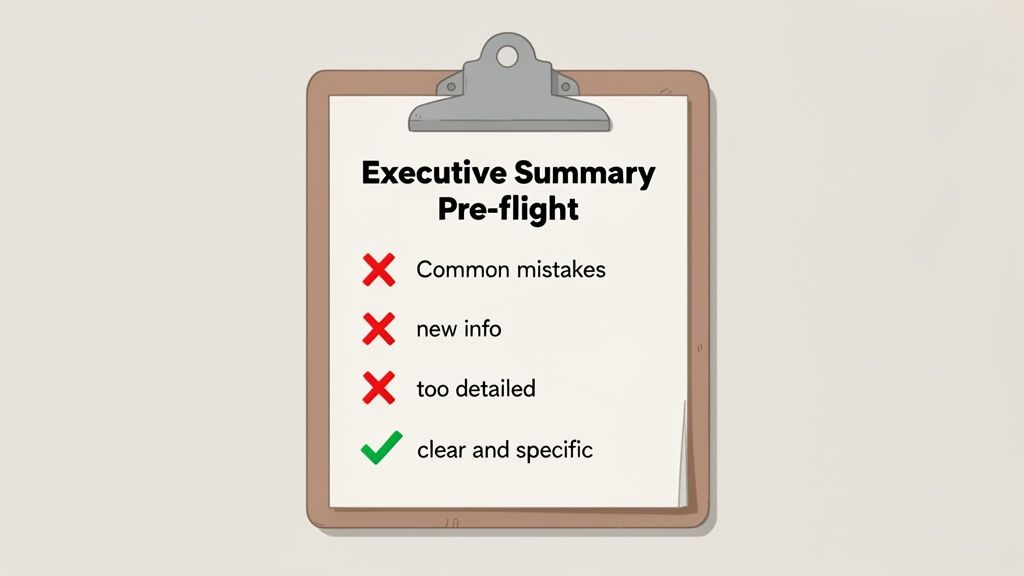
Drowning in Unnecessary Detail
Now, for the opposite problem: packing in way too much information. Your summary is not a miniature version of the full report. Its entire purpose is to deliver the high-level, must-know information—not to rehash every minor finding or piece of background data.
If you find yourself explaining the intricacies of your research methodology or citing secondary data points, you’ve gone off track. Reel it back in. Stick to the absolute essentials: what was the core problem, what were the most critical findings, and what are your primary recommendations?
The goal of the summary is to save your reader time. If they have to dig through clutter to find the main takeaways, you’ve completely defeated the purpose. You have to be ruthless when you edit.
This need for sharp, clear communication is critical, especially when dealing with complex topics. For instance, S&P Global’s Purchasing Managers' Index (PMI) surveys in 2025 revealed business uncertainty at levels not seen since the COVID-19 pandemic. At the same time, global economic growth was holding up surprisingly well, even as US manufacturers saw their first drop in new orders in a year. An executive summary of that data has to cut through the noise to highlight that core tension between resilience and risk. You can dig into the full 2025 business insights on spglobal.com.
Writing Out of Sequence
This next one sounds obvious, but you'd be surprised how often it happens: writing the executive summary before the main report is finished. This is a recipe for a bad outcome. Your summary absolutely must reflect the final, approved conclusions and data in the full document. Write it too early, and you run the very real risk of it being inaccurate or misaligned with the report it’s supposed to represent.
Make writing the executive summary the very last thing you do. Once every section of your report is written, reviewed, and finalized, then you can distill its essence with complete confidence.
To keep things simple, here’s a quick-scan table of what to do and what to avoid.
Executive Summary Do's and Don'ts
| Do | Don't |
|---|---|
| Keep it concise and focused on outcomes. | Introduce new information not found in the report. |
| Use strong, active language. | Get bogged down in jargon or technical minutiae. |
| Write it last, after the report is complete. | Make vague recommendations without clear actions. |
| Ensure it can stand alone as a document. | Exceed 10% of the main report's length. |
Keeping these common missteps in mind will help you craft a summary that is sharp, persuasive, and does justice to all the hard work that went into the full report.
Using AI to Help Draft and Verify Your Summary
Writing an executive summary for a report is all about distillation—finding the most critical signals in a sea of noise. While your own expertise is irreplaceable, the right AI tools can be an incredible assistant, helping you build a solid first draft and verify every claim with pinpoint accuracy. Think of it as an accelerator for your workflow, not a replacement for your judgment.
Instead of manually rereading a dense, 100-page report to hunt for key figures, a PDF Summarizer lets you have a direct conversation with your document. This completely changes how you can approach the task.
A Practical AI-Assisted Workflow
The process is refreshingly simple. Once your full report is complete, you just upload it to an AI summarizer. From there, you can skip the generic requests and start asking targeted questions that map directly to the key sections of an executive summary.
This interactive Q&A method is far more effective than just typing "summarize this." For example, you can get specific:
- "What are the top three most critical findings from the market analysis section?"
- "List the specific, actionable recommendations from the conclusion."
- "Summarize the financial implications, including projected costs and ROI."
The AI pulls this information straight from the text, giving you structured content that you can then polish and weave into a compelling narrative. It's a remarkably efficient way to build the skeleton of your summary. If you're curious about the mechanics behind this, our guide on the AI summary of an article offers a closer look.
Ensuring Accuracy with Clickable Citations
The real value of a good AI tool isn't just in drafting—it's in verification. The biggest pitfall when using AI is accidentally including a statement that sounds plausible but isn't quite right. That's why source-linked citations are an absolute game-changer.
Here’s a glimpse of how you can chat with a document, asking direct questions to pull the exact information you need.
Every piece of information the AI gives you should come with a clickable citation that takes you to the precise sentence or paragraph in the original report. For any serious work, this feature is non-negotiable.
Imagine the AI generates this statement: "The project is 15% over budget." You should be able to click a citation and be taken directly to page 47 of your report where that exact phrase appears. This immediate verification ensures your summary is 100% faithful to the source.
This final check is what elevates AI from a simple drafting gadget to a reliable partner for creating a high-stakes executive summary for a report. It helps you work faster without ever compromising the integrity of your work. For tools that can help evaluate the final product, you might also look into AI-powered book summary analyzers, which offer deeper insights into structure and clarity.
By combining smart drafting with rigorous, source-backed verification, you can produce a top-tier summary with far more speed and confidence.
Frequently Asked Questions
Even with a solid plan, you're bound to run into a few tricky questions when you sit down to write an executive summary on a report. Let’s clear up some of the most common ones I hear from people, so you can tackle this with confidence.
How Long Should an Executive Summary Be?
The best rule of thumb is to keep it between 5% and 10% of the total report length. It’s a simple guideline that scales well. If you have a tight, 20-page report, you're looking at a one or two-page summary. For a hefty 100-page analysis, that could mean up to ten pages.
But remember, the real goal isn't just to hit a certain word count—it's to deliver a complete, standalone overview. The reader needs to grasp all the essential points without getting bogged down. Always prioritize impact over length.
Should I Write the Executive Summary First or Last?
Always, always write it last. I know it seems backward since it sits at the very beginning of the report, but trust me on this one. You can't possibly summarize findings and recommendations that you haven't fully fleshed out and finalized yet.
Trying to write it first is a classic mistake. It almost always leads to a summary that doesn't quite match the final report, creating confusion and undermining your credibility. Nail down every section of your report, polish it up, and only then should you start condensing it into a powerful summary.
What Is the Difference Between a Summary and an Introduction?
This is a big one. People often mix them up, but they serve completely different functions.
- An Introduction is the signpost for your report. It gives the reader background, states the problem, and lays out the document's structure. It essentially tells them what they are about to read.
- An Executive Summary is the entire report in a nutshell. It covers the problem, the key findings, your conclusions, and your final recommendations.
Think of it this way: a busy executive should be able to read just the summary and walk away knowing the whole story and what needs to be done. The introduction just sets the scene; the summary delivers the punchline.
Can I Include Charts or Graphs in an Executive Summary?
You absolutely can, but be very strategic about it. A single, powerful visual can often say more than a whole paragraph. Imagine a simple bar chart showing a massive spike in quarterly sales—that has immediate impact.
The trick is to only include a visual if it’s clean, easy to understand, and directly reinforces a main point. Your summary needs to stay scannable, so avoid anything cluttered or that needs a lot of explanation. If the chart doesn’t make your point clearer and faster, leave it for the main body of the report.
Ready to draft a flawless executive summary on a report in a fraction of the time? PDF Summarizer can help. Just upload your finished document and ask it to pull out the key findings, data, and recommendations. With clickable citations, you can instantly verify every detail, making sure your summary is both accurate and efficient.
Try PDF Summarizer for free and simplify your writing process today.
Relevant articles
Learn how to write a powerful executive summary in reports. Our guide offers practical steps, real-world examples, and proven tips to win over stakeholders.
Learn how to create executive summary that secures buy-in. Our guide offers actionable steps, real-world examples, and AI-powered workflows to get results.