7 Best PDF Search Engine Tools for Researchers in 2026
Discover the top 7 PDF search engine tools for academic and professional research. Find, access, and analyze documents faster with our curated 2026 roundup.
In the vast digital library of the internet, finding the exact PDF you need—be it a groundbreaking research paper, a detailed technical manual, or an insightful industry report—can feel like searching for a needle in a haystack. Traditional search engines are powerful, but they often aren't optimized for deep, document-specific queries. This is where a dedicated PDF search engine excels, designed to navigate the world of scholarly articles and professional documents with precision.
Whether you are a student, an academic researcher, or a professional analyzing reports, the right tool is essential for efficient discovery. This guide cuts through the noise to present the top platforms for finding academic papers and technical documents. We provide a clear, actionable overview of each tool, complete with screenshots and direct links, to help you select the best PDF search engine for your specific needs.
Once you've gathered your sources, the next step is synthesizing them effectively. Knowing how to write a literature review is a critical skill for organizing your findings and contributing to the academic conversation. We'll also explore how modern tools can help you quickly analyze the content of these PDFs, turning a mountain of data into actionable insights without hours of reading.
1. Google Scholar
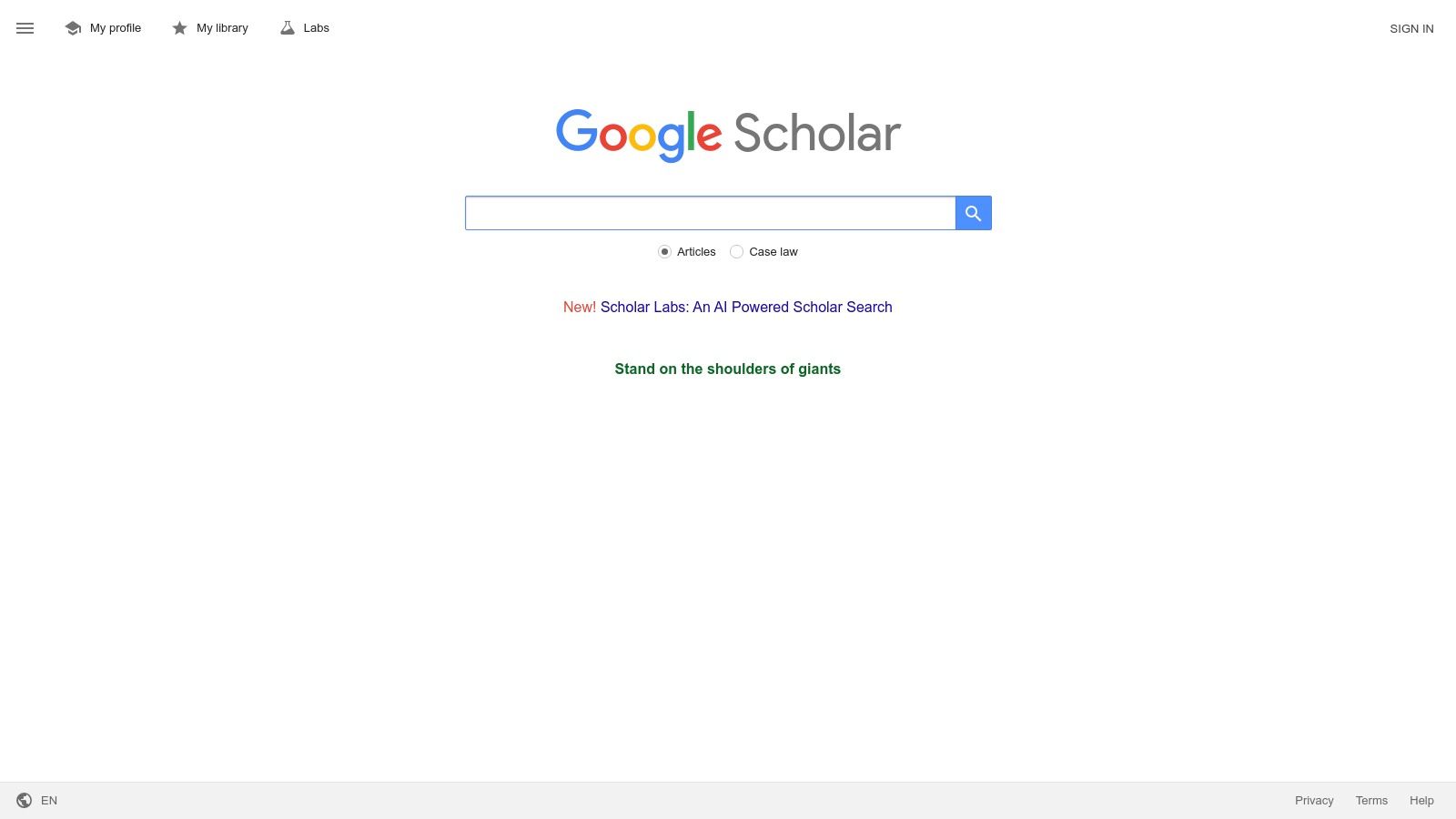
Google Scholar is often the first stop for students, researchers, and professionals looking for academic literature. Acting as a specialized PDF search engine for scholarly content, it indexes a massive corpus of articles, theses, books, and court opinions from academic publishers, professional societies, online repositories, and universities. Its simple, familiar interface makes it incredibly accessible for anyone needing to find credible, research-backed documents.
What makes Google Scholar a powerhouse is its ability to quickly surface PDF versions of academic papers. For many search results, a direct link to a PDF will appear on the right-hand side, providing immediate access to the full text, especially for open-access publications. The platform is entirely free to use, though accessing the full text of certain articles may require an institutional subscription or payment to the publisher.
Key Features and Practical Tips
Google Scholar’s strength lies in its simplicity and powerful citation-tracking features. When you find a relevant paper, you can instantly see how many other works have cited it, giving you a quick measure of its impact and influence.
- Actionable Tip: Use the
filetype:pdfoperator directly in your search query (e.g.,“machine learning applications” filetype:pdf) to prioritize results that link directly to PDF documents. This trick transforms Google Scholar into an even more effective PDF-focused tool. - Library Links: Configure your "Settings" to link to your university or local library. This feature will then show you which articles you can access for free through your institution's subscriptions, saving you from hitting paywalls.
- Citation Features: Use the "Cited by" link to discover more recent research that builds upon a foundational paper. The "Related articles" feature is also invaluable for expanding your literature review with similar studies.
Once you’ve gathered your PDFs, the next challenge is digesting the complex information within them. Learning effective strategies for breaking down dense academic text can save you hours of work. For a deeper dive into this, explore these expert techniques on how to read research papers efficiently.
| Feature | Details |
|---|---|
| Access | Free to use; full-text access may require institutional login or publisher payment. |
| Content Coverage | Multidisciplinary, including articles, theses, books, preprints, abstracts, and court opinions. |
| Unique Strength | Excellent for finding open-access PDF copies and tracking academic citations ("Cited by" and "Related articles" features are top-notch). |
| Ideal User | Students, academics, and researchers needing a quick, broad search for scholarly literature and associated PDFs. |
While it lacks the sophisticated filtering and database management tools of subscription-based academic search engines, Google Scholar remains an indispensable, free PDF search engine for initial discovery and literature exploration.
2. Semantic Scholar
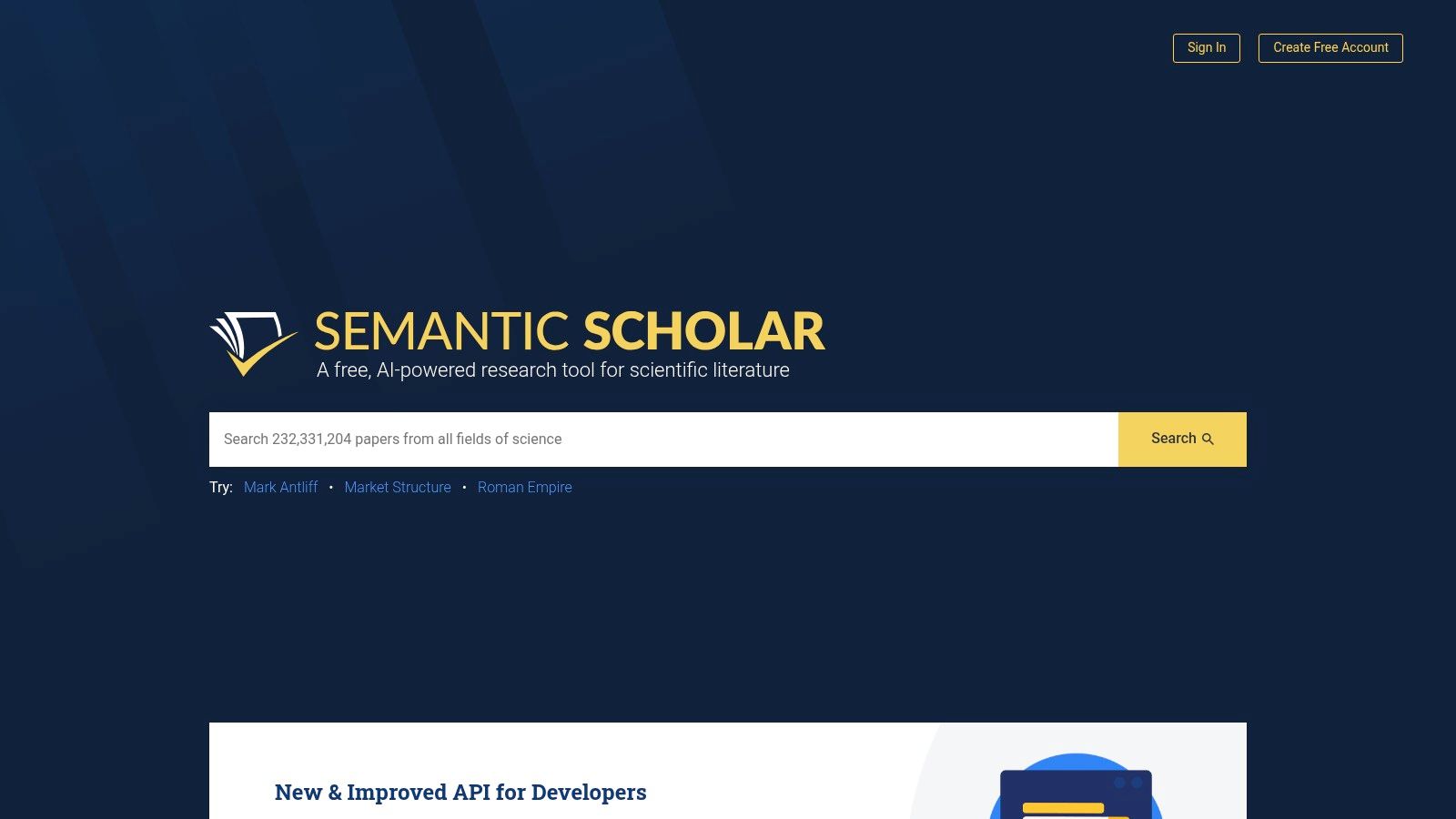
Semantic Scholar, a project from the Allen Institute for AI, elevates the traditional PDF search engine by integrating intelligent, AI-driven tools to enhance literature discovery. It provides free access to millions of academic papers across various disciplines, with a particular strength in computer science and biomedicine. The platform excels at not just finding documents but also providing context around them, making it a powerful ally for researchers navigating complex topics.
For many articles, Semantic Scholar offers direct "View PDF" links, especially for open-access content and preprints from repositories like arXiv. Its user interface is designed for deep dives, presenting rich metadata, author information, and citation graphs in a clean, accessible layout. While the platform itself is free, some linked PDFs may reside behind publisher paywalls, though integrations with institutional access tools help bridge this gap.
Key Features and Practical Tips
Semantic Scholar's AI-powered features are its main differentiator, helping you understand a paper's context and significance without leaving the platform. Its tools are built to accelerate the research workflow from discovery to analysis.
- Actionable Tip: Use the advanced filters to narrow searches by date range, author, publication type, or field of study. Filtering for papers with "Open Access" PDF versions is a quick way to build a library of full-text documents you can access immediately.
- Semantic Reader: When available, use the "Semantic Reader" to view a paper. This enhanced interface provides in-line citation cards with TLDR summaries of cited works, making it easier to follow the thread of an argument without opening dozens of new tabs.
- Author Pages: Explore author pages to see a researcher's publication history, citation metrics, and most influential work. This is an excellent way to identify key figures and related studies in your field of interest.
After finding relevant PDFs, the next step is often pulling out key data points, figures, and quotes. For guidance on streamlining this process, see these proven methods for how to extract information from a PDF.
| Feature | Details |
|---|---|
| Access | Free to use; provides direct PDF links for open-access papers. Full-text access for others may require an institutional subscription. |
| Content Coverage | Multidisciplinary with strong coverage in computer science, neuroscience, and medicine. Includes journal articles, conference papers, and preprints. |
| Unique Strength | AI-powered features like TLDR summaries, citation graphs, and the Semantic Reader provide deep contextual understanding of research papers. |
| Ideal User | Researchers, data scientists, and students who need advanced discovery tools and contextual information beyond a simple keyword search. |
Semantic Scholar is more than a simple PDF search engine; it's a comprehensive research assistant that uses AI to help you find and, more importantly, understand scholarly literature more efficiently.
3. arXiv
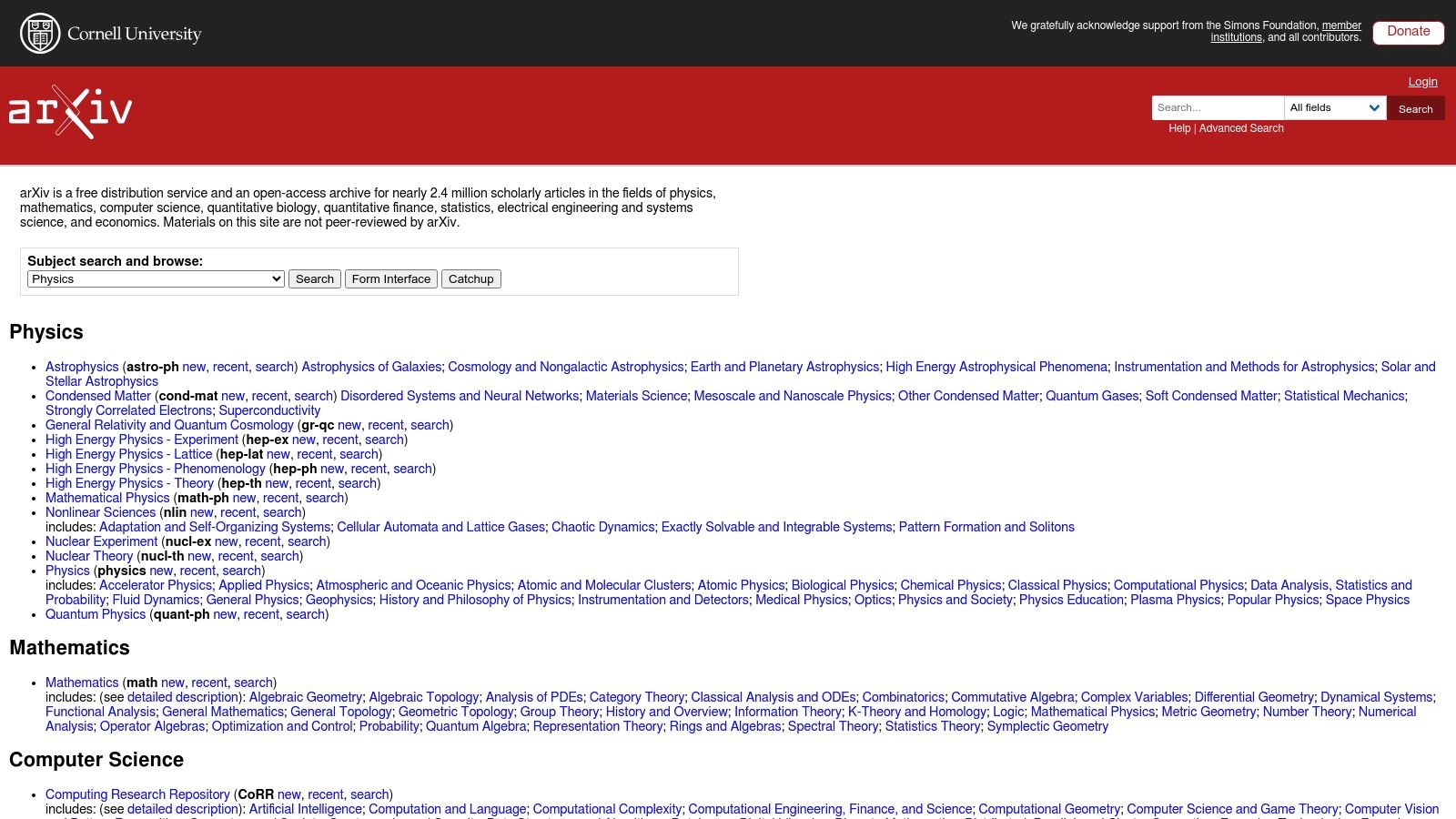
For researchers on the bleeding edge of science and technology, arXiv is an indispensable PDF search engine. It serves as a massive open-access repository for preprints, which are early versions of scholarly articles before they undergo peer review. Maintained by Cornell University, it covers disciplines like physics, mathematics, computer science, and quantitative biology, giving users free, immediate access to the very latest research findings.
What sets arXiv apart is its focus on rapid dissemination and direct PDF access. Nearly every paper submitted is available as a free PDF download, often accompanied by its source files (e.g., LaTeX). This makes it a go-to platform for finding cutting-edge studies that may not appear in traditional journals for months or even years. The platform is entirely free for both authors to submit and users to download, removing all barriers to accessing new scientific knowledge.
Key Features and Practical Tips
arXiv's strength lies in its speed, open-access model, and subject-specific organization. Users can browse by discipline or perform advanced searches to pinpoint relevant preprints from a constantly growing collection.
- Actionable Tip: Use the subject category filters to narrow your search. For example, selecting
cs.LG(Computer Science - Machine Learning) will limit your search to only the most relevant machine learning papers, saving you time from sifting through unrelated results. - Version History: Pay attention to the version history of a paper. You can view and download previous versions, which is useful for tracking how a study's methodology or conclusions have evolved over time.
- Source File Access: For many papers, especially in mathematics and computer science, you can download the source
(La)TeXfiles. This is invaluable if you want to check complex equations or reuse parts of the code.
Finding the right preprints is just the first step. To effectively incorporate this cutting-edge research into your work, you need a solid process. These principles are core to any systematic literature review methodology, ensuring your analysis is comprehensive and rigorous.
| Feature | Details |
|---|---|
| Access | 100% free to search, download PDFs, and access source files. No login or subscription required. |
| Content Coverage | Primarily preprints in physics, mathematics, computer science, quantitative biology, quantitative finance, and statistics. |
| Unique Strength | Provides immediate access to cutting-edge, pre-peer-review research. The version history and source file access are unique benefits. |
| Ideal User | Researchers, graduate students, and professionals in STEM fields who need to stay current with the latest unpublished findings. |
While the non-peer-reviewed nature of its content means users must critically evaluate each paper, arXiv remains an unparalleled PDF search engine for accessing the future of scientific discovery today.
4. CORE
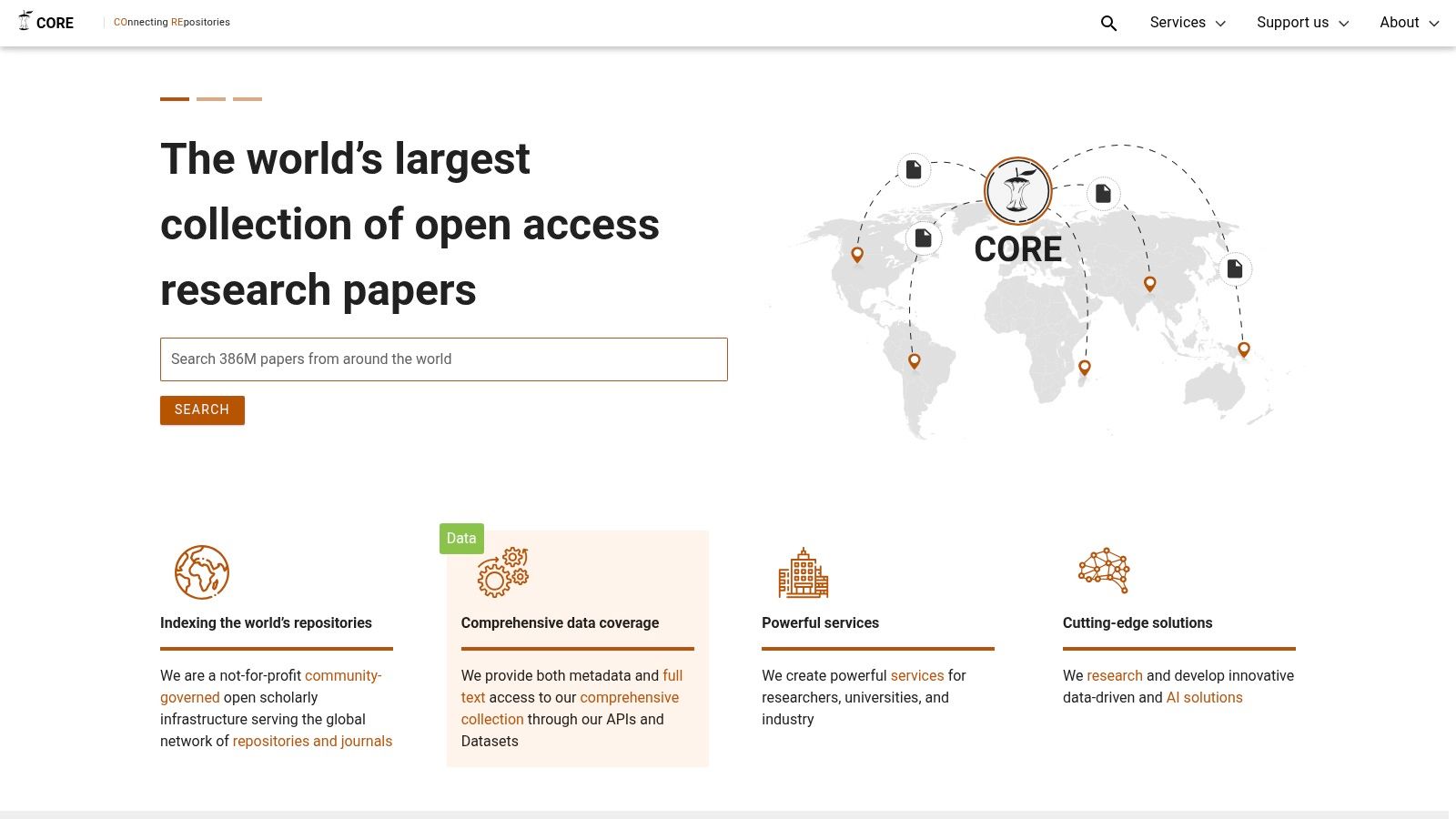
CORE (Connecting Repositories) is a mission-driven, not-for-profit service dedicated to aggregating open-access research papers from repositories and journals worldwide. It functions as a massive PDF search engine for legally free-to-read academic content, harvesting hundreds of millions of metadata records and providing direct access to tens of millions of full-text PDFs. This makes it an invaluable resource for researchers, students, and anyone looking to bypass publisher paywalls for scholarly articles.
What sets CORE apart is its commitment to open science and its powerful aggregation model. Instead of just indexing, it actively collects and hosts full-text PDFs from a global network of institutional and subject repositories. This ensures that when you find a paper, you often get direct, one-click access to the PDF without leaving the platform. CORE is entirely free for end-users, operating with a focus on providing unrestricted access to research.
Key Features and Practical Tips
CORE’s strength is its vast collection of open-access PDFs and its tools for both individual researchers and those working with large datasets. It bridges the gap between scattered repositories, creating a single point of entry for a massive volume of research.
- Actionable Tip: Install the CORE Discovery browser extension. When you land on a paywalled article page on a publisher's website, the extension will automatically search for a free, open-access PDF copy in its database and provide you with a direct link if one exists.
- Programmatic Access: For computational researchers and data scientists, CORE offers APIs and datasets. This allows for bulk downloading and text-mining of its massive collection, enabling large-scale analysis that isn't possible with traditional search engines.
- Refine Your Search: Use the advanced search filters to narrow results by repository, language, publication year, and journal. This helps you hone in on the most relevant documents within its extensive index.
After leveraging CORE to gather a collection of open-access PDFs, the real work begins. Managing and synthesizing information from multiple sources can be overwhelming. Utilizing a tool to extract key insights from each document is a crucial next step for efficient research.
| Feature | Details |
|---|---|
| Access | Completely free for end-users. |
| Content Coverage | Aggregates hundreds of millions of metadata records and tens of millions of full-text PDFs from global open-access repositories. |
| Unique Strength | Unparalleled aggregation of legally free-to-read research papers, plus powerful APIs and datasets for text-mining and bulk analysis. |
| Ideal User | Researchers, students, and developers seeking free, open-access PDFs and those needing programmatic access to large scholarly corpora. |
While the metadata quality can sometimes vary depending on the source repository, CORE stands as a vital and powerful PDF search engine for anyone committed to using and promoting open-access scholarly literature.
5. IEEE Xplore Digital Library
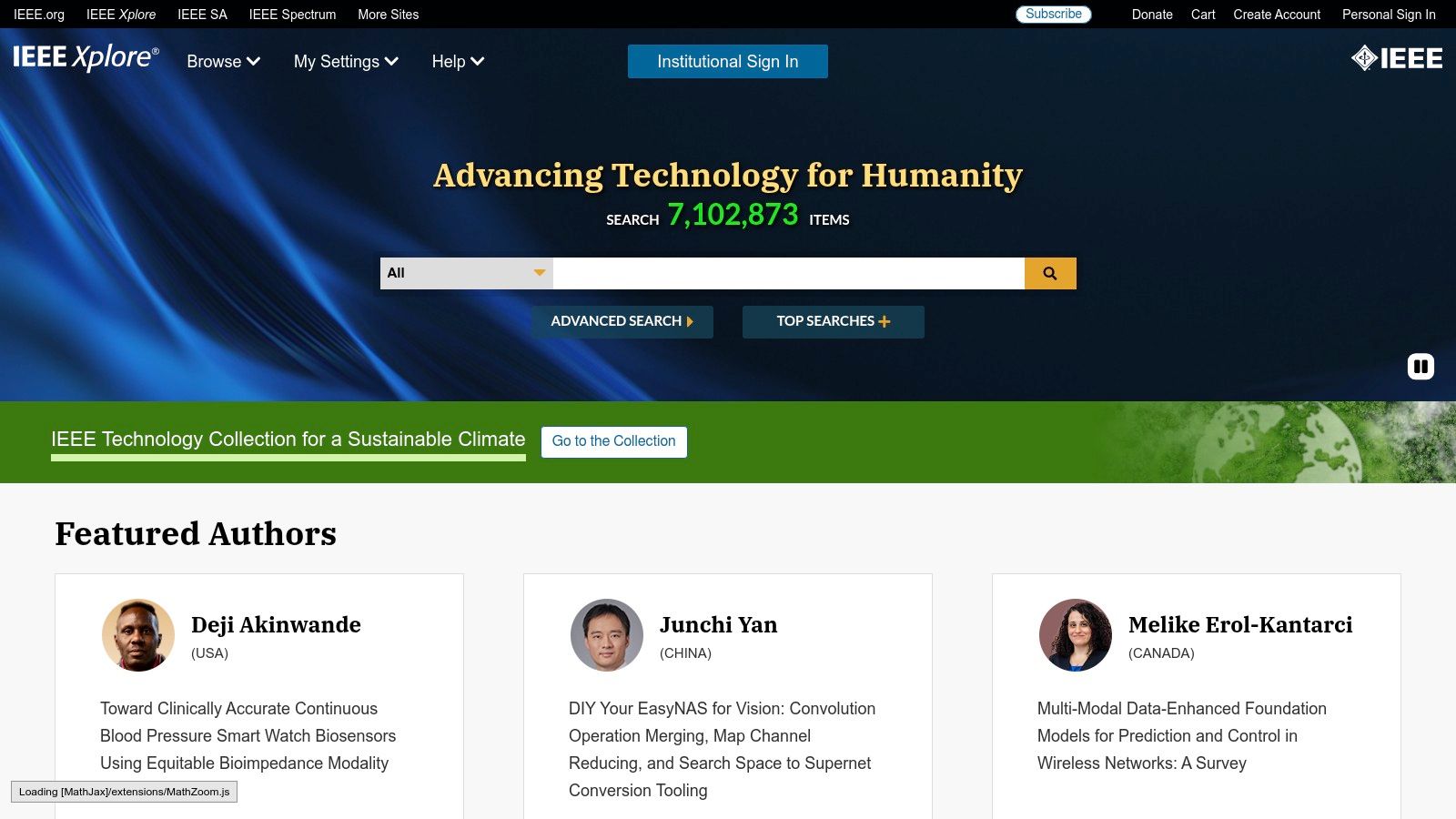
For professionals, students, and researchers in electrical engineering, computer science, and related electronics fields, the IEEE Xplore Digital Library is an indispensable resource. It functions as an authoritative PDF search engine for high-impact technical literature, granting access to a vast repository of journals, conference proceedings, technical standards, and magazines published by the Institute of Electrical and Electronics Engineers (IEEE). Its reputation is built on providing peer-reviewed, high-quality content that drives innovation.
While many platforms index a wide range of disciplines, IEEE Xplore offers a deep, focused collection, making it the premier destination for specialized technical documents. Users can search for and access the original, stable PDF versions of articles, which is crucial for citation and archival purposes. Access is primarily subscription-based, common for academic institutions and corporations, but individual articles can also be purchased on a pay-per-view basis, offering flexibility for those without institutional access.
Key Features and Practical Tips
The power of IEEE Xplore lies in its robust search capabilities and the impeccable quality of its content. The platform's advanced search allows users to filter by publication type, author, affiliation, and date, ensuring precise and relevant results every time.
- Actionable Tip: Use the "Command Search" feature for highly specific queries. You can construct complex Boolean searches, like
("power electronics" OR "inverters") AND "silicon carbide", and limit the search to specific metadata fields (e.g., "Abstract") to pinpoint the exact PDFs you need. - Explore Conference Proceedings: Don't just focus on journals. IEEE conference proceedings often contain the very latest, cutting-edge research. You can browse by conference series to track developments in a specific niche over time.
- Set Up Alerts: Create search alerts for specific keywords or authors to receive email notifications when new articles matching your criteria are published. This is an excellent way to stay current in a fast-moving field.
| Feature | Details |
|---|---|
| Access | Primarily via institutional subscription; individual articles available for purchase (pay-per-view). |
| Content Coverage | Highly specialized in electrical engineering, computer science, and electronics. Includes journals, conferences, standards, and magazines. |
| Unique Strength | Unparalleled source of authoritative, peer-reviewed technical literature. Provides stable, high-quality PDFs essential for research. |
| Ideal User | Engineering and computer science students, academic researchers, and industry professionals needing access to foundational and cutting-edge technical papers. |
As a specialized, premium PDF search engine, IEEE Xplore is the gold standard for anyone requiring credible technical documents in its covered fields. Its focus on quality over quantity makes it a trusted source for serious research and development.
6. ScienceDirect (Elsevier)
ScienceDirect is a leading platform from the publisher Elsevier, functioning as a high-quality PDF search engine for scientific, technical, and medical research. It hosts a massive collection of peer-reviewed journal articles and book chapters, making it an essential resource for researchers in STEM, health sciences, and social sciences who require access to authoritative, full-text documents.
While a significant portion of its content is behind a paywall, ScienceDirect provides multiple legitimate pathways to access PDFs. Users with institutional affiliations can often download articles for free, and the platform also hosts a growing number of open-access publications. For those without a subscription, it offers a pay-per-view option to purchase and download individual articles or chapters directly. This makes it a reliable source for obtaining official, publisher-version PDFs.
Key Features and Practical Tips
ScienceDirect’s strength is its advanced search functionality and its vast, curated library of high-impact research. The platform's interface is designed for deep literature exploration, allowing users to refine searches by topic, publication date, article type, and more.
- Actionable Tip: Use the "Advanced search" feature to combine keywords with specific journal titles or author names. You can also filter results to show only "Open access articles," turning ScienceDirect into a free PDF search engine for a substantial subset of its content.
- Set Up Alerts: Create search alerts for your key topics. ScienceDirect will email you when new articles matching your criteria are published, ensuring you never miss the latest research and can access the PDF as soon as it's available.
- Explore Topic Pages: For a broader overview, browse the dedicated topic pages. These pages group together relevant journal articles, book chapters, and reference works, providing a comprehensive starting point for your research and easy access to related PDFs.
| Feature | Details |
|---|---|
| Access | Free to search; full-text PDF access often requires an institutional subscription, pay-per-view purchase, or is available for open-access content. |
| Content Coverage | Deep coverage in physical sciences, engineering, life sciences, health sciences, social sciences, and humanities. |
| Unique Strength | Provides direct, legitimate access to publisher-version PDFs from a vast and highly respected catalog via multiple access models (subscription, PPV, OA). |
| Ideal User | Academic researchers, PhD students, and corporate R&D professionals, particularly those with institutional access to Elsevier’s library. |
While pay-per-view can be costly for individuals, ScienceDirect’s rigorous quality control and comprehensive subject coverage make it an indispensable tool for anyone needing guaranteed access to the definitive version of a scientific paper.
7. JSTOR
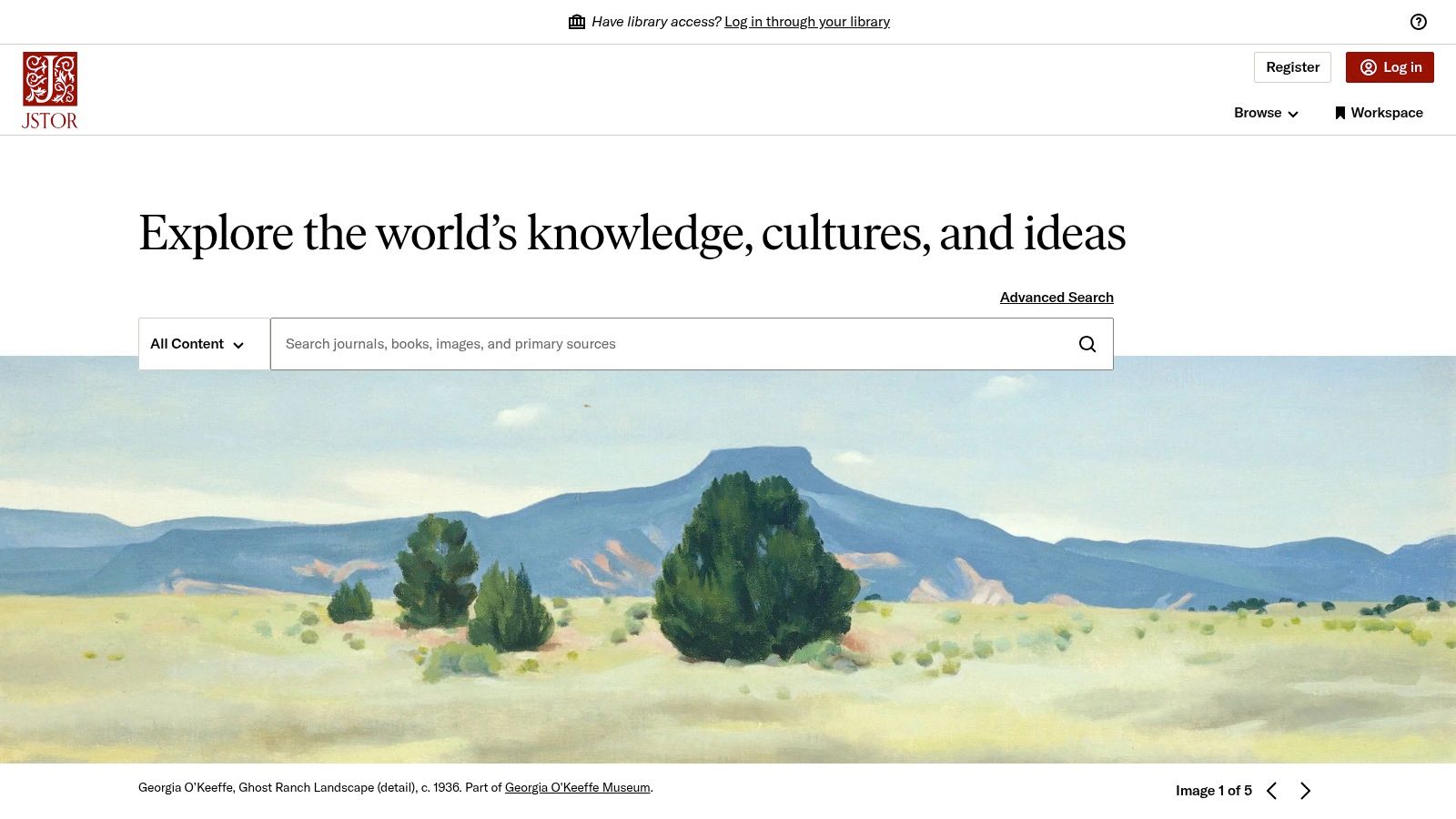
JSTOR is a revered digital library trusted by academics and researchers, particularly those in the humanities and social sciences. While often seen as an archival database, it functions as a high-quality PDF search engine for journal articles, books, and primary sources, offering stable, citable documents that are crucial for scholarly work. Its strength lies in its deep historical backfiles, providing access to content that often dates back to the very first issue of a journal.
The platform provides several access models. While full PDF downloads typically require an institutional subscription, JSTOR offers generous options for individuals. Users can create a free personal account to read up to 100 articles online every 30 days, and many institutions provide remote access. For those without institutional affiliation, a JPASS subscription provides individual access and PDF download capabilities, making its vast collection accessible to a broader audience.
Key Features and Practical Tips
JSTOR’s clean interface and powerful filtering options make it easy to navigate its extensive archives. Its commitment to providing stable URLs and citations makes it a reliable source for serious research where document integrity is paramount.
- Actionable Tip: Use the advanced search filters to narrow results by date range, discipline, and content type (e.g., articles, book chapters, or reviews). This is especially useful for historical research or tracking the evolution of a concept over time.
- Explore Primary Sources: Don't just search for articles. JSTOR has a growing collection of primary source materials like pamphlets, manuscripts, and images that can provide unique context for your research.
- Workspace Feature: Create a free account and use the "Workspace" feature to save articles, create folders, and organize your research directly on the platform. This helps keep your projects tidy before you start downloading PDFs.
| Feature | Details |
|---|---|
| Access | Institutional subscriptions, individual JPASS, or free read-online access for up to 100 articles per month with a personal account. |
| Content Coverage | Strong focus on humanities, social sciences, and natural sciences. Includes journals, books, and primary source collections. |
| Unique Strength | Unparalleled access to deep archival content and historical journal backfiles, with stable links and citations perfect for academic use. |
| Ideal User | Researchers, historians, and students in the humanities and social sciences needing reliable, citable PDFs from archival collections. |
For scholars who need verifiable and permanent sources, JSTOR is an essential PDF search engine that prioritizes quality and stability over sheer volume. Its multi-tiered access system ensures its valuable content is not limited solely to those with university affiliations.
Top 7 PDF Search Engines Comparison
| Item | Implementation complexity | Resource requirements | Expected outcomes | Ideal use cases | Key advantages |
|---|---|---|---|---|---|
| Google Scholar | Very low — web search, limited integration | Free to use; institutional linking improves full-text access | Broad discovery, citation data, occasional open PDFs; many paywalled links | Quick literature discovery, finding PDFs/open access copies, citation tracking | Free, very large corpus, strong citation features and PDF-first queries |
| Semantic Scholar | Low to moderate — web UI plus free API for integration | Free; API key for programmatic access | Contextualized search results, in-line reader features, good arXiv coverage | Deep reading/discovery, developer workflows, finding OA papers | Semantic Reader, APIs, strong OA and contextual tools |
| arXiv | Very low — simple repository UI; harvestable via APIs/OAI-PMH | Completely free for search and PDF download | Direct PDFs of preprints with version history; cutting‑edge, non‑peer‑reviewed content | Accessing preprints in CS/physics/math/statistics; rapid dissemination | 100% free PDFs, fast access, source files often available |
| CORE | Moderate — aggregator with APIs, datasets and browser extension | Free end-user access; API keys and bulk datasets for programmatic use | Aggregated OA full texts and metadata from many repositories; variable metadata quality | Locating legal OA copies, text‑mining, bulk research workflows | Large OA aggregation, programmatic access, integrated PDF viewing |
| IEEE Xplore | Low for search; moderate for enterprise integration/APIs | Subscription or pay‑per‑view; institutional access common | High-quality, peer‑reviewed engineering PDFs and conference proceedings | Authoritative engineering/computer science research and standards | Authoritative publisher content, stable PDFs, multiple access/purchase models |
| ScienceDirect | Low for readers; moderate for institutional integration | Subscription or pay‑per‑view; hosts OA alongside paywalled content | Deep journal and book PDFs across STEM, health and social sciences | In-depth literature searches when institutional access or PPV is available | Very large catalog, multiple legitimate access paths (OA/subscription/PPV) |
| JSTOR | Low — web UI and institutional integration | Institutional access, JPASS, or limited free reads for individuals | Archival PDFs and historical backfiles, stable citations (humanities/social sciences) | Historical research, humanities/social sciences, stable citation sourcing | Strong archival coverage, free read-online option, clear unaffiliated access paths |
From Search to Insight: Supercharge Your PDF Workflow
Navigating the vast digital landscape for specific information can feel overwhelming, but as we've explored, the right PDF search engine transforms this challenge into a manageable task. From the broad, interdisciplinary reach of Google Scholar and Semantic Scholar to the specialized, high-impact collections of IEEE Xplore and arXiv, you now have a curated toolkit to locate authoritative documents across virtually any field. We've seen how platforms like CORE provide unparalleled open-access discovery, while archives such as JSTOR and ScienceDirect offer deep dives into humanities and scientific research, respectively.
The journey, however, doesn't end with a successful search. Finding the perfect PDF is only half the battle; the real work lies in extracting its core insights efficiently. This is where a strategic shift in your workflow can yield massive productivity gains.
Choosing Your Search Strategy
Your starting point depends entirely on your objective. To create a personalized search strategy, consider these key questions:
- What is my field of study? For STEM and computer science, arXiv and IEEE Xplore are indispensable. For humanities and social sciences, JSTOR is a foundational resource.
- Do I need the absolute latest research? Pre-print servers like arXiv are your best bet for cutting-edge papers, often months or years before formal publication.
- Is access a concern? If you lack institutional subscriptions, a PDF search engine like CORE, which aggregates millions of open-access articles, is the ideal choice.
- How broad is my search? For interdisciplinary topics or initial explorations, starting with Google Scholar or Semantic Scholar will cast the widest net and help you identify key authors and papers.
By matching the tool to the task, you avoid wasting time on irrelevant platforms and zero in on the most valuable sources from the outset.
From Information Retrieval to Knowledge Synthesis
Once you have a collection of PDFs, the next step is to process them. Manually reading through dozens of dense academic papers or technical reports is a significant bottleneck for students, researchers, and professionals alike. This is where modern AI tools become a game-changer, bridging the gap between discovery and understanding.
Instead of just collecting documents, the goal is to rapidly build knowledge. An intelligent tool that assists with summarization and analysis is no longer a luxury; it’s a core component of an efficient research workflow.
Beyond simply reading, many professional workflows require structured information. For tasks like market analysis or competitive intelligence, you may need to extract data from a PDF in a systematic way, turning unstructured text into usable datasets. This advanced capability, combined with summarization, allows you to not only understand a document's narrative but also to harness its underlying data for deeper analysis. By pairing a powerful PDF search engine with an intelligent analysis tool, you transform a time-consuming chore into an efficient journey of discovery. You are no longer just finding information; you are creating actionable insights at an accelerated pace.
Ready to stop drowning in documents and start discovering insights? Pair your powerful search strategy with the analytical capabilities of PDF Summarizer. Upload the articles you've found, ask complex questions, and get instant, accurate answers from your documents. Try PDF Summarizer today to revolutionize your research workflow.
Relevant articles

Discover the best citation management software for your research. Compare Zotero, EndNote, Mendeley, and more to find the perfect tool for your workflow.
Discover the best pdf article summarizer to boost your productivity. Our 2026 review covers top AI tools for students, researchers, and professionals.

Discover how a modern PDF summarization tool can transform your workflow. Learn how AI analyzes documents, its key features, and how to get accurate summaries.

Learn to create a flawless AI summary of article with this guide. Discover the best tools, prompts, and verification methods to get accurate results.

Discover the best AI tools for academic research. Our curated list covers literature reviews, data extraction, writing, and summarization to speed up your work.
Discover the top 12 tools to streamline your writing. Find the perfect alphabetizer for citations to create flawless reference lists effortlessly.