Your Guide to a Modern PDF Summarization Tool
Discover how a modern PDF summarization tool can transform your workflow. Learn how AI analyzes documents, its key features, and how to get accurate summaries.
Let's be honest, nobody enjoys staring down a 50-page PDF report. Whether you're a student, researcher, or business professional, you've felt that sinking feeling of information overload. Finding that one critical piece of data can mean hours of tedious reading, scanning, and highlighting.
This manual slog isn't just slow; it's a massive drain on your productivity and mental energy.
The End of Drowning in Documents
Think about the last time you had to prep for a meeting or cram for an exam with a stack of dense documents. The pressure to absorb everything often forces you to skim, which is a gamble. You might miss a crucial statistic, a subtle argument, or a key legal clause. This is exactly the problem that a good PDF summarization tool is designed to fix.
Your Own Personal Research Analyst
Instead of thinking of it as just another piece of software, imagine it as your personal research analyst. A great analyst can tear through a mountain of reports and, in minutes, hand you a one-page brief with only the essential insights. That's what an AI summarizer does—it reads the entire document in seconds and pulls out the core arguments and key takeaways. It’s not just about shortening the text; it's about distilling its essence.
This need for smarter document handling is a big reason the global PDF software market, valued at USD 2.15 billion in 2024, is expected to more than double to USD 5.72 billion by 2033. You can find more details in these PDF market growth statistics.
By automating that first, painful read-through, a PDF summarizer frees you up to do what you do best: think critically, strategize, and make informed decisions.
In this guide, we’ll pull back the curtain on how these tools work. We'll start with the AI "magic" behind the scenes, look at the features that really matter, and then walk through practical steps to help you get the most out of them.
How AI Learns to Read and Understand Your PDFs
Ever wonder what’s happening under the hood when you upload a PDF to a summarizer? It’s not just magic; it’s a powerful technology called Natural Language Processing (NLP). Think of NLP as the AI's ability to learn how to read, not just scan, human language. It’s the engine that lets the tool grasp the arguments, relationships, and context hidden within your document.
Instead of just looking at a string of words, an AI using NLP analyzes sentence structure, pinpoints core concepts, and figures out how different ideas link together. This is how it can tear through a dense, 100-page research paper and pull out the key points faster than you could finish the abstract. The AI isn't just seeing text; it's building a mental map of the document's entire argument.
This is a game-changer for anyone dealing with information overload, a problem we all know too well.
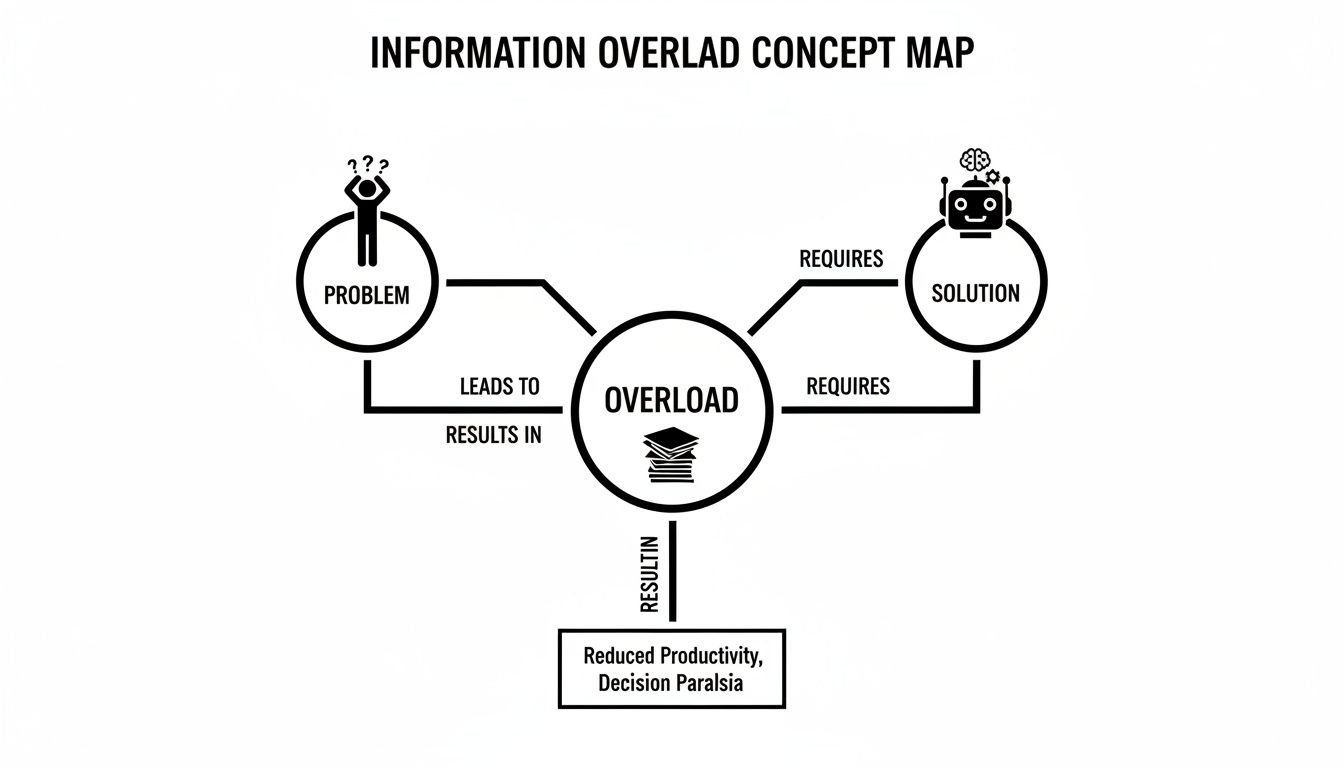
As you can see, AI becomes the essential filter between a mountain of data and the clear, usable insights you actually need. Once the AI has a solid grasp of the document, it gets to work creating your summary using one of two main techniques.
Extractive Summarization: The Digital Highlighter
The first and most common method is extractive summarization. The best way to think about this is to picture yourself reading a textbook with a highlighter pen. You’re not rewriting anything; you’re just picking out the most crucial sentences to review later. That's exactly what this approach does.
The AI gives every sentence a relevance score based on things like where it appears and how often key terms are used. It then snags the sentences with the highest scores and pieces them together, word-for-word.
- How it works: It identifies and pulls key sentences directly from the source text.
- Best for: Finding specific facts, definitions, or critical data points quickly, with no changes to the original wording.
- Analogy: It’s like having a sharp-eyed assistant who meticulously cuts and pastes the most important paragraphs from a long report into a brief for you.
This approach is fast and reliable because it doesn't risk misinterpreting anything. The downside? Sometimes the summary can feel a bit choppy, more like a string of important quotes than a fluid, connected narrative.
Abstractive Summarization: The Skilled Analyst
The other method, abstractive summarization, is where things get really impressive. This approach acts less like a highlighter and more like a skilled analyst who truly understands the subject matter. It reads the whole document, digests the core ideas, and then writes a brand new summary from scratch.
This technique relies on sophisticated AI models that can paraphrase and synthesize information, resulting in a concise and coherent overview that gets to the heart of the document. It’s not just pulling out text; it's showing it actually understands the material.
Abstractive summarization goes beyond simple text extraction. It interprets the source material to create a fresh, human-like summary that is often easier to read and understand.
This kind of advanced capability is part of a much bigger picture in AI's evolution. If you're interested in the broader role of AI in document processing, such as document translation, you'll see this same trend of AI moving from simple tasks to complex interpretation. The best PDF summarizers today often combine both extractive and abstractive methods, giving you the best of both worlds: factually accurate summaries that are also natural and easy to read.
What to Look For in a Great Summarization Tool
Not all summarizers are built the same. While any basic tool can trim a few paragraphs, a truly powerful PDF summarization tool completely changes how you work with your documents. The best platforms move far beyond simple text reduction, offering a suite of features that make deep, efficient analysis possible.
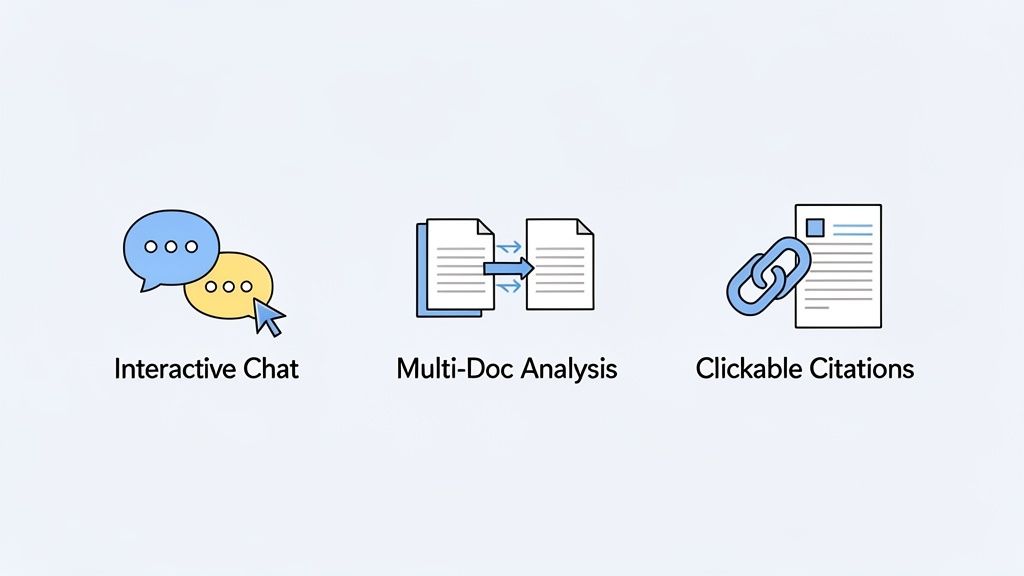
These advanced tools turn a static PDF into a dynamic, interactive resource. Think of the features below as a checklist for finding a tool, like Sumizeit, that will become an essential part of how you research and learn.
Interactive Chat and Follow-Up Questions
The biggest leap forward is the ability to actually "talk" to your documents. Instead of just getting a one-and-done summary, you can ask specific follow-up questions right in a chat window. This lets you explore the content on your own terms.
Let’s say you’re tackling a dense scientific paper. You could ask things like:
- "What was the main research method used here?"
- "Can you explain the conclusion like I'm a beginner?"
- "Find every mention of 'protein synthesis' in this document."
This feature transforms reading from a passive activity into an active investigation. It helps you pinpoint exactly what you need without endless scrolling. You can learn more about how to extract information from PDF files this way in our guide: https://pdfsummarizer.pro/blog/extract-information-from-pdf
Multi-Document Analysis
Why stop at just one file? The best modern tools let you upload a whole batch of PDFs and analyze them all at once. This is a massive help for anyone doing a literature review, comparing different market reports, or trying to synthesize feedback from multiple team members.
You can ask the AI to find common themes across five different case studies or to compare and contrast the arguments from two opposing research papers. This consolidates information that would normally take hours of manual cross-referencing, giving you a bird's-eye view of your entire source library.
A powerful summarization tool doesn't just shorten one document; it synthesizes knowledge from many, acting as a research hub that connects disparate pieces of information into a coherent whole.
This kind of cross-document analysis is where you really start to see the power of AI. Instead of just pulling out text, the tool helps you build new connections and uncover insights hidden across your files.
Clickable Citations and Source Verification
When you're relying on an AI-generated summary, you have to be able to trust it. The best tools earn that trust by providing clickable citations for every single point they make.
This means when the AI answers your question or includes a detail in its summary, it also gives you a direct link back to the exact sentence or paragraph in the original PDF. It’s like a digital bookmark.
This feature allows for instant fact-checking, so you can be sure the summary is accurate and hasn’t lost any important context. It removes the guesswork and gives you total confidence in the information you’re using for your own work.
To help you sort through your options, here’s a quick breakdown of the features that really matter and who benefits from them the most.
Key Features of Modern Summarization Tools
| Feature | What It Does | Who It Helps Most |
|---|---|---|
| Interactive Chat | Lets you ask specific follow-up questions about the document's content. | Researchers, students, and anyone needing deep dives. |
| Multi-Doc Analysis | Uploads multiple files and analyzes them together for comparative insights. | Legal professionals, academics, market analysts. |
| Clickable Citations | Links summary points directly back to the original source text for verification. | Everyone. Essential for academic and professional integrity. |
| Multilingual Support | Summarizes documents written in various languages and can translate summaries. | Global teams, international students, researchers. |
| Custom Prompts | Allows you to define the length, tone, and format of the summary you receive. | Content creators, marketers, communication teams. |
Ultimately, the right tool is one that seamlessly integrates these capabilities into an easy-to-use interface, saving you time while boosting your comprehension.
Real-World Scenarios Where Summarizers Shine
The real worth of a pdf summarization tool isn't buried in its technical specifications; it’s in the everyday problems it solves. This technology is at its best when it takes on the tedious, time-consuming tasks that bog us down, giving professionals and students their most valuable resource back: their time. It’s the essential link between a mountain of information and a clear, actionable insight.
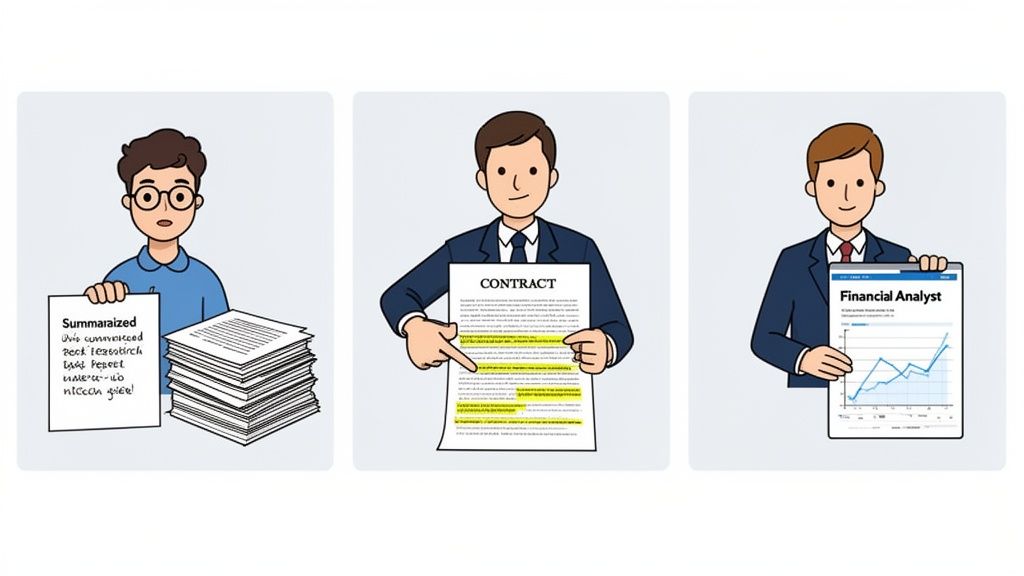
Let’s move past the theory and look at how this plays out in the real world. These examples show how a simple drag-and-drop can completely transform a person's workflow.
For the Student on a Deadline
Picture a university student cramming for a final exam. Their reading list includes ten dense, 40-page academic papers. Reading and taking notes on all 400 pages by hand would take days, leading to serious stress and burnout.
Instead, the student uploads all ten papers into a multi-document summarizer. In just a few minutes, the AI produces a concise overview for each one. The student can then use the chat feature to ask specific questions like, "Compare the research methodologies of these three papers," or, "What were the main conclusions of the 2022 study?" The tool gives them instant, cited answers, turning days of drudgery into a focused, two-hour study session.
This isn't about skipping the reading; it's about making it smarter. The tool acts as a research assistant, pinpointing the most critical information so students can focus their energy on understanding, not just searching.
For the Legal Professional Under Pressure
A corporate lawyer needs to review three lengthy contracts from a potential partner, and each one is over 50 pages long. Her job is to spot any unusual liability clauses, termination conditions, or intellectual property terms that might create risk.
The old way of doing this involves a slow, line-by-line review that can easily eat up an entire afternoon. Using a PDF summarization tool, she uploads all three contracts at once. She then simply asks the AI, "Extract all clauses related to 'limitation of liability' from these documents."
The tool immediately pulls the relevant sections, complete with clickable citations that take her right to the source. This lets her compare the clauses side-by-side in seconds, and she quickly identifies a problematic term in one contract that would have been easy to miss. A task that once took four hours is now done in under 30 minutes, and with greater accuracy.
For the Financial Analyst Chasing Insights
A financial analyst is preparing a market trends report for a big client meeting tomorrow morning. He has three detailed industry reports loaded with charts, data, and complex forecasts. His goal is to pull out the key growth projections, risk factors, and competitor analysis.
Manually, this means sifting through hundreds of pages and getting lost in irrelevant data. With a summarizer, he uploads the reports and asks a few direct questions:
- "What is the projected CAGR for the robotics sector according to these reports?"
- "Summarize the key market risks mentioned in all three documents."
- "List the top three competitors and their market share data."
The AI delivers a synthesized brief with the exact data points he needs. What was once a chaotic research scramble becomes a structured, efficient analysis. He can now build his presentation around solid, verified data—without having to pull an all-nighter.
How to Get Your First AI-Generated Summary
Diving into a new PDF summarization tool shouldn't be a chore. The best ones are built to get you from a dense document to a clear summary in just a few clicks. Honestly, getting started is usually as simple as dragging a file from your desktop into your browser window.
We'll walk through the four main steps that take you from an overwhelming PDF to clear, usable answers. This whole process is designed to be intuitive, so you can focus on the information you need, not on learning new software. It’s all about getting you from A to B without the headache.
Your Four-Step Path to Instant Insights
You don't need to be a tech wizard to get started. Just follow these simple steps, and you'll be interacting with your documents in a completely new way.
Upload Your Document Instantly: The first step is a simple drag-and-drop. Just grab your PDF and drop it into the upload area on the screen. No complicated menus or setup required—the tool is ready when you are.
Receive an Organized Summary: In a matter of seconds, the AI scans the document and presents you with a concise summary. It pulls out the most important takeaways and organizes them neatly, giving you a bird's-eye view of the entire file.
Chat with Your PDF: Now for the really cool part. Instead of just reading, start asking questions. A chat window lets you talk directly to your document. You can ask things like, "What were the main conclusions?" or "Find all mentions of the Q3 financial results." The AI digs through the text and pulls out specific answers for you.
Verify with Clickable Citations: Trust is everything. Every single answer the AI gives you includes a clickable source link. When you click it, you’re instantly taken to the exact paragraph in the original PDF where that information lives. This makes fact-checking a breeze and gives you complete confidence in the answers.
This screenshot shows exactly what that interactive chat looks like. A user asks a specific question and gets a direct answer with a source to back it up.
As you can see, the AI doesn't just give you an answer; it shows you its work. This turns a static, one-way document into a dynamic conversation where you're in the driver's seat.
If you're ready to try this out yourself, you can get started with a powerful PDF summarizer AI free and experience this workflow firsthand.
Best Practices for Getting Accurate Summaries
It’s one thing to get a basic summary, but it's another thing entirely to get one that’s truly useful. To unlock the real power of a PDF summarization tool, you need to think of it less like a machine and more like a junior research assistant. The better your instructions, the better the output.
If you feed it a generic prompt, you’ll get a generic result back. Asking something vague like, "What is this document about?" is a good start, but it won't dig up the specific details you probably need.
Frame Your Questions Like a Pro
To get truly insightful answers, you need to be direct and clear with your questions. This simple shift in how you interact with the tool can completely change the quality of the summary you receive.
Let's say you're working with a complex academic paper:
- Instead of: "Summarize this paper."
- Try asking: "What specific methodology did the authors use in their study?" or "List the top three conclusions from the results section."
See the difference? This focused approach guides the AI straight to the heart of the matter, pulling out the exact details you need without all the fluff.
The best way to use these tools is to treat it like a conversation. You guide the analysis with thoughtful questions, and the AI comes back with precise, sourced answers.
Synthesize and Verify
When you're tackling a big project, don't just stop at one document. Use features that let you analyze multiple PDFs at once to compare and contrast insights across different sources. If you want to really master this, you can dive deeper into what is synthesizing information. This is where the real magic happens.
This kind of advanced functionality is a big reason why the PDF editor software market is projected to hit $5.29 billion by 2026, according to PDF technology market projections. People are hungry for tools that make them more productive.
Finally, always give the summary a quick once-over yourself. AI is incredibly powerful, but a human eye can catch subtle context or nuance that a machine might miss. A quick final check ensures the summary is spot-on and aligns with the document's core message.
Common Questions About PDF Summarizers
It’s completely normal to have questions before you start using a new kind of technology. After all, a good pdf summarization tool needs to do more than just work—it needs to be reliable, secure, and something you can trust with your important files. Let's walk through some of the things people often ask.
How Accurate Are These AI Summaries, Really?
This is probably the most important question, and the answer depends on two main things: how smart the AI is and how clear your original document is. If you feed it a well-structured, clearly written PDF, you’re going to get a much better summary than if you give it something messy and full of confusing jargon.
But the best tools don't leave accuracy to chance. They have built-in ways to help you verify everything.
A key feature to look for is clickable citations. This means every single point in the summary links directly back to where it came from in the original document. You can instantly check the context and make sure nothing was misunderstood.
This simple feature transforms the summary from a mystery box into a reliable, transparent tool you can actually count on.
Is It Safe to Upload My Private Documents?
Data security is a huge deal, and rightly so. Reputable summarization tools take this very seriously and have strong security measures in place to protect your information from the second you hit "upload."
Here’s what you should expect from a trustworthy tool:
- Data Encryption: Your files should be encrypted both on their way to the server and while they’re stored there. This scrambles the data, making it completely unreadable to anyone without authorization.
- Strict Deletion Policies: Many services automatically and permanently delete your files from their servers after a short time. This ensures your information isn't just sitting around.
Before uploading anything sensitive, it’s always a smart move to quickly check the tool's privacy policy.
Can These Tools Handle Scanned PDFs?
Yes, many modern summarizers can read scanned documents, but there’s a catch. This works using a technology called Optical Character Recognition (OCR), which essentially turns a picture of text into actual, editable text the AI can understand.
The quality of the OCR—and therefore the summary—all comes down to the quality of the scan. A sharp, high-resolution scan will give you great results. A blurry, low-quality scan or a document with handwritten notes? Not so much. You’ll likely run into errors. For the most dependable summaries, it's always best to work with original digital PDFs whenever you can.
Ready to turn those dense documents into clear, actionable insights? Chat with your files and get instant, sourced answers with PDF Summarizer. Try it free today at pdfsummarizer.pro.
Relevant articles

Discover the best citation management software for your research. Compare Zotero, EndNote, Mendeley, and more to find the perfect tool for your workflow.

Streamline your research and summary tasks with AI. Analyze documents, synthesize insights, and craft sharper reports, faster and with confidence.

Discover how to read a PDF online using your browser or smart AI tools. Our guide shows you how to instantly open, chat with, and summarize any document.
Learn how to upload a PDF on any device with our practical guide. Discover pro tips for file size, naming conventions, and fixing common upload errors.
Discover the top 7 PDF search engine tools for academic and professional research. Find, access, and analyze documents faster with our curated 2026 roundup.
Discover how question answering AI transforms documents into conversations. Learn how NLP and machine learning deliver instant, sourced answers from your files.