A Practical Guide to Creating an AI Summary of Article
Learn to create a flawless AI summary of article with this guide. Discover the best tools, prompts, and verification methods to get accurate results.
An AI summary of an article is pretty much what it sounds like: a machine quickly boils down a long piece of text to its essential points. Think of it as the ultimate set of cliff notes, highlighting the main arguments, key findings, and crucial data in just a few seconds. It’s an incredibly effective way to get the gist of dense reports, academic papers, or long news articles without having to read every single word.
Why Using an AI to Summarize an Article Is a Game Changer
Before we dive into the "how-to," let's talk about why this is such a big deal. Using AI to summarize articles isn't just a neat trick to save time; it fundamentally changes how you work with information.
Imagine a student trying to get through a mountain of dense academic papers. Instead of spending hours on each one, they can get the core ideas in minutes. Or picture a market analyst who needs to synthesize a dozen industry reports before their morning meeting. This isn't science fiction—it's what people are doing right now to work smarter.
The real magic of an AI summary isn’t just about speed. It’s about offloading the grunt work. You let the machine pull out the key facts, which frees up your brainpower for what really matters: critical thinking, making connections, and analyzing the information on a deeper level.
Accelerating Discovery and Learning
Once you get the hang of AI summarization, you’ll find it does more than just help you read faster—it actually helps you learn more quickly. This is especially true in education, where the required reading can feel impossible. AI adoption in schools has exploded for this very reason.
In fact, one recent survey found that a staggering 80% of students are already using generative AI tools. If you want to see the full scope of this shift, you can explore more about AI's impact on higher education.
This makes AI summarization less of a tech novelty and more of a core skill for anyone who needs to process information efficiently. It's about staying ahead by focusing on the insights within the text, not just the time it takes to read it.
And it goes beyond just reading. Embracing tools for content creation automation can reshape your entire workflow. The benefits are pretty clear:
- Increased Efficiency: You can get through way more information in less time, making your research broader and more comprehensive.
- Improved Comprehension: It helps you quickly lock onto the main ideas in even the most complex documents.
- Strategic Focus: You get to spend your valuable time on analysis and application, not just on the initial read-through.
How To Choose The Right AI Summarizer For Your Work
Picking the right tool to generate an AI summary of an article isn't a one-size-fits-all situation. The best choice really comes down to what you're trying to accomplish. You wouldn't use a screwdriver to hammer a nail, and the same thinking applies here—the task should always dictate the tool.
A general AI assistant like ChatGPT or Claude is fantastic for a quick, on-the-fly summary of a webpage or some text you've pasted in. They’re versatile and easy to get to, which makes them a great starting point for many people. But when the work gets more demanding, their limitations can start to show.
Think about it this way: a marketing professional might just need a browser extension to get the gist of competitor blog posts. A graduate student, however, needs something far more robust—a tool that can chew through a dense, 50-page PDF research paper, meticulously track citations, and even help compare arguments across multiple documents.
Specialized Tools vs. General AI Assistants
When your work involves serious research, specialized platforms are almost always the better bet. Tools like Scholarcy or our own PDF Summarizer are built from the ground up to handle academic and professional documents with the nuance they require.
These dedicated platforms offer critical features that general AI assistants just don't have.
- Direct PDF & URL Uploads: Forget the tedious copy-and-paste routine. Just upload your files directly.
- Citation Tracking: They can actually pull out the references and often provide clickable links back to the original source, which is a lifesaver for verifying accuracy.
- Multi-Document Analysis: This is a game-changer. It lets you ask questions across an entire library of sources at once.
- Structured Output: Instead of just a block of text, they often generate summaries in organized, useful formats, like interactive flashcards or background reading lists.
For academic work, having a dedicated research paper summarizer can make a massive difference in both the quality and the reliability of your work.
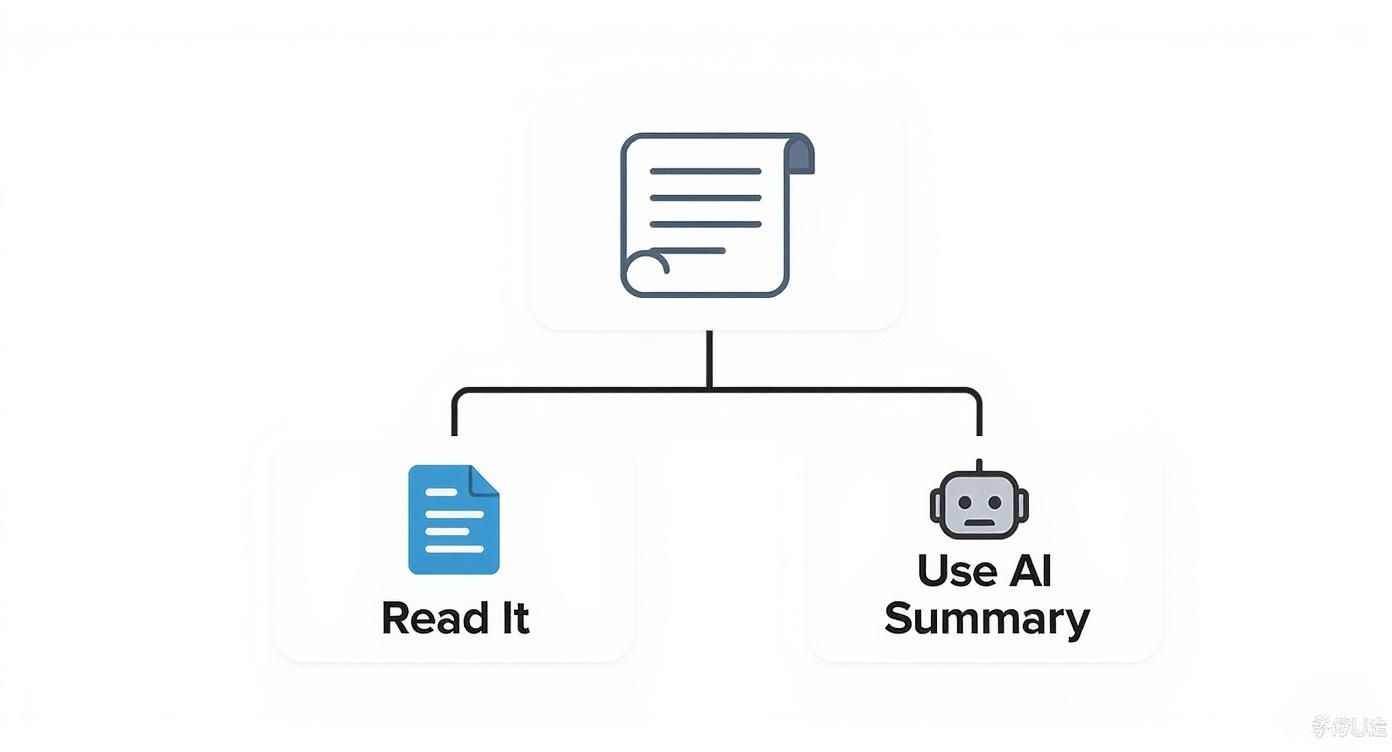
This simple flow shows that when you're up against a long article and short on time, an AI summarizer is often the most efficient path forward.
A Quick Comparison To Help You Decide
To make the choice a bit clearer, I've put together a table comparing the different types of tools. This should help you pinpoint which one aligns best with your daily tasks.
AI Summarizer Tool Feature Comparison
| Feature | Dedicated Summarizer Tools (e.g., Scholarcy) | General AI Assistants (e.g., ChatGPT, Claude) | Ideal Use Case |
|---|---|---|---|
| Input Method | Direct PDF/URL/DOCX uploads | Mostly text pasting, some have URL plugins | Researchers, students, or professionals handling file-based documents. |
| Citation Extraction | Yes, often with links to sources | No, cannot reliably track or verify citations | Academic, legal, and medical research where source verification is critical. |
| Multi-Document Q&A | Yes, can synthesize info from multiple files | No, typically limited to a single document/context window | Literature reviews, market analysis, and comparative studies. |
| Structured Output | High (e.g., flashcards, tables, highlights) | Low (typically a single paragraph or bullet points) | Anyone needing organized, scannable summaries for study or reference. |
| Accuracy on Dense Text | High, trained on technical/academic papers | Variable, can hallucinate or miss nuance | Deep dives into complex subjects like science or finance. |
| Cost | Often subscription-based (freemium models exist) | Free versions widely available; paid tiers offer more power | Casual, everyday use for quick summaries of web articles or emails. |
This comparison highlights a clear divide: for casual, one-off summaries, a general AI is fine. But for anything involving deep, verifiable research with complex documents, a specialized tool is the only way to go.
Making The Final Choice
Ultimately, the goal is to find a tool that fits right into your workflow without causing friction. Don't hesitate to test out a few free versions or trials. See which one feels the most intuitive and, more importantly, delivers the kind of AI summary that actually helps you work smarter.
That hands-on experience is always the best way to make a decision you'll be happy with long-term.
Crafting Prompts That Deliver a Perfect Summary
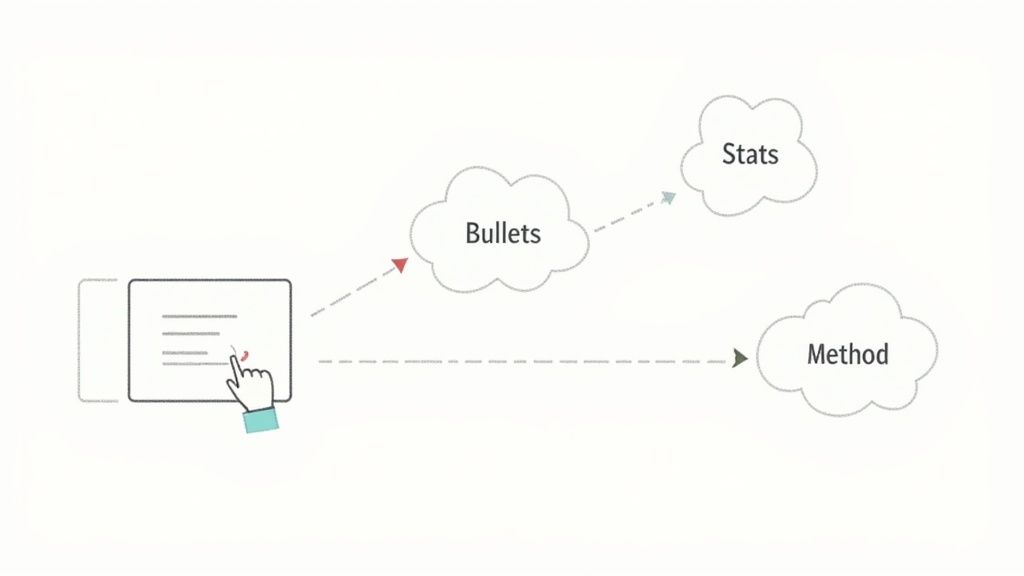
The real secret to getting a great AI summary isn't just about picking the right tool—it’s about the prompt you feed it. Simply telling it to "summarize this" is a coin toss. To get exactly what you need, you have to move beyond basic commands and start engineering your prompts.
Think of the AI as an incredibly smart research assistant who takes everything you say literally. Vague instructions get you vague results. But give it a specific, targeted command, and it can pull out exactly the information you need in the format you want. That's where you get a truly useful ai summary of article.
Specific Prompts for Specific Outcomes
Instead of one-size-fits-all requests, you need to match your prompt to your goal. This small shift in how you ask makes a world of difference in the final output. You’re not just asking for a summary; you're telling the AI what to look for and how to present it back to you.
Here are a few of my go-to prompt formulas that you can copy and paste:
- To find the core arguments: "Analyze the attached article and extract its main arguments. Present them as a bulleted list. For each argument, add a one-sentence explanation of the author's supporting evidence."
- To pull out all the data: "Scan this document and list all statistical data, percentages, and figures mentioned. Put them in a table with two columns: 'Data Point' and 'Context'."
- To simplify complex methods: "Read the methodology section of this paper. Explain the research methods in plain English, as if you were describing it to someone totally new to academic research."
Prompts like these push the AI beyond a surface-level overview, turning it into a precision tool. This is especially handy when you need a quick AI summary of a PDF for a class paper or a professional analysis.
The Power of Iterative Prompting
One of the most effective techniques I've found is what I call iterative prompting. Rarely do you get the perfect summary on the first try. Instead, treat it like a conversation. You're guiding the AI toward the answer you're looking for.
Start with a broad request, something like, "Provide a concise summary of this article." Once you get that first response, you can start digging deeper with follow-up questions that build on what the AI just told you. It gives you incredible control over the summary's focus and depth.
This conversational approach is a game-changer. It turns a one-way command into a dynamic collaboration, letting you explore an article's nuances without having to re-read the whole thing yourself.
For instance, after that initial summary, you could follow up with:
- "Based on your summary, what are the three main counterarguments the author brings up?"
- "Expand on the point about the financial implications. What specific figures were mentioned?"
- "From the tone and language used, who do you think the intended audience for this article is?"
This back-and-forth lets you peel back the layers of a document, pulling out the exact insights you need. It’s a much faster way to get a nuanced understanding.
These AI-generated summaries, often called AI Overviews, are becoming the standard for quick, informative answers. Most of them average around 157 words, and research shows that 66% land somewhere between 150 and 200 words. This length is a nice sweet spot—detailed but not overwhelming. By using iterative prompting, you get to decide if you want that brief overview or something much more in-depth.
How to Verify AI Summaries for Accuracy and Bias
https://www.youtube.com/embed/dE3PksrW2Ik
Think of an AI-generated summary as a first draft from a brilliant but sometimes overeager research assistant. It's an incredible starting point, but you should never treat it as the final word. The last and most critical step is always to verify its accuracy and sniff out any hidden biases before you run with its conclusions.
This isn't about re-reading the entire source from scratch. It's a strategic check-up, a way to confirm the most important details and make sure the AI didn't miss the author’s real point. If you skip this, you’re risking building your own work on subtle errors or—even worse—outright "hallucinations," where the AI just makes things up.
There's a good reason for this caution. While most of us see AI summaries in search results now, trust is still shaky. A recent poll found that only 6% of adults have a high level of trust in them, and 53% are only somewhat convinced. This shows a big gap between what AI can do and how much we rely on it, a gap you can close with a few smart verification habits.
A Spot-Check Workflow
The first thing to do is spot-check the big stuff. Don't get bogged down verifying every single sentence. Instead, zoom in on the summary's most important claims: key statistics, direct quotes, and the central thesis.
Did the summary say a study showed a 40% increase in something? Hunt down that specific number in the original document to make sure it's correct.
Thankfully, many modern summarizers, including PDF Summarizer, build this right into their tools with clickable citations. You can just click a sentence in the summary, and it will instantly take you to the exact spot in the source document where that information came from. It turns what used to be a tedious fact-checking chore into a simple click.
Getting into the habit of cross-referencing a few key facts fosters a healthy skepticism. It trains you to treat an AI summary as a guide, not gospel—which is essential for any serious academic or professional work.
Reading Between the Lines for Bias and Tone
Accuracy is more than just getting the facts right; it's also about nuance. An AI can easily miss sarcasm, irony, or a skeptical tone, sometimes presenting a critical argument as a straight endorsement. As you read, constantly ask yourself: does the summary's tone feel like the original author's?
This is where your human judgment is non-negotiable. It's not just about proofreading; it's about a level of deep reading that machines haven't mastered yet. Part of verifying an AI summary is also making sure it reads like it was written by a person, and there are several good ways to humanize AI text to polish the final output.
This kind of deeper analysis is the core of actively engaging with any text. If you want to get better at spotting these subtle issues, our guide on what is critical reading is a great place to start. It will help you see the hidden biases and misinterpretations an AI might gloss over, turning a good summary into a truly reliable one.
Advanced AI Summarization Techniques
Once you've mastered the basics, it's time to stop using AI as a simple "summarize this" machine and start treating it like a genuine research partner. This is where the real magic happens. By moving beyond simple commands, you can turn the tool into an active analytical engine that synthesizes information in ways that truly accelerate deep work.
The shift in mindset is key. Think of the AI less like a text compressor and more like a collaborator. With the right prompts, it can perform complex analysis that would normally take hours of painstaking manual effort. Your AI summary of article becomes the launchpad for much deeper inquiry, not the final destination.
Synthesizing Across Multiple Documents
One of the most powerful things you can do is cross-document analysis. Instead of feeding the AI one article at a time, you can upload an entire batch of sources and ask it to connect the dots. This is a complete game-changer for anyone doing a literature review, market research, or any task that demands a bird's-eye view.
Let's say you're looking at three dense academic papers on the same subject. A great prompt might be, "Analyze these three studies. I need a table that compares and contrasts their research methodologies. After that, synthesize their main findings into a single, cohesive narrative." See what's happening here? You’re asking for both comparison and synthesis—two genuinely high-level analytical tasks.
This approach moves the AI from simple data extraction to actual insight generation. It's no longer just pulling out facts; it's actively helping you build new arguments and spot patterns across a wide sea of information.
Remember, the quality of your output here is directly tied to how specific your prompt is. Vague requests will get you vague, unhelpful results. Be direct about what you want the AI to find and exactly how you want it presented.
Creating Audience-Specific Summaries
A single article or report often holds value for many different people, but they all need the information presented in their own language. Advanced prompting lets you spin up multiple, distinct summaries from the same source text, each perfectly tuned for a specific reader. For professional communication, this is a massive time-saver.
Imagine you've just finished analyzing a long, technical report. You can then ask the AI to generate different summaries for your stakeholders:
- For the CEO: "Give me a one-paragraph executive summary. Focus only on the key findings, business implications, and our recommended next steps. Cut all the technical jargon."
- For the Engineering Lead: "I need a detailed, bulleted summary of the methodology, data analysis, and technical limitations from this report. Make sure to include specific figures and metrics."
- For the Marketing Team: "Pull out any customer insights, market trends, or competitive advantages mentioned in this article. Present them as talking points for a marketing brief."
This method ensures everyone gets precisely the information they need, in a format they can act on immediately. And you don't have to spend your afternoon manually rewriting the same core points over and over again.
Summarizing Across Different Languages
Today's best AI tools are impressively multilingual. This unlocks a world of global research and information that might have been out of reach before. You can now easily summarize articles written in languages you don't even speak.
The straightforward approach is to just upload a document in another language and ask for a summary in English. But to get more nuanced results, you can prompt the AI to preserve the original meaning and feel.
Try something like this: "Translate and summarize this German-language article for me. Pay close attention to capturing the author's original tone and any cultural nuances mentioned in the text." This little addition helps ensure you get a summary that respects the original context, not just a flat, literal translation.
Navigating Common Questions with AI Article Summaries
As you start working with AI to summarize articles, you're bound to hit a few snags. It's just part of the learning curve. Generating a summary is often the easy part, but what do you do when the output is just… weird? Or when the file you’re trying to upload keeps getting rejected? And how can you be sure the summary is even accurate?
Let's walk through some of the most common issues people run into. These are the little roadblocks that can get frustrating, but thankfully, they usually have a straightforward fix. My goal here is to give you practical answers so you can get back to work with confidence.
How Long Should an AI Summary Actually Be?
There’s no magic number here—it really comes down to what you need. Are you just trying to get the gist of a news article before a meeting? A single, punchy paragraph might be all you need. But if you're dissecting a dense academic paper, you’ll want a much more detailed breakdown, probably with bullet points and key data tables pulled out.
A great starting point is to generate a standard summary first, then simply ask the AI to tweak it. Think of it as a conversation.
- For a quick glance: Try prompting, "Give me the main idea in no more than 150 words."
- For a deeper dive: A better prompt would be, "Create a comprehensive bulleted list of all key findings and arguments from the text."
The best tools are flexible, allowing you to guide the length and focus. This way, you end up with a summary that's actually useful for the task at hand.
What if the Summary Is Complete Gibberish?
We've all been there. You get a summary back that’s garbled, nonsensical, or completely misses the point. Nine times out of ten, this isn't the AI's fault but an issue with the source document itself. The biggest offender? Bad PDFs. If your PDF is just a scanned image of text instead of an actual text file, the AI can't read it. It's like asking it to read a photograph.
Another common reason is a poorly written or ambiguous source. If the original author's writing is convoluted or packed with niche jargon without any context, the AI will naturally struggle to make sense of it. A good workaround here is to feed the AI smaller chunks of the document, summarizing section by section rather than all at once.
Remember, the AI is a mirror. Garbage in, garbage out. A confusing, badly formatted article will almost always produce a confusing summary. Clean, well-structured documents deliver the best results every time.
Can AI Really Summarize an Entire Book?
Yes, but you can't just dump the whole thing in at once. Most AI tools have what's called a "context window," which is a fancy way of saying they have a memory limit. They can only process a certain amount of text at a time. If you try to feed it a 300-page book with a single prompt, you'll likely get a very shallow, incomplete, or truncated summary.
The smarter way to do this is to tackle it chapter by chapter. Upload the book, then ask the AI to summarize the first chapter. Then the second. Once you have a collection of chapter summaries, you can ask the AI for one final task: "Now, using all the chapter summaries I've generated, create a high-level overview of the entire book." This piecemeal approach works with the AI's limitations, not against them, and produces a far more accurate and genuinely useful result.
Ready to turn those dense documents into clear, actionable insights? PDF Summarizer lets you upload any file and get instant answers with clickable citations. Chat with single or multiple PDFs at once and understand complex information in seconds. Try it for free today at https://pdfsummarizer.pro.
Relevant articles

Discover the best citation management software for your research. Compare Zotero, EndNote, Mendeley, and more to find the perfect tool for your workflow.
Discover how text summarization AI turns dense documents into clear, actionable insights. Our guide explains the models, methods, and real-world applications.
Discover the top 7 PDF search engine tools for academic and professional research. Find, access, and analyze documents faster with our curated 2026 roundup.
Discover the best pdf article summarizer to boost your productivity. Our 2026 review covers top AI tools for students, researchers, and professionals.

Discover how a modern PDF summarization tool can transform your workflow. Learn how AI analyzes documents, its key features, and how to get accurate summaries.
Discover the top 12 tools for any PDF summarizer AI free workflow. Get instant, accurate summaries from dense documents, reports, and research papers today.