Discover How to scan question and get answer Instantly with AI
Learn how to scan question and get answer from any document or image with AI—gain quick, actionable insights.
Let's be honest, nobody enjoys manually digging through documents for that one specific piece of information. The old way of doing things—endless scrolling, flipping through pages—is on its way out. Today, you can just scan a question and get an answer instantly using AI. This tech essentially turns your stacks of paper and digital files into a personal, searchable database that spits out exactly what you need in seconds.
Why AI Is Making Manual Search Obsolete
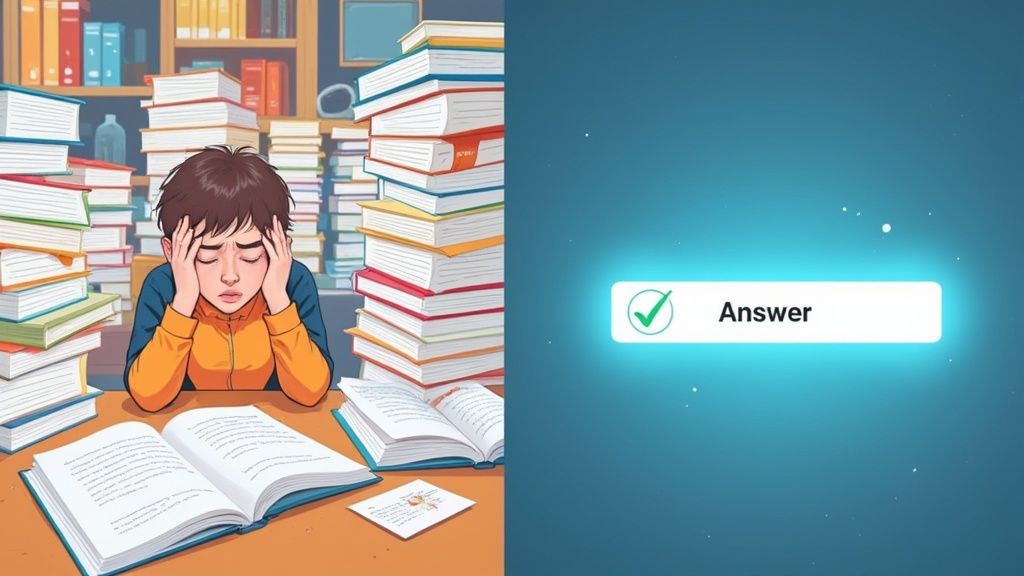
We've all been there: spending what feels like an eternity searching for a single fact buried in a textbook or a dense PDF. That whole frustrating experience is becoming a relic of the past. The magic behind this shift often involves sophisticated Large Language Models (LLMs), which are designed to understand the nuances of human language and pull out precise information when you ask for it.
This isn't just about saving time. It's about completely changing how we interact with information. For a student, it means finding a specific formula without rereading an entire chapter. For a legal professional, it’s locating a single clause in a hundred-page contract in a snap. The demand for this kind of efficiency isn't just growing; it's exploding.
This move toward instant, AI-driven answers is a massive market trend. It's no longer a 'nice-to-have' feature but a basic expectation for how we should be able to access information. Speed and precision are now the names of the game.
A New Way to Find What You're Looking For
The market for conversational AI—the systems that let you scan a question and get an answer from a chatbot or virtual assistant—is growing at an incredible pace. One analysis valued the global market at USD 12.24 billion in 2024 and predicts it will skyrocket to USD 61.69 billion by 2032. That’s a compound annual growth rate (CAGR) of about 22.6%, which clearly shows how quickly people are adopting these smarter tools.
The reason for this rapid growth is simple: AI search is just plain better. Instead of you hunting for the information, the information comes to you.
Manual Search vs AI Scanning: A Quick Comparison
To see just how different the two approaches are, let's break it down. The table below really highlights the core advantages of letting an AI do the heavy lifting.
| Aspect | Traditional Manual Search | AI-Powered Scanning |
|---|---|---|
| Speed | Slow and tedious, depends entirely on human reading speed. | Nearly instantaneous, processing hundreds of pages in seconds. |
| Accuracy | Prone to human error; it's easy to miss or misread information. | Highly precise, pinpointing exact phrases and data points. |
| Effort | Mentally draining and requires intense focus. | Minimal effort; you just ask a question. |
| Context | You have to build the context yourself by reading everything. | The AI understands the context of your question automatically. |
Ultimately, AI-powered scanning isn't just faster; it's a smarter way to work. It frees up your mental bandwidth so you can spend your time analyzing the information instead of just trying to find it.
Turn Physical Documents into Searchable Knowledge
Ever wished you could just ask a question to a page in a textbook, a printed report, or even your own handwritten notes? That's not science fiction anymore. You can quickly turn physical paper into a digital, interactive resource and pull out the answers you need without having to read every single word. It all starts with your phone's camera.
Think of it as the first step in a conversion process. For the best results, you need a clean, clear picture. Lay the document flat, make sure you have good lighting, and try to avoid any weird shadows or glare. A sharp photo is the key, because it gives the Optical Character Recognition (OCR) technology the best possible source material to work with. Once you've got a good shot, you can upload it right into a tool like PDF Summarizer.
From a Simple Photo to Instant Answers
The moment you upload that image, the tool gets to work. Its OCR engine scans the picture and converts every printed word into digital text you can actually interact with. This is where things get really interesting. You're no longer dealing with just a static image; you've basically got a document you can have a conversation with.
You can start asking specific questions about what's on that page. For instance, if you snapped a picture of a page from a dense history textbook, you could ask, "What were the main causes of the economic downturn mentioned on this page?" The AI will dig through the text it just digitized, pinpoint the relevant sentences, and give you a straight answer.
Here’s a look at the PDF Summarizer interface. You can see how simple it is to just drop your file in and start asking questions.
This kind of immediate information retrieval is quickly becoming standard practice. In fact, projections show that by 2025, a staggering 85% of enterprises will rely on AI agents for this kind of work, making it a core part of their operations, not just some side experiment. You can discover more insights on how AI agents are changing the productivity game.
Key Takeaway: The quality of your scan or photo makes all the difference. Spending a few extra seconds to get a clear, well-lit image is worth it. It ensures the OCR technology can accurately capture the text, which means you get far more reliable answers.
This is a lifesaver when you're working with documents you can't just mark up, like library books or official contracts. And if you're dealing with digital files that are locked down, you might find our guide on how to edit a read-only PDF useful. Being able to pull information from literally any source—physical or digital—completely changes how you can tackle research.
Unlocking Knowledge from Your PDFs
Let's face it, most of us have a digital library filled with PDFs—research papers, dense reports, textbooks—that are just sitting there. They're a goldmine of information, but digging through them is a chore. The real breakthrough comes when you can scan a question and get an answer directly from these files, turning static documents into a dynamic conversation.
Think about it from the perspective of a graduate student. You're juggling a dozen different research papers for your thesis. Instead of having 12 tabs open and trying to piece everything together manually, you can upload them all at once. Suddenly, that pile of PDFs becomes a single, unified knowledge base you can talk to.
Synthesize Information Across Multiple Documents
This is where things get really powerful. You're not just finding facts; you're building connections.
For instance, you could upload three different studies on climate change. Then, you could ask something like, "Compare the research methodologies in Document A and Document C for measuring Arctic ice melt." The AI doesn't just hunt for keywords. It actually comprehends the context within each paper and gives you a synthesized answer, pulling the specific details from each file you named.
This simple workflow shows how you get from a document to an answer.
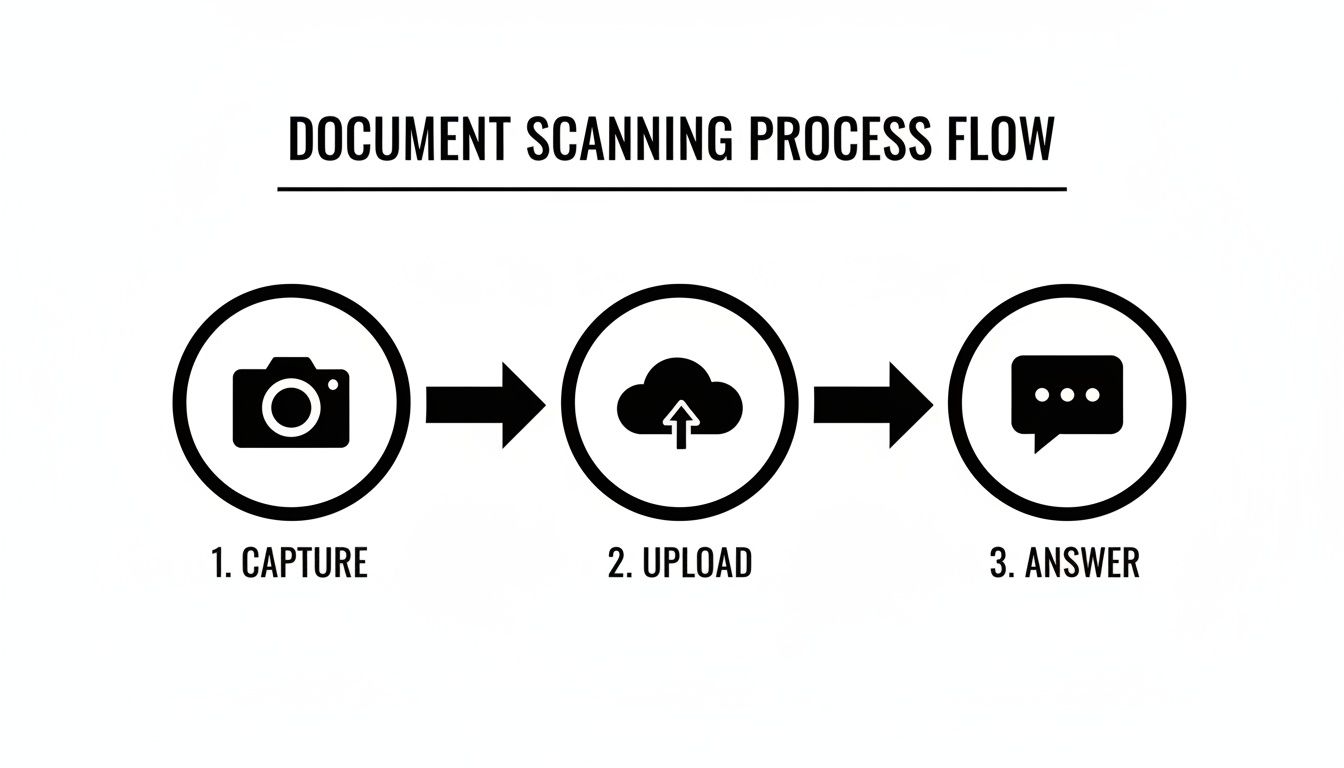
As you can see, it boils down to three simple actions: capture your document, upload it, and ask your question.
A non-negotiable feature for any serious academic or professional work is precise citations. When the tool pulls an answer, it should also point you directly to the page and passage in the original PDF. This feature alone turns an interesting gadget into an indispensable research assistant.
Having that source verification is crucial. It means you can trust the information you're getting and easily build out your own references with full academic integrity. You're not just getting an answer; you're getting a verifiable path back to the source text.
You can see this in action with a good PDF summary generator that builds these features right in. It’s an approach that saves hours of manual cross-referencing, freeing you up to focus on the actual thinking and analysis.
How to Ask Better Questions for Better Answers
Getting great results from an AI is a skill. The quality of the answer you get is almost always a direct reflection of the quality of the question you ask, whether you're scanning a physical document or typing a query. Think of the AI as an incredibly smart and fast assistant—but one that can't read your mind.
For physical documents, the clarity of your scan is everything. Make sure the page is completely flat and sits in good, even lighting without any harsh glare. A blurry, shadowy, or skewed image forces the AI's optical character recognition (OCR) to guess at words, which can introduce errors and lead to flawed answers. Taking a few extra seconds to get a clean shot makes all the difference.
Crafting a Powerful Digital Question
When you're asking questions about your uploaded documents, specificity is your secret weapon. Vague prompts get you vague, generic answers.
For example, asking, "What does this report say about marketing?" is okay, but it's not going to get you the specific insight you're probably looking for.
A much stronger approach is to give the AI clear instructions. Try something like, "Based on this report, what are the top three digital marketing strategies recommended for B2B companies in the tech sector?" This tells the AI precisely what to look for, who the audience is, and where to find the information.
Learning how to frame your questions this way is a game-changer. This practice, often called prompt engineering, is the key to unlocking an AI's full potential. To really get the hang of it, you can dive deeper into the core ideas explained in What Is Prompt Engineering: A Guide for Business.
Common Questions and Effective Phrasing
Turning a simple question into a powerful one can dramatically improve your results. Here’s a quick look at how you can rephrase common queries to get more specific and useful answers from the AI.
| Vague Question | Better, Specific Question |
|---|---|
| "Summarize this document." | "Summarize the key findings from this research paper in five bullet points, focusing on the conclusion." |
| "What are the risks?" | "List the financial risks outlined in the 'Risk Factors' section of this annual report." |
| "Find the data on sales." | "Extract all sales figures for Q4 2023 from this document and present them in a table." |
| "Does it mention the project?" | "Search this document for any mention of 'Project Phoenix' and cite the page numbers where it appears." |
By being more direct, you guide the AI to deliver exactly what you need, saving you time and effort.
Expert Tip: Don't be afraid to have a conversation. If the first answer isn't quite right, follow up! Refine your question, add more context, ask for a different format, or tell the AI what not to include. This back-and-forth is how you drill down to the precise information you're after.
Our expectation for instant, accurate information has grown tremendously. In fact, some analysts predict that by 2025, as much as 95% of all customer interactions in certain industries could be powered by AI. This highlights a huge shift in how we access and process information.
For more ideas on how to frame your queries for the best possible outcomes, check out our guide on what questions to ask an AI.
Advanced Strategies for Complex Tasks
Getting quick answers from a single document is great, but the real power comes when you start tackling more complex jobs. This isn't just about finding a single fact; it's about making sense of information, pulling out structured data, and even working across different languages without missing a beat.
Think about this real-world scenario: you've just been handed a dense technical report, but it’s in German and you need to ask questions about it in English. No problem. You can just upload the document and start asking away in English. The tool handles the translation behind the scenes, giving you the answers you need in your own language.
Extracting and Structuring Data
I've found this to be incredibly useful when I'm dealing with reports packed with figures. Instead of the old, tedious method of manually copying and pasting data from a PDF into a spreadsheet, you can just tell the AI what you need.
For instance, if I were a financial analyst, I could simply ask:
- "List all company names and their corresponding revenue figures from this report."
- "Extract the key performance indicators from Q4 and present them in a table."
The AI goes to work, plucks those specific data points right out of the text, and neatly organizes them for you.
This is where the tool stops being a simple search box and becomes a genuine partner in your analysis. It takes over the grunt work of data extraction, which means you can spend your time actually interpreting the information, not just hunting for it.
Multi-File Analysis for Deeper Insights
Here's another strategy I use all the time: analyzing information across several documents at once. Say you've got a folder full of weekly project updates. By uploading them all, you can ask questions that help you see the bigger picture.
As a project manager, you might ask something like, "What are the recurring risks mentioned across all these quarterly reports?" This gives you a high-level view of persistent challenges in seconds, saving you the headache of re-reading every single file.
Your Questions, Answered
Still have a few things you're wondering about? Let's clear up some of the most common questions people ask when using AI to pull answers from their documents.
How Accurate Are the Answers?
When you scan a question and get an answer, the accuracy is usually spot-on, as long as your document is legible and you ask a clear question. What really separates a good tool from a great one is citations. The best platforms will link every part of an answer directly back to the source text in your document, so you can verify it in seconds.
Think of it less as a magic box and more as a super-fast research assistant. It digs up the information for you, but it’s always a good idea to glance at the source it points to for critical details.
What File Types Can I Use?
Flexibility is key here, and most tools are built for it. For anything you've scanned or taken a picture of, you can typically upload common image files like JPG and PNG. The AI uses OCR (Optical Character Recognition) to read the text from there.
For digital documents, PDFs are the gold standard and are supported everywhere. You'll often find support for other formats too, like DOCX and TXT files. The main thing is the AI's ability to pull out and make sense of the text, no matter what kind of file it's in.
A Quick Note on Privacy and Security: Any reputable service will take your data security seriously, often using things like end-to-end encryption. That said, you should always give the privacy policy a quick read. As a general rule, I'd avoid uploading documents with extremely sensitive personal or company information unless you're absolutely sure about the platform's security. When it comes to your files, peace of mind is what matters most.
Ready to stop scrolling and start asking? Give PDF Summarizer a try and pull instant, cited answers directly from your documents. No signup needed to get going. You can get started for free on the PDF Summarizer website.
Recent articles

Learn how to merge pdf foxit reader PDFs quickly with step-by-step tips, free options, and 2026 updates.

Learn how to open pdf in google docs across devices, fix formatting, and edit PDFs with ease.

Discover the 12 best document collaboration tools for any team. Compare features, pricing, and use cases to find the perfect platform for your workflow.

Learn how to add citations in Google Docs using the built-in tool, add-ons like Zotero, and an advanced PDF workflow. Master APA, MLA, and Chicago styles.

Discover the best citation management software for your research. Compare Zotero, EndNote, Mendeley, and more to find the perfect tool for your workflow.

Explore critical thinking skills for students with practical strategies to analyze information, argue persuasively, and boost academic success.