Your Ultimate Guide to the Best PDF Summary Generator
Discover how a PDF summary generator can transform your workflow. This guide breaks down how AI works, features to look for, and tips for perfect summaries.
A PDF summary generator is a smart tool that uses AI to quickly boil down a long, complex PDF into a short, accurate summary. In just a few seconds, it pulls out the most important information, key findings, and main arguments, saving you hours of reading.
Conquer Information Overload with a PDF Summary Generator
Ever feel like you're drowning in a sea of unread documents? We've all been there. Whether it's dense academic papers, detailed market research, or lengthy legal contracts, so much of our world's information is locked away in PDF files. The old-school way of dealing with them—printing them out, grabbing a highlighter, and taking notes by hand—isn't just slow. It’s a massive drain on your productivity.
This manual grind forces you to spend hours hunting for the core message. It's a tedious, painstaking process that eats up time you could be using for analysis, strategy, or just thinking. Imagine losing an entire afternoon just to find a handful of key stats buried in a 100-page report. That’s the reality of information overload, and it's a huge bottleneck for students, researchers, and professionals everywhere.
The Modern Antidote to Tedious Reading
A PDF summary generator is like having a personal research assistant on call, designed specifically to solve this problem. Instead of you having to read every single word, an AI tool does the heavy lifting. It scans the whole document in moments, figures out what's important, and presents the essential information in a short, easy-to-digest format.
Here's a good way to think about it: summarizing by hand is like panning for gold, sifting through mounds of river silt hoping to find a few tiny nuggets. An AI summarizer, on the other hand, is like having industrial machinery that separates the gold for you instantly. This isn't just about saving time; it's about working smarter.
This technology shifts your focus from the process of reading to the purpose of it—understanding and acting on information. It empowers you to grasp the essence of any document quickly, making you more informed and efficient.
Manual Work Versus AI Efficiency
The contrast between the old method and the new one is night and day. Let's be real—manually summarizing a 50-page document could easily take you over an hour. An AI tool can give you a solid summary in less than a minute. That efficiency really adds up, letting you get through multiple documents in the time it used to take you to finish just one.
The table below breaks down the core differences between doing it yourself and letting an AI tool handle it.
Manual Summarization vs AI PDF Generator at a Glance
| Aspect | Manual Summarization | AI PDF Summary Generator |
|---|---|---|
| Time Investment | Hours per document, depending on length and complexity. | Seconds to a few minutes, regardless of document size. |
| Effort Required | High. Requires deep reading, focus, and note-taking. | Minimal. Just upload the file and click a button. |
| Objectivity | Can be influenced by personal bias or interpretation. | Highly objective. Focuses purely on the text's data. |
| Scalability | Poor. Summarizing many documents is exhausting and slow. | Excellent. Can process dozens of documents without fatigue. |
As you can see, AI offers a clear advantage in speed and scalability, freeing you from the monotonous parts of research.
This guide will walk you through everything you need to know about using this powerful technology. We'll explore how it works, look at its real-world applications, and share practical tips to help you reclaim your time and finally conquer that reading list.
How an AI Actually Reads and Summarizes Your PDFs
Ever wondered what really happens when you drop a PDF into a summary generator? It’s not magic, but it’s close. The whole process is driven by a technology called Natural Language Processing (NLP), which is essentially the engine that lets a computer read and make sense of human language.
Think of it like an incredibly fast and knowledgeable librarian. This isn't just a machine looking for keywords; it's designed to understand arguments, pick up on context, and pinpoint the central ideas that give the document its meaning. That’s the leap from a basic search tool to a smart AI summarizer. It’s a fast-growing field, too—the market for AI document generators is expected to jump from USD 13.6 billion in 2025 to a massive USD 77.4 billion by 2035, all because we need smarter ways to handle information.
The Two Main Ways AI Summarizes a Document
When an AI gets its hands on your PDF, it typically uses one of two main strategies to distill it down.
Extractive Summarization: The Digital Highlighter
The first and most direct method is called Extractive Summarization. Imagine a researcher going through a dense report with a highlighter, marking only the most critical sentences. That’s exactly what this AI does.
It scans the entire document, scoring each sentence based on things like how often certain keywords appear, where the sentence is located (sentences at the start or end of a paragraph are often key), and how it connects to other ideas. The AI then pulls out the highest-scoring sentences and presents them to you, word-for-word, as the summary. It's a fantastic approach for maintaining factual accuracy because it uses the original author's exact phrasing.
This image shows just how different this AI-powered process is from doing it all by hand.
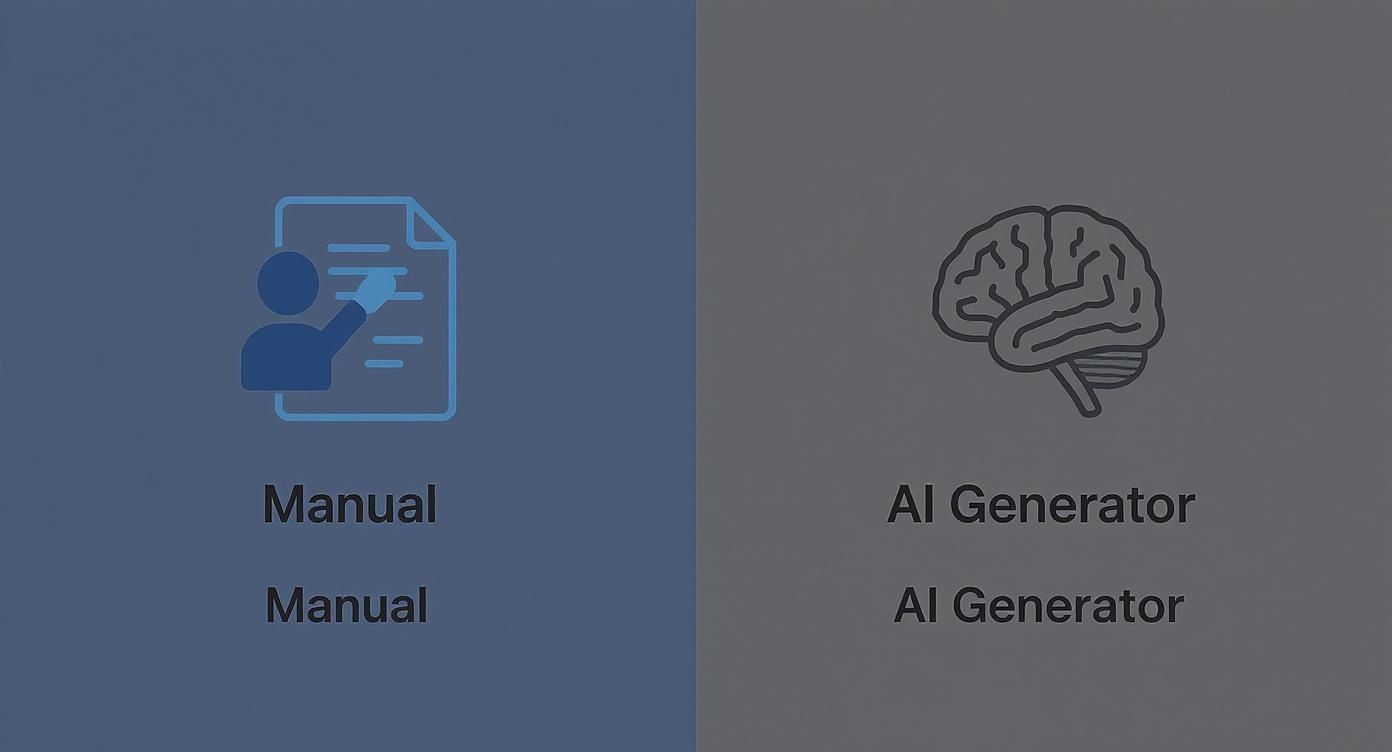
As you can see, the AI automates the tedious job of finding those key points, saving a ton of time compared to the old-school manual approach.
Abstractive Summarization: The Skilled Editor
The second, more sophisticated technique is Abstractive Summarization. This method acts less like a highlighter and more like a skilled writer or editor. Instead of just lifting sentences, the AI truly understands the core concepts of the document and then writes a completely new summary in its own words.
This requires a much deeper level of comprehension. The AI has to get the nuances, the context, and the overall message to paraphrase the information without losing its meaning.
An abstractive PDF summary generator doesn't just copy key points; it rephrases them into a fresh, cohesive narrative. The result is often a summary that’s smoother to read and sometimes even more concise than what an extractive method can offer.
To pull this off, the AI uses complex models trained on massive libraries of text, which is how it learns the patterns and flow of human language. You can dive deeper into how to create an AI summary of an article in our other guide. This advanced process is what allows a tool like PDF Summarizer to give you a summary that feels natural and truly captures the essence of the original.
For those interested in the nuts and bolts, the tools that allow an AI to even read a PDF in the first place are fascinating—you can check out some of the best Python PDF reader libraries to see the foundational tech at work. In the end, both extractive and abstractive methods are powerful, and the most effective summarizers often blend the two to give you summaries that are fast, accurate, and easy to read.
Choosing the Right PDF Summary Generator for Your Needs
With so many PDF summarizers out there, picking the right one can feel like a chore. But not all tools are created equal, and the best choice really boils down to what you need it for.
Think of it like buying a car. You wouldn't buy a two-seater sports car to haul lumber, and you wouldn't take a semi-truck on a scenic road trip. The ideal summarizer for a student cramming for an exam is going to be very different from what a legal team needs to dissect dense contracts.
To make a smart choice, you have to look past the basic "upload and summarize" button. A great tool doesn't just shorten text—it becomes a reliable assistant that genuinely makes your work easier and faster.
Core Functionality to Evaluate
Before you settle on a tool, take a hard look at its core features. This is what separates the truly useful tools from the novelties. After all, a tool that gives you inaccurate or clunky summaries will end up costing you more time in corrections than it saves.
First and foremost, how accurate are the summaries? A good generator has to nail the main arguments, pull out key data, and identify the author's conclusions without twisting the original meaning. Beyond that, here are the must-haves:
- Adjustable Summary Length: Can you dial the summary length up or down? A top-tier tool lets you choose between a quick one-paragraph overview, a more detailed summary, or just a clean list of bullet points. This flexibility is key.
- Support for Scanned Documents (OCR): Lots of PDFs are just images of text, especially older files or documents you've scanned yourself. Without Optical Character Recognition (OCR) technology, the tool can't "read" them. A summarizer with OCR can process these image-based files, which is a game-changer.
- Multi-Language Capabilities: If you work with documents from around the world, you need a tool that can keep up. A powerful generator like PDF Summarizer can handle and summarize text in multiple languages, effectively breaking down language barriers in your research or business.
Privacy and Security Considerations
Uploading a document means trusting a service with your information. This is a huge deal, especially if you're working with sensitive business data, confidential client files, or unpublished research.
You absolutely have to read the privacy policy. Look for clear, straightforward language about how your data is handled. Do they store your files? For how long? What security is in place?
A trustworthy PDF summary generator should make your privacy a top priority. Look for mentions of strong encryption for your files both during upload and while on their servers. Ideally, the service should process your document and then delete it shortly after.
Don't just cross your fingers and hope your data is safe. A transparent company will be upfront about its security practices. This little bit of due diligence lets you use the tool without constantly worrying about your privacy.
Integration and Export Options
The best tools are the ones that slot right into how you already work. A summarizer that traps the output on its own platform just creates another frustrating step in your process. Think about what you'll do with the summary after it’s created.
Look for a tool with solid export options. Can you easily download the summary as a .txt file, a Word document, or maybe even a new PDF? This is crucial for dropping the summary into a report, presentation, or your personal study notes. A tool like PDF Summarizer shines here, offering flexible features that make the output immediately usable.
Also, think about integrations. While it's less common for simple web-based tools, some offer browser extensions or even API access that lets you connect the summarizer to other software you rely on, like Notion, Evernote, or your company's document management system. That’s how you build a truly seamless workflow.
A Step-by-Step Guide to Summarizing Your First PDF
Knowing how a PDF summary generator works is great, but putting one to use to get back your time is where the magic happens. Let's walk through the process together, so you can see just how easy it is to pull the most important insights from a dense document in minutes.
The whole process is designed to feel natural, turning what could be a chore into just a few simple clicks. We'll use PDF Summarizer as our example to show you how it works.
Step 1: Upload Your Document
First things first, you need to get your document into the system. Most summarizers have a clean, obvious starting point—usually a big button or a drag-and-drop box.
Just find the PDF on your computer and select it, or better yet, just drag it right onto the webpage. The tool will start processing the file immediately, getting it ready for the AI to read. This part is surprisingly fast, often taking just a few seconds, even with a hefty document.
Step 2: Configure Your Summary Settings
Once your file is uploaded, you get to tell the AI what you need. This is where a good PDF summary generator really proves its worth by giving you control over the final output. You’re not just getting a generic summary; you’re crafting one for your specific needs.
You can usually tweak a few key things:
- Summary Length: Do you need the 30-second version or the 5-minute deep dive? You can choose anything from a single, punchy paragraph to a more detailed multi-page overview.
- Output Format: Decide if you want a clean paragraph or a scannable list of bullet points. Bullets are fantastic for grabbing key takeaways at a glance, while a paragraph is perfect for dropping into a report or presentation.
- Specific Sections: Some of the smarter tools let you point the AI to specific pages or sections. This is a lifesaver when you only care about the conclusion of a 100-page report.
Taking a moment to adjust these settings is a critical step. It ensures the summary you get is perfectly aligned with your goal, whether you're prepping for a meeting or just trying to clear out that "to-read" folder. If you want to get even better at this, we have a great post on effective reading and summarizing strategies.
Step 3: Generate and Review the Output
With your settings locked in, all that's left is to hit the "Summarize" button. This is when the AI does its thing, reading the text and piecing together the key information based on your instructions. In just a few moments, your new summary will pop up on the screen.
The image below gives you a clear picture of the workflow, from upload to the final result.
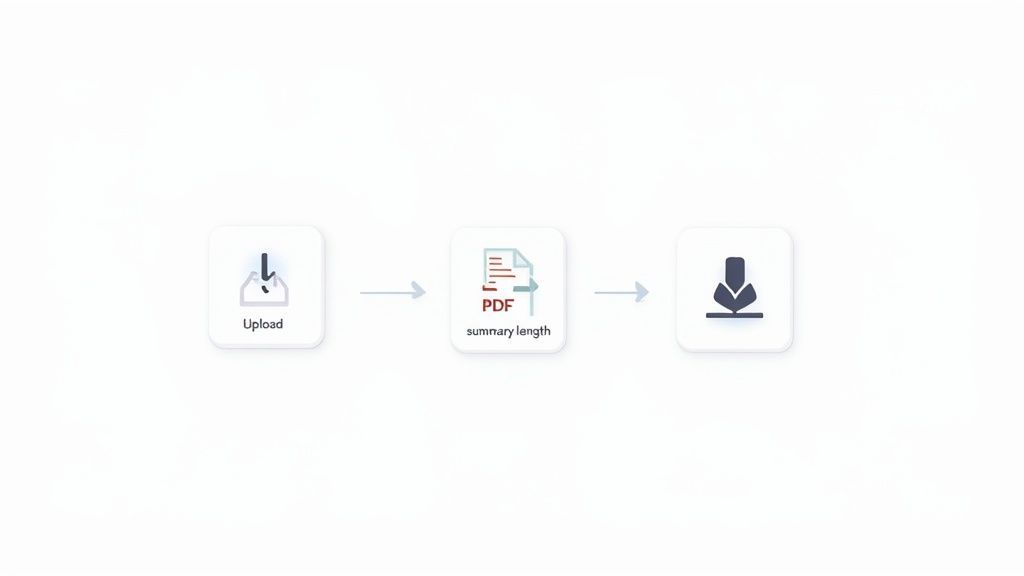
As you can see, it's a seamless, three-part process that makes these tools so powerful.
Now, give the summary a quick read. Does it capture the main arguments? Are the important facts and figures there? A well-crafted summary should be clear, accurate, and truly reflect the core message of the original document.
Step 4: Export and Use Your Summary
The last step is putting your summary to work. Good tools make this easy, offering simple ways to download the text as a .txt or .docx file. From there, you can effortlessly copy it into your study notes, a business report, or an email to your team.
The entire journey—from uploading a massive document to having a practical summary in hand—often takes less time than making a cup of coffee. By following these steps, you can finally get ahead of information overload and focus on what really counts: using that information to move forward.
Real-World Scenarios Where a PDF Summarizer Excels

A pdf summary generator isn't just a neat tech toy; it's a practical fix for real-world headaches in countless fields. The true magic of these tools shines when you see them turn overwhelming, time-sucking tasks into something you can actually manage.
Let's dive into a few specific situations where a tool like PDF Summarizer goes from being a nice-to-have gadget to an essential part of the daily grind. Each one shows a clear shift from manual drudgery to smart, automated efficiency.
For Students and Academic Researchers
Picture this: you're a grad student buried in a literature review. You’ve got a folder with 50 research papers, and you need to pull out the core arguments, methods, and findings from every single one to spot themes and research gaps.
Doing that by hand is a massive undertaking. We're talking weeks of your life spent just reading and taking notes. It’s a classic academic bottleneck that stalls projects and leads straight to burnout.
Now, bring in a PDF summarizer, and the whole game changes. Instead of trudging through every word, you can feed the papers into the tool and get instant summaries. This lets you quickly sort the pile, figuring out which documents are truly relevant and deserve a closer look.
- The Pain Point: Sifting through dozens of dense academic articles for a literature review takes forever.
- The Fix: The generator spits out concise summaries of each paper's abstract, findings, and conclusion in minutes.
- The Result: You get a solid grasp of the existing research in a tiny fraction of the time, putting your project on the fast track.
For Business and Market Analysts
A business analyst is asked to check out a new market opportunity. Their reading list includes a 200-page market research report, a competitor’s annual financial statement, and a stack of industry white papers.
The objective is to quickly pinpoint key market trends, competitor vulnerabilities, and potential openings. Reading these documents cover-to-cover would eat up days, holding up critical insights that decision-makers are waiting for.
A PDF summary generator acts as a first-pass filter. It pulls out the essential stats, executive summaries, and key takeaways, letting the analyst zero in on the most important data right away.
This rapid distillation is a huge advantage in the business world. Analysts can get the gist of a dozen reports in the time it used to take to read just one. That means faster, smarter strategic planning. You can see more on how an AI to summarize PDF works in these professional settings in our detailed guide.
For Legal Professionals and Paralegals
Working in law means reading. A lot. A lawyer prepping for a case might have to comb through hundreds of pages of case law, depositions, and contracts just to find one specific clause or precedent.
It's meticulous work where one missed detail can have serious repercussions. It's also incredibly time-consuming, which racks up billable hours for the client.
A pdf summary generator can chew through these legal documents in no time, giving a high-level overview of case facts or flagging key contractual terms. For example, legal pros can use specialized tools like AI-powered case summarizers for Indian judgments to quickly understand what lengthy court filings are all about.
- The Pain Point: Manually reviewing huge legal files for key details is slow and expensive.
- The Fix: The AI tool condenses long documents, highlighting critical arguments, precedents, and clauses for a much faster review.
- The Result: Legal teams can get ready for cases more efficiently, slash their research time, and ultimately offer more cost-effective services.
In every case, the core benefit is the same. The tool hands back precious time and mental energy, freeing up professionals to focus on big-picture thinking, analysis, and strategy instead of getting bogged down in dense text.
Pro Tips for Getting Flawless AI-Generated Summaries
Getting a good summary is easy, but a great one? That takes a little more skill. It's tempting to treat a PDF summary generator like a vending machine: file in, summary out. But that approach will only get you so far.
If you want to unlock the tool's real power, think of it as a collaborator. And just like any good partnership, the quality of what you put in has a massive impact on what you get out.
The biggest reason summaries fall flat isn't a problem with the AI, but an issue with the source document. The AI needs clean, readable text to do its job. Before you even think about uploading, do a quick quality check on your PDF. Can you highlight and copy the text? If so, you're good to go. If not, you're likely dealing with an image-based PDF, which means the tool will need Optical Character Recognition (OCR) to even see the words.
Give the AI Clear Instructions
A smart summarizer isn't a mind reader—you need to point it in the right direction. Don't just toss a 300-page report at the AI and hope it figures out what you need. Get specific. If you only care about the financial forecasts and competitive analysis, tell the tool to focus on those sections or page ranges.
This simple act of giving context makes a world of difference in the final output. It’s the difference between telling a research assistant to "find something interesting" and giving them a precise set of instructions. The more targeted your request, the more useful the summary will be.
Here are a few ways you can fine-tune your approach:
- Specify the Output: Do you need a quick paragraph for a presentation slide? Or are you looking for a detailed bulleted list for your notes? Tweak the settings to match what you actually need.
- Isolate Key Sections: For really long documents, try summarizing chapter by chapter. This keeps the AI from getting bogged down in too much information and helps it catch the nuances of each part.
- Iterate and Refine: Don't be afraid to take a second pass. If the first summary feels too general, add more specific instructions and run it again.
Critically Review the AI’s Work
This last step is the most important one: remember that an AI summary is a first draft, not the final word. It's an amazing starting point, but it can't replace your own critical thinking. Always give the summary a quick once-over.
The goal of a PDF summary generator is to augment your intelligence, not replace it. The combination of AI's speed and your human expertise is what produces a truly flawless result.
Compare the summary to the original document. Did it nail the main arguments? Are the key stats and names correct? This quick verification step is non-negotiable, especially when you're relying on that information for important work.
By treating the AI as a partner—giving it a clean source file, clear directions, and a final human review—you'll get summaries that are not only fast but also sharp, accurate, and perfectly suited to your needs.
Common Questions About PDF Summary Generators
It’s natural to have questions before diving in with a new tool, especially one that uses AI to handle important documents. You’re right to wonder how a PDF summary generator manages your data and just how reliable its summaries really are. Let's walk through some of the most common concerns so you can start using these tools with confidence.
First up: security. When you upload a document, is it actually safe? Reputable tools like PDF Summarizer make your privacy a top priority. They use strong encryption to protect your files from the moment you upload them to the second they’re processed.
Even better, trustworthy services have clear, straightforward data policies. The standard practice is to use your document only to create the summary and then permanently delete it from their servers. Your confidential information never hangs around. It's always a good idea to glance at the privacy policy, but rest assured, the best tools are built with security at their core.
How Accurate Are The Summaries?
This is the big one. Can you really trust what an AI pulls from your document? For the most part, yes. Today's AI models are remarkably skilled at pinpointing main arguments, key statistics, and the overall theme of a text. Whether you're feeding it a dense academic paper or a detailed business report, the summaries are typically very accurate.
Of course, there's a small catch. The AI is only as good as the document you give it. A blurry scan, a poorly organized file, or a confusingly written PDF can sometimes trip up the algorithm.
Think of the AI as your super-efficient research assistant. It does 95% of the heavy lifting in seconds, but a final, quick review by you is always a good idea to catch any subtle nuances or context it might have missed.
This blend of AI speed and human judgment is the perfect combination.
What About Charts, Graphs, and Tables?
What happens when a PDF isn't just text? We all know that some of the most critical information is often locked away in charts, graphs, and tables. So, can a PDF summary generator make sense of them?
Right now, most summarizers are text-focused. They excel at understanding written content but generally don't "see" or interpret visual elements like images. While some cutting-edge tools are beginning to experiment with visual data analysis, it's not a standard feature yet. The AI will typically summarize the text around the visuals, which often includes the author's own explanation of what the chart or table shows.
- Images and Graphs: The AI won't analyze the image itself, but it will summarize captions and any surrounding text that describes the visual.
- Tables: Simple tables are often read just fine. Complex ones can be tricky, so the summary will likely rely on the document's own interpretation of the table's findings.
Does It Work With Other Languages?
What if your documents aren't all in English? This is where a good PDF summary generator really proves its worth. Many of the best tools are built on multilingual AI models, meaning they can read and summarize documents in dozens of languages. You could upload a report written in German and get a perfectly clear summary back in English, instantly breaking down language barriers and unlocking access to global information.
Ready to conquer your reading list and get instant insights from any document? Try PDF Summarizer today. It's free, requires no sign-up, and works in any language. Upload your first PDF and get a summary in seconds at pdfsummarizer.pro.
Relevant articles
Discover how text summarization AI turns dense documents into clear, actionable insights. Our guide explains the models, methods, and real-world applications.
Discover how an AI PDF summarizer can transform dense documents into clear insights. Learn about key features, practical uses, and how to start today.
Discover the best pdf article summarizer to boost your productivity. Our 2026 review covers top AI tools for students, researchers, and professionals.
Discover the top 12 tools for any PDF summarizer AI free workflow. Get instant, accurate summaries from dense documents, reports, and research papers today.
Save hours of reading with a free PDF summarizer. Learn how these AI tools work, discover key features, and see how to integrate one into your workflow today.
Learn to create a flawless AI summary of article with this guide. Discover the best tools, prompts, and verification methods to get accurate results.