The Ultimate Guide to Using a Free PDF Summarizer
Save hours of reading with a free PDF summarizer. Learn how these AI tools work, discover key features, and see how to integrate one into your workflow today.
Feeling overwhelmed by endless reports and dense academic papers? We've all been there. A free PDF summarizer is an AI-powered tool built to solve that exact problem. It takes long documents and instantly boils them down into concise, easy-to-read summaries.
Think of it as your own personal research assistant, one that saves you hours of reading time.
Tired of Drowning in Digital Paperwork?
It’s a familiar feeling: being buried under a mountain of digital paperwork. Maybe you're a student facing a 50-page research article, a professional trying to make sense of a quarterly report, or a researcher wading through complex literature. The sheer volume of information can be paralyzing.
Manually digging through dense text to find the key takeaways isn't just tedious—it’s a massive drain on your most valuable resource: your time.
This is where a free PDF summarizer completely changes the game. It’s not just another piece of software; it's an efficiency engine. Imagine feeding a 100-page document into a tool and getting back a one-page brief with all the critical points just seconds later. That’s the kind of power we're talking about.
Your Personal Efficiency Tool
These tools are designed to cut through the noise, letting you grasp core arguments and data without getting bogged down in the details. They automate the most time-consuming part of research and analysis, which is a big reason why they're reshaping how people in so many fields process information.
The market for AI PDF summarizers has exploded, and for good reason. These tools help professionals save up to 70% of their reading time. Knowledge workers often spend 2.5 hours a day just sifting through documents. A summarizer can slash that to under 45 minutes by instantly generating overviews that highlight trends and actionable insights. You can find more details on these productivity gains in Jotform's analysis of AI-powered document tools.
By using this technology, you can make faster, more informed decisions. Instead of spending all your energy just reading, you can focus on what really matters: thinking, strategizing, and applying that information. For anyone looking to improve their workflow, learning how to organize research papers is a great next step, and a summarizer is the perfect tool to have by your side.
How AI Unlocks the Meaning in Your PDFs
Ever wondered how a machine can read a dense academic paper or a lengthy report and instantly pull out the key takeaways? It might seem like magic, but what a free PDF summarizer does is actually grounded in a sophisticated branch of artificial intelligence called Natural Language Processing (NLP).
Think of NLP as the bridge that allows computers to understand human language—not just the words, but the context, nuance, and intent behind them.
The process kicks off the second you upload a PDF. The AI first has to get its hands on the raw material, meticulously extracting every single word, sentence, and paragraph from the document. It essentially digitizes the text, laying it all out on a virtual table so it can start to make sense of the pieces.
From there, the real analytical work begins. The AI doesn't just scan for keywords. It digs deeper, mapping out sentence structures, identifying the main concepts, and figuring out how different ideas connect to one another. It's looking for the central arguments, the supporting evidence, and the recurring themes that form the backbone of the document.
The Brain Behind the Summary
At its heart, NLP is what allows the tool to tell the difference between the critical, must-know information and the supporting details or fluff. It intelligently weighs each sentence, assigning it a relevance score based on its connection to the document's main topic and how often key concepts appear.
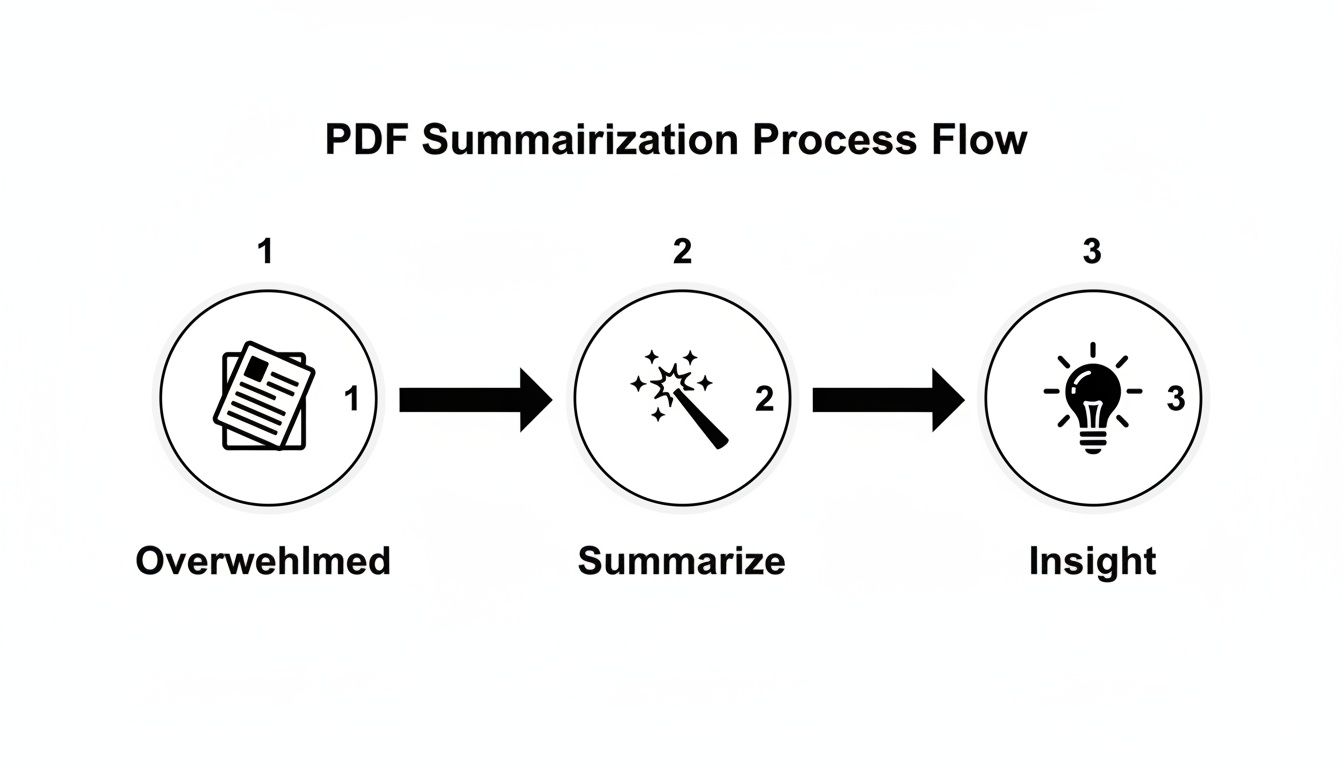
This entire process is designed to build a complete picture of the document’s meaning, moving from chaotic information to clear, concise insights.
Finally, the AI synthesizes everything it has learned to generate a brand new, condensed version of the text. This isn't just a copy-and-paste job. It’s a genuinely new piece of writing that captures the essence of the original, saving you from information overload.
From Raw Text to Actionable Insight
This whole sophisticated process is what lets you interact with your documents in a completely new way. Instead of just passively reading, you can start a conversation with your files—asking direct questions and getting precise answers pulled straight from the source. If you're looking for ideas, our guide on good questions to ask AI is a great place to start.
This technology typically uses one of two main approaches. Extractive summarization identifies and pulls the most important sentences directly from the source. Abstractive summarization, on the other hand, generates entirely new sentences to paraphrase and convey the main ideas, much like a human would.
It’s fascinating to see how this works under the hood, and it's a great example of how SaaS companies are leveraging AI to improve their products to deliver smarter solutions. By understanding the tech, you can get so much more out of the powerful tools right at your fingertips.
Choosing a Summarizer With the Right Features
Let's be honest, not all free PDF summarizers are built the same. While dozens of tools can give you a basic summary, the really good ones come packed with features that transform them from a simple utility into a full-blown research assistant. Knowing what to look for is the difference between finding a tool that actually makes you more productive and just adding another useless bookmark to your browser.
Think of it like choosing a car. Sure, any car will get you from point A to B. But some have GPS, cruise control, and safety features that make the trip faster, smoother, and more reliable. The same idea applies here. For a truly effective experience, certain features are simply non-negotiable.
Core Capabilities to Look For
When you're trying out a new PDF summarizer, start by checking for these fundamentals. They’re the foundation of a tool that can actually adapt to what you need, whether you're quickly skimming a business report or diving deep into dense academic literature.
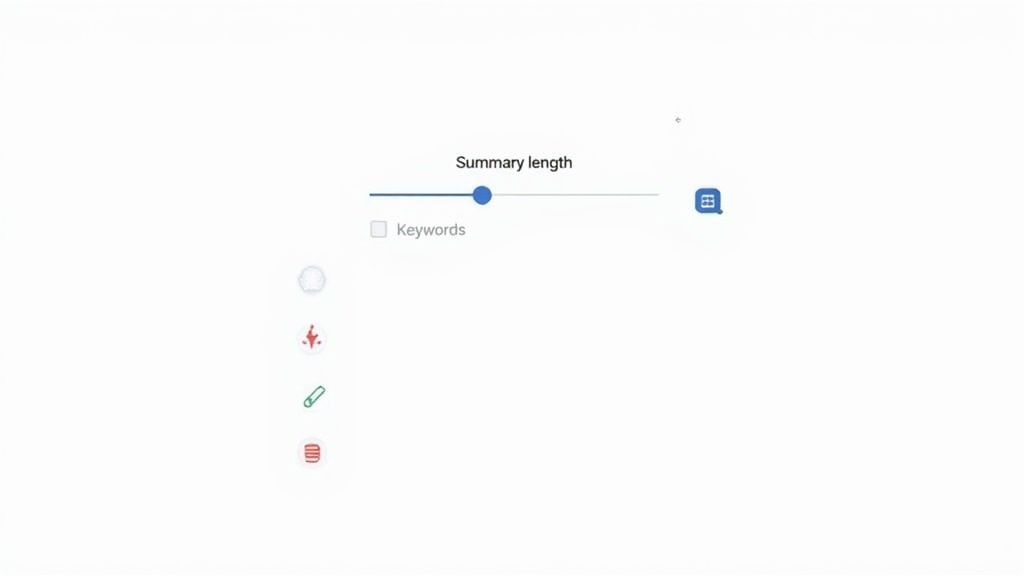
- Adjustable Summary Length: You need control. The ability to switch between a quick bullet-point list and a more detailed paragraph-style summary is crucial. This lets you get a fast overview or a comprehensive abstract, depending on your goal.
- Keyword and Concept Extraction: A top-notch summarizer doesn’t just trim down text; it intelligently pulls out the core themes and recurring keywords. This is a massive time-saver for judging a document's relevance at a glance.
- Multi-Language Support: We work in a global world. A tool that can summarize documents in different languages—and maybe even translate them—is a huge asset. It breaks down barriers in international business and academic research.
Advanced Features That Make a Difference
Beyond those basics, a few advanced features really separate the good tools from the great ones. The rise of conversational AI, first popularized by tools like ChatPDF, has completely shifted what we expect. Today, the leading tools have ChatGPT integrations, which handle an incredible 75% of the market for PDF-related tasks, partly because they can tackle files up to 200 pages long.
A critical feature you should absolutely demand is source-linked citations. This means every single point in the summary links directly back to its precise location in the original PDF. It’s all about instant verification and building trust in what the AI gives you.
Another game-changer is an interactive chat function. Instead of just getting a static block of text, you can actually "talk" to your document. Imagine asking follow-up questions like, "What was the conclusion of the third chapter?" or "Explain the methodology used in this study." For anyone in academia, having access to the best AI tools for academic research with these interactive features can drastically cut down the time spent on literature reviews. It’s a much deeper, more dynamic way to engage with your source material.
Real-World Uses for PDF Summarizers
It’s one thing to talk about clever technology, but the real value of a free PDF summarizer shines when you see how it solves actual problems for real people. Let's move past the theory and look at how these tools are becoming essential in all sorts of professional and academic fields. Think of it as an efficiency multiplier that hands you back your most valuable asset: time.
No matter what you do for a living, the fundamental challenge is often the same—drowning in information with never enough time to get through it all. A summarizer acts as your personal filter, pulling out the most important insights so you can get on with the work that actually matters.
Boosting Academic and Student Performance
If you're a student or an academic researcher, reading isn't just part of the job; it is the job. A single literature review can mean wading through dozens of dense, jargon-packed research papers. Trying to manually pick out the relevant methods, results, and conclusions from each one can take weeks.
This is where a free PDF summarizer completely changes the game.
- Create Instant Study Guides: Students can upload entire textbook chapters and get back a concise summary. What was once a multi-hour reading slog becomes a focused review session, which is a lifesaver when you're cramming for an exam.
- Screen Literature in Record Time: Researchers can quickly gauge the relevance of hundreds of articles. By summarizing abstracts and introductions, they can immediately decide which papers are worth a deep dive, dramatically shortening the research cycle.
Streamlining Professional and Business Workflows
In the business world, you have to make smart decisions fast. But professionals are constantly getting hit with market research reports, long-winded project proposals, dense financial statements, and internal audits. A PDF summarizer becomes a crucial tool for staying in the loop without getting buried.
The productivity gains are incredible. One study involving 5,000 users found that 82% finished their tasks 50% faster by using AI to summarize documents. This isn't just a small improvement; it's a clear link between this tech and real-world business efficiency. You can read the full research about AI document summarizers to see the data for yourself.
Take business analysts, for instance. They can take a 100-page market analysis and boil it down to a single page of actionable insights for the leadership team. This lets executives grasp key trends and make strategic moves without having to read the entire report from cover to cover. The tool effectively bridges the gap between raw information and decisive action.
Empowering Legal and Multilingual Users
The legal profession is infamous for its mountains of paperwork. Lawyers and paralegals burn through countless hours reviewing lengthy contracts, case files, and depositions. A summarizer can instantly flag key clauses, legal precedents, and critical arguments, saving valuable billable hours and minimizing the risk of missing a crucial detail.
For anyone working across different languages, these tools are a godsend. Imagine getting a technical manual or a business proposal in a language you don't speak fluently. A summarizer with translation built-in can give you a concise overview in your native tongue, making global collaboration and access to information easier than ever.
A Simple Guide to Summarizing Your First PDF
Ready to reclaim hours of your day? Getting started with a free PDF summarizer is surprisingly easy. Let's walk through the process together, so you can turn that dense, time-consuming document into a digestible summary in just a few moments.
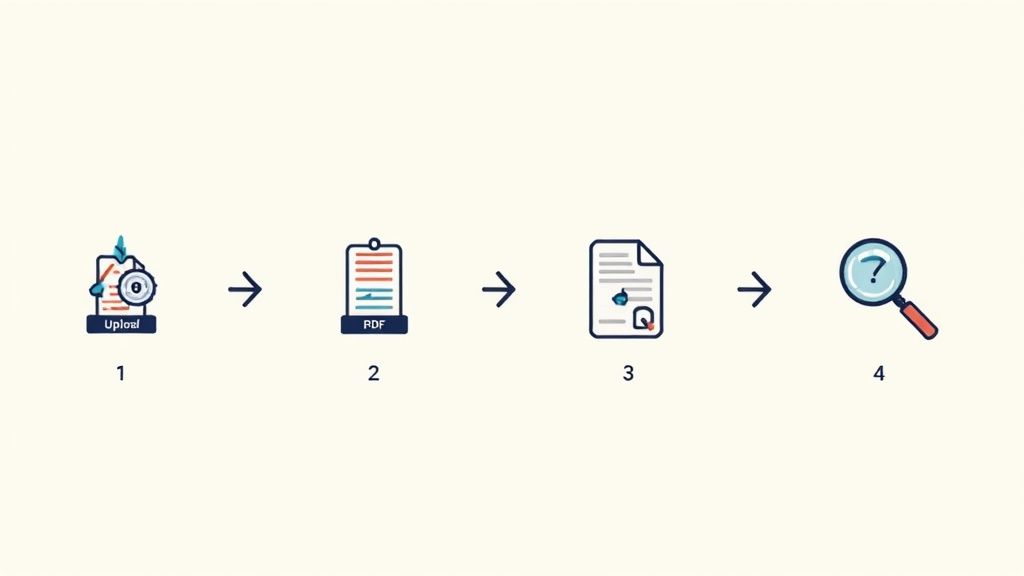
The path from a long-winded PDF to clear, actionable insights really only takes a few steps. Most tools, like our own PDF Summarizer, are designed to be intuitive, meaning you won’t need any technical background to jump right in.
Step 1: Upload Your Document
First things first, you need to get your document into the system. Look for the "Upload" button on the main page. From there, you can either drag and drop your PDF right into the browser window or click to open your file manager and select it manually.
The upload itself is quick and secure, getting your file ready for the AI to do its work.
Step 2: Fine-Tune Your Settings
Once your file is loaded, you get to tell the AI what you need. This is where you can guide the tool to create a summary that’s actually useful for your specific task.
- Choose Summary Length: Are you looking for a quick "at-a-glance" bulleted list, or do you need a more detailed paragraph-style summary to really dig in? You decide.
- Select an Output Format: Some tools offer different ways to present the information. You might get a simple text block, a neatly organized list, or even an interactive chat where you can ask questions.
- Define Your Goal: More advanced tools might let you specify your purpose. For instance, you could tell it to "identify the core arguments" or "pull out all the statistics."
Step 3: Generate and Review the Summary
With your preferences set, just hit the "Summarize" or "Generate" button. In a matter of seconds, the AI will read, analyze, and synthesize the key points from the document according to your instructions.
The finished summary will pop up on your screen, often placed side-by-side with the original document so you can easily compare them. Take a moment to scan the output. Does it capture the main ideas you were expecting?
Pro Tip: The first summary is just the beginning. The real power comes from using the interactive chat feature to ask follow-up questions. Try asking something like, "Can you explain the methodology in more detail?" or "What were the main conclusions of Chapter 3?" This transforms a static summary into a dynamic conversation with your document.
Understanding the Limits and Verifying Information
While a free PDF summarizer is an incredible time-saver, it's wise to remember that AI isn't infallible. I like to think of it as a brilliant but very junior research assistant—amazingly fast and often insightful, but it still needs a seasoned expert (that’s you!) to sign off on its work.
Knowing the limits is the key to using these tools responsibly. AI models can sometimes struggle with the subtleties of human language, like sarcasm or complex irony. They might also pull out a statement but leave behind the crucial context surrounding it, which can subtly shift the meaning.
Even more, AIs can occasionally "hallucinate," which means they generate information that sounds plausible but wasn't actually in the original document. This is exactly why you can't just copy, paste, and trust blindly.
Instead of seeing these quirks as dealbreakers, think of them as built-in reminders to stay engaged with your material. The goal isn't for the AI to replace your critical thinking, but to give it a massive head start. This approach lets you get all the speed without sacrificing accuracy.
Strategies for Accurate Verification
The best way to guard against AI errors is to have a solid verification process. The good news is that modern tools like PDF Summarizer are built with this in mind, creating a bridge of trust between you and the AI's output.
The single most important feature for this is clickable citations. This function links every single point in the summary directly back to its exact location in the original PDF. If you read a sentence that makes you raise an eyebrow, you can instantly click and see the source text in its full context.
This simple yet powerful feature is a game-changer for anyone doing serious work, whether it's for academics, legal research, or business analysis. It transforms the summary from a mysterious "black box" into a transparent, auditable tool.
Here’s how to build a quick verification habit:
- Spot-Check the Details: Always click the citation to double-check critical data points like statistics, dates, and names.
- Question Big Claims: If the summary presents a shocking or groundbreaking conclusion, take 10 seconds to read the original paragraph. Nuance is everything.
- Chat for Clarity: Use the chat feature to ask follow-up questions. Something as simple as, "Where in the document does it say this?" forces the AI to pinpoint its source.
As you get more comfortable with AI, it’s helpful to stay aware of the bigger picture around topics like Responsible AI and AI-powered search. By staying informed and using built-in verification features, you can make your free PDF summarizer a trusted partner in your work while keeping the final say on quality and integrity.
Got Questions? We’ve Got Answers.
Jumping into any new tool, especially one that handles your documents, naturally brings up a few questions. It’s smart to be cautious. Let’s walk through some of the most common things people wonder about when they first try a free PDF summarizer.
"Is My Data Secure When I Upload a Document?"
This is, without a doubt, the number one question we hear. And it’s a good one. You're uploading potentially sensitive information, so what happens to it?
The answer really comes down to how the service is built. A trustworthy summarizer will use strong encryption, both for the upload process and while the AI is actually working on your file. Think of it like a sealed, armored truck carrying your document to the processing center and back—no one can peek inside.
Most high-quality services, including ours, process your files in a secure cloud environment and then delete them shortly after you're done. Your information isn't left sitting on a server somewhere. Always take a moment to check the privacy policy of any tool you’re considering; it’ll tell you exactly how they handle your data.
"Can It Really Handle My 200-Page Technical Report?"
The second big question is all about capability. It's easy to be skeptical. Can a free tool actually make sense of a dense academic paper, a complex legal contract loaded with jargon, or a massive technical manual?
Surprisingly, many of them can. While free versions might have limits on file size or the number of pages, the real magic is in the AI model itself. The best summarizers are trained on enormous libraries of specialized documents—think millions of academic papers, legal briefs, and scientific reports. This training teaches the AI to understand niche terminology and follow complex lines of reasoning, so it can pull out the key points without mangling the context.
That said, for exceptionally large or highly specialized documents, you might find that a paid plan offers higher limits and even more fine-tuned accuracy.
To get the best possible summary, make sure you start with a good source file. The PDF needs to have selectable text, not just be an image of a page. If you can copy and paste the text, the AI can read it properly.
A quick mental checklist can make a huge difference in your results. Always start with a clean, text-based PDF. If you're using a chat feature to ask questions, be specific. And don't be afraid to experiment with different summary lengths to find the sweet spot for your needs.
Ultimately, playing around with the tool for a few minutes is the best way to see how a free PDF summarizer can fit into your work. You'll quickly discover how it can save you hours while keeping your information safe.
Ready to turn those dense documents into clear, actionable insights? Give PDF Summarizer a try and see how AI can give you back your time. Chat with your files, get instant answers with cited sources, and get straight to the point. Get started for free at https://pdfsummarizer.pro.
Relevant articles
Discover how text summarization AI turns dense documents into clear, actionable insights. Our guide explains the models, methods, and real-world applications.
Discover how an AI PDF summarizer can transform dense documents into clear insights. Learn about key features, practical uses, and how to start today.
Discover the best pdf article summarizer to boost your productivity. Our 2026 review covers top AI tools for students, researchers, and professionals.
Learn how to summarise a document effectively. Our guide covers proven manual techniques and smart AI tools to help you master any text quickly.
Discover the top 12 tools for any PDF summarizer AI free workflow. Get instant, accurate summaries from dense documents, reports, and research papers today.
Discover how a PDF summary generator can transform your workflow. This guide breaks down how AI works, features to look for, and tips for perfect summaries.