Your Guide to the Best AI PDF Summarizer
Discover how an AI PDF summarizer can transform dense documents into clear insights. Learn about key features, practical uses, and how to start today.
An AI PDF summarizer is a tool that uses artificial intelligence to read, comprehend, and shrink down long PDF documents into quick, easy-to-read summaries. Instead of you having to read everything manually, it pulls out the key ideas, answers your questions, and can even translate the text for you. It literally turns hours of work into minutes.
Your Lifeline In A Sea Of Documents
Ever feel like you're drowning in reports, research papers, or legal contracts? You’re definitely not alone. The amount of information we’re expected to process every day is staggering, and it’s tough just to keep up, let alone find the one specific detail you actually need. This constant battle with dense documents is a classic case of what’s known as information overload.
Trying to get through a 100-page PDF on your own is like trying to find your way through a thick forest without a map. You could wander for hours, hoping you eventually bump into the important landmarks—the critical data points, the main arguments, or that one crucial clause you’re looking for. It’s slow, frustrating, and honestly, pretty draining.
The Modern Solution To An Old Problem
This is exactly where an AI PDF summarizer comes in and completely changes the equation. Think of it as a personal GPS for your documents. You don't have to read every single word. You just give it the file and tell the AI what you need. It intelligently scans the whole document, figures out what’s most important, and hands it back to you in a clean, organized way.
But this isn't just about making text shorter. It's about making information useful. A good tool lets you:
- Grab the core ideas: Instantly find the main conclusions in a dense scientific study.
- Ask specific questions: Just ask, "What were the Q3 revenue figures?" and get a straight answer, complete with where it found it.
- Pinpoint key data: Find critical numbers or contract terms in a few seconds.
- Translate on the fly: Understand documents written in other languages without needing another tool.
These tools turn static, one-way documents into a two-way conversation. You’re no longer just passively reading; you’re actively questioning the text and getting right to the answers that matter to you.
This guide is here to walk you through everything you need to know to get the most out of this powerful technology. We’ll break down how it all works, look at some real-world uses, and help you figure out how to pick the best AI PDF summarizer for what you do—all without the confusing tech-speak. Think of this as your roadmap to finally conquering document chaos.
How an AI PDF Summarizer Actually Works
At its core, an AI PDF summarizer is like having a brilliant research assistant who can read and understand documents at lightning speed. It doesn't just skim for keywords; it actually gets the context, the nuance, and how different ideas connect. What feels like "magic" is really a sophisticated, multi-step process that turns dense text into clear, actionable insights.
Think about how you read something. First, your eyes see the letters and words (parsing). Next, your brain figures out what it all means (understanding). Finally, you boil it all down to the main points (summarizing). An AI follows a similar path, just on a massively supercharged scale.
This infographic gives a great visual of how an AI tool transforms document overload into clear, focused knowledge.
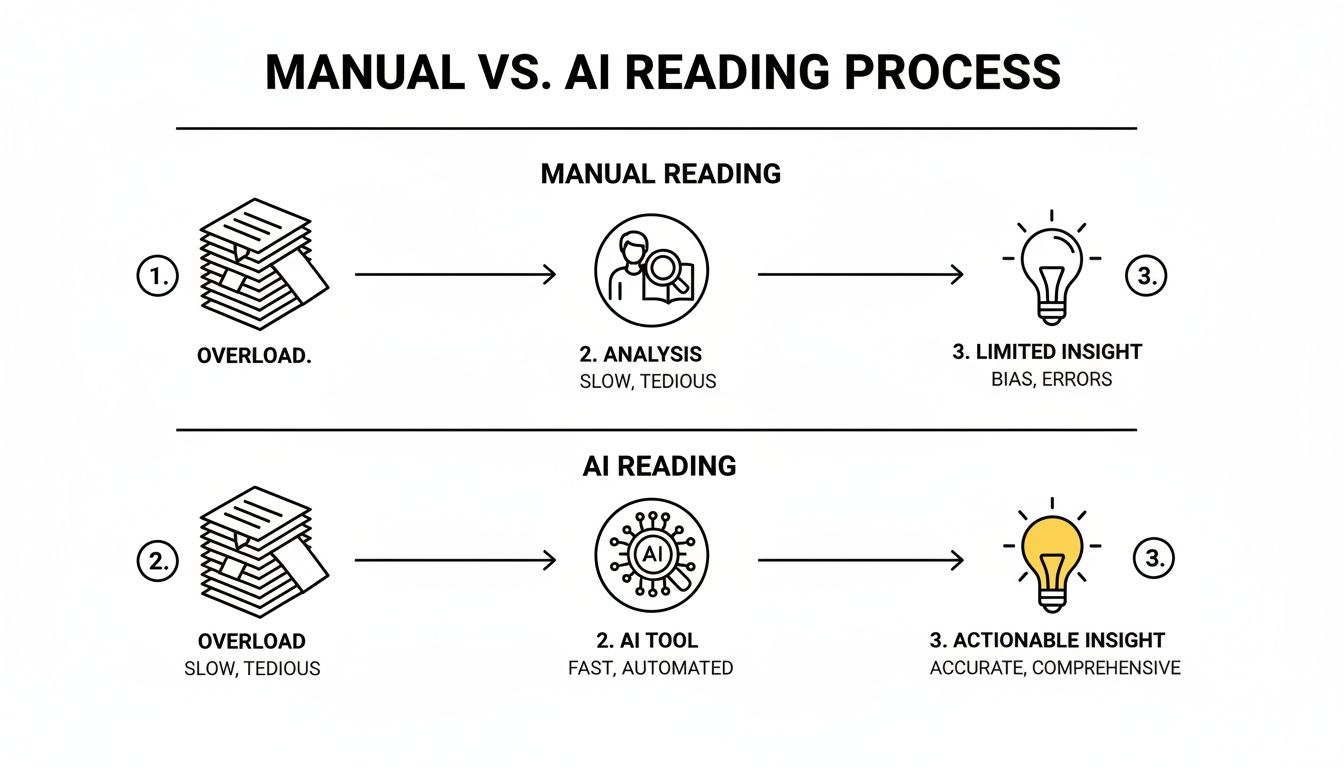
As you can see, the AI acts as an intelligent filter. It takes a chaotic pile of information and distills it into a single point of wisdom, saving you a ton of time and mental energy.
Step 1: Parsing the Document
It all starts the moment you upload your PDF. The AI's first job is to make sense of the document's structure—which can be a messy mix of text, images, tables, and weird layouts. This initial step is called parsing.
The tool meticulously breaks down the PDF, figuring out what's a heading, a paragraph, a list, or a caption. It’s like taking apart a complex engine piece by piece to see how everything fits together. If you've uploaded a scanned document, it uses Optical Character Recognition (OCR) to "read" the text from the image, turning pictures of words into actual text it can work with.
Step 2: Understanding the Content
Once the text is structured and digitized, the real intelligence kicks in. This is where the AI uses advanced technology to actually comprehend the meaning behind the words. The secret sauce is Natural Language Processing (NLP), a field of AI that gives machines the ability to interpret and make sense of human language.
At the heart of this process are Large Language Models (LLMs). Think of these as the powerful engines trained on billions of articles, books, and websites. They've learned the patterns, grammar, and subtle connections in language. An LLM doesn't just see words; it understands concepts.
For instance, it knows that "quarterly earnings report" and "financial performance statement" are closely related, even if the exact words are different. This contextual awareness is what lets the tool grasp the true essence of your document. It's the same kind of tech that powers direct Q&A, which you can learn more about in our guide to question answering AI.
Step 3: Generating the Summary
After the AI fully understands the document, the final step is to create a useful summary. This isn't just a copy-paste job of what seem like important sentences. The AI synthesizes brand-new, concise text that captures the document's core message.
This can happen in two main ways:
- Extractive Summarization: This is the highlighter approach. The tool identifies the most critical sentences or phrases from the original text and pulls them out verbatim.
- Abstractive Summarization: This is far more advanced. The AI writes a completely new summary in its own words, just like a person would. It paraphrases complex ideas into simpler terms, making the output both brief and easy to digest.
The best modern AI PDF summarizers actually blend both techniques. They can pull out a critical data point with perfect accuracy while rewriting the surrounding context for clarity. You get the best of both worlds.
Even better, the top tools now provide clickable citations. When the AI gives you a summary point or an answer, it links you directly to the exact spot in the original PDF where it found that information. This is a game-changer for verifying facts and trusting the output, turning a simple summary into an interactive and reliable guide to your document.
Unlocking Productivity for Every Professional
It's one thing to talk about the abstract benefits of a tool, but the real magic of an AI PDF summarizer happens when you see it in action, solving real-world problems. This isn't just about shaving a few minutes off your day; it’s about fundamentally changing how you work with information to get better results, faster.
Let’s look at how these tools are making a tangible difference for people in the trenches.
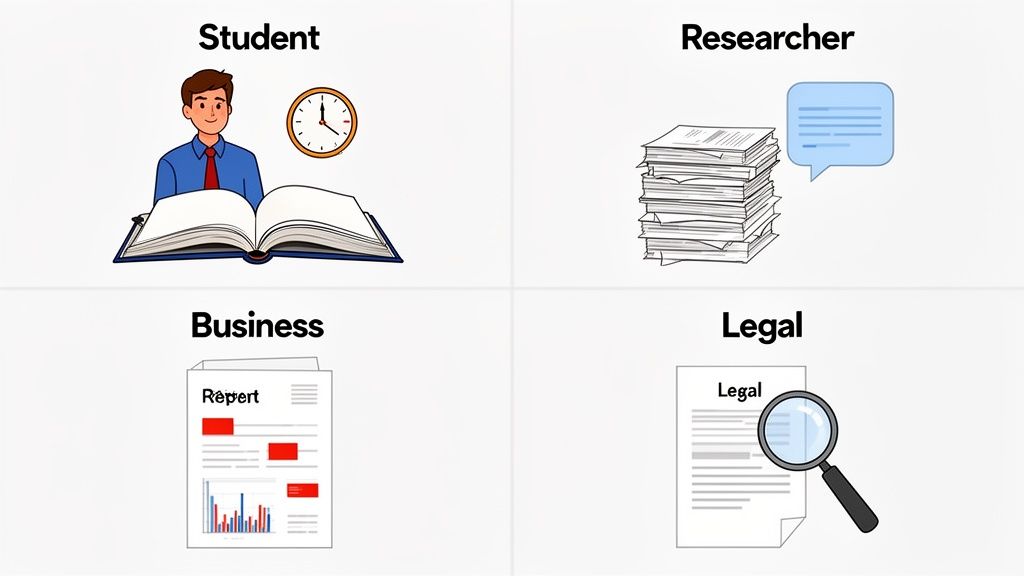
The Student Preparing for Exams
Picture this: it’s finals week. A student is staring at a digital mountain of PDFs—lecture notes, textbook chapters, and dense academic articles from the entire semester. The thought of reviewing it all is just overwhelming.
This is where a smart summarizer becomes a student's secret weapon. Instead of rereading hundreds of pages, they can upload a semester's worth of material and get a high-level overview in minutes. Better yet, they can ask specific questions like, "What are the core arguments in these five papers on economic theory?" to generate a custom study guide on the spot.
A student could use a multi-file chat feature to upload everything at once. From there, it's a conversation. They can ask the AI to pinpoint recurring themes, compare arguments from different authors, and create a clean, bulleted list of key definitions.
- Task: Review 15 research papers for a final exam.
- AI Action: "Summarize the key findings from all uploaded documents and group them by theme."
- Outcome: A comprehensive, custom study guide created in under an hour. Exam prep goes from a chaotic scramble to a focused, manageable review session.
This approach doesn't just save dozens of hours; it actually helps build a deeper understanding by connecting concepts that might have seemed separate before.
The Researcher Conducting a Literature Review
For any academic, the literature review is a critical—and often painstaking—part of the job. Manually digging through dozens, sometimes hundreds, of papers to map out the current state of a field can take weeks, if not months. It's a true grind.
An AI PDF summarizer with multi-document analysis completely flips the script. A researcher can upload an entire collection of papers and treat it like a single, interactive database. They can ask questions like, "What are the main gaps in the research on renewable energy adoption?" and get a synthesized answer, complete with clickable citations that point to the exact source for each claim.
This transforms the literature review from a slow, linear reading process into a dynamic, conversational exploration of an entire field of study. It helps researchers spot connections and identify opportunities for new research that might have been missed otherwise.
This kind of efficiency isn't just for academia. The 2026 SMB Growth Report found that AI-powered document summarization saves about 26 minutes per employee every day. For a small team of 10, that’s over four hours of productivity reclaimed daily—time that can be spent on strategy and innovation instead of paperwork. It's no surprise that business adoption of these tools jumped from 40% to 58% in just one year.
The Business Professional on a Deadline
Imagine a project manager who has a crucial meeting in ten minutes. Suddenly, a 50-page quarterly performance report lands in their inbox, filled with charts, tables, and dense text. There's zero time to read it.
Instead of walking in unprepared, they upload the PDF to an AI PDF summarizer and fire off a few questions:
- "What were the top three revenue drivers last quarter?"
- "Identify any risks or challenges mentioned in the executive summary."
- "Pull all key metrics related to customer acquisition."
In seconds, the tool extracts the exact data points needed, complete with citations. The manager walks into the meeting not just prepared, but armed with specific, verifiable information. They can speak confidently about the report's findings without ever reading it cover-to-cover. Understanding how tools like this boost efficiency is a game-changer, much like how AI for marketing is reshaping business strategies.
The Legal Team Managing Discovery
In the legal world, document review is a monumental task. Legal teams often sift through thousands of pages of discovery documents—contracts, emails, depositions—where a single phrase can make or break a case. Doing this manually is not only incredibly time-consuming but also ripe for human error.
An AI PDF summarizer brings a massive advantage here. A paralegal can upload all case documents and use the chat function to verify facts with surgical precision. For instance, they could ask, "Find every instance where 'Project X' is mentioned alongside a delivery date" across thousands of pages.
The AI returns every single relevant passage instantly, with direct links back to the source pages. This drastically speeds up fact-checking, risk assessment, and evidence gathering, ensuring no critical detail ever slips through the cracks.
Essential Features Of A Top-Tier AI Summarizer
Not all AI PDF summarizers are built the same. While plenty of tools can spit out a basic, condensed version of a document, the best ones are more like a research partner than a simple utility. Knowing what to look for is the key to finding a tool that genuinely solves your problem instead of just creating a shorter document to read.
Think of it like buying a car. A basic model gets you from A to B, no problem. But a top-tier model comes with a great navigation system, advanced safety sensors, and a solid sound system—features that make the entire experience better, safer, and faster. The same logic applies here.
Go Beyond Basic Summaries
A truly effective AI PDF summarizer does a lot more than just chop down text. It should create an interactive space where you can actually engage with your documents. The real goal isn't just to read less, but to understand more, and to do it much more quickly.
Here are the features that really separate the great tools from the mediocre ones:
Interactive Document Chat: This is the real game-changer. Instead of settling for a generic, one-size-fits-all summary, you can have a direct conversation with your PDF. You can ask pointed questions like, "What were the main conclusions of this study?" or "Find the termination clause in this contract," and get an immediate, specific answer.
Multi-File Analysis: For any kind of serious research, the ability to upload a whole batch of PDFs and ask questions across all of them at once is a must. A student could upload five research papers and ask, "What are the conflicting arguments about this topic?" A legal team could sift through dozens of depositions to pinpoint inconsistencies.
Clickable, Verifiable Citations: Trust is everything, especially when you're relying on an AI's output. A top-tier tool doesn't just give you an answer; it shows its work. Every key point in a summary or answer to a question should come with a direct, clickable link that takes you to the exact page and paragraph in the source document.
Robust Multilingual Support: We all work with information from around the globe, and it doesn't always come in English. A powerful summarizer should be able to process a document in one language and let you ask questions about it in another. It's like having a translator and a research assistant rolled into one.
This combination of features is quickly becoming the new standard, and for good reason. The demand for smarter ways to process documents is exploding.
The Document AI market, which is the engine behind these advanced summarizers, is expected to jump from USD 14.66 billion in 2025 to a staggering USD 27.62 billion by 2030. This growth just goes to show the massive need for tools that can intelligently handle complex documents across every major industry. You can explore more about this trend and its impact on the Document AI market.
Must-Have AI PDF Summarizer Features
The "best" feature is really about what you need. What’s absolutely essential for a researcher might just be a nice-to-have for a business professional, and vice versa. This table breaks down the core features and who they matter most to.
| Feature | What It Does | Who Needs It Most |
|---|---|---|
| Interactive Chat | Allows you to ask specific questions and get direct answers from the PDF. | Everyone. This is a core function for targeted information retrieval. |
| Multi-File Analysis | Lets you upload and query multiple documents in a single conversation. | Researchers, students, legal teams. Indispensable for literature reviews and comparative analysis. |
| Clickable Citations | Provides direct links from the summary back to the source text for fact-checking. | Academics, legal professionals, analysts. Critical for anyone needing to verify information. |
| Multilingual Support | Processes documents and answers questions in different languages. | Global businesses, international researchers, multilingual users. Essential for working with diverse sources. |
By focusing on these capabilities, you can confidently pick an AI PDF summarizer that doesn't just save you time, but actually helps you understand your material on a deeper level. The goal is to find a tool that fits your workflow, not one that just gives you a shorter version of your reading list.
Your Guide To Getting Started In Minutes
Jumping into an AI PDF summarizer for the first time should feel like a relief, not a chore. The real beauty of these tools is how simple they are and the immediate payoff you get. You don't need to be a tech wizard or sit through a long tutorial—you just need a document and something you want to know.
This quick guide will walk you through the basic steps, getting you from zero to sixty in just a few minutes. Think of it less like reading a manual and more like starting a conversation with your document.
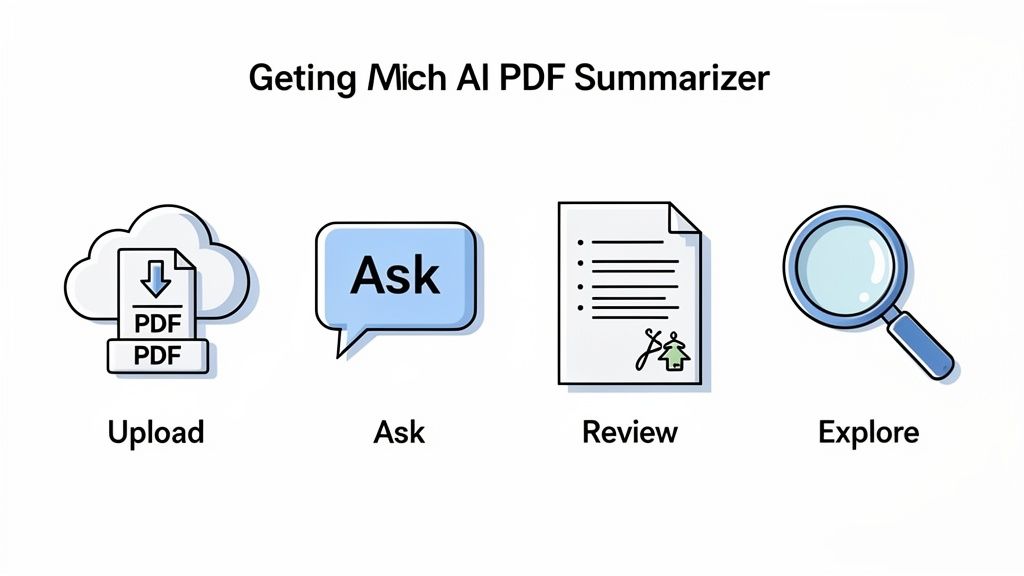
A Simple Four-Step Workflow
Getting answers is usually as easy as uploading a file and asking a question. Follow these four steps, and you'll have your first summary in no time. It's also worth exploring the different free AI-powered PDF summarizers available to see just how accessible this technology has become.
- Upload Your PDF: Most tools have a simple drag-and-drop box. Just pull your file over, and the AI starts processing it behind the scenes. This first step, called parsing, is where the tool reads and understands the document's layout and text.
- Ask Your First Question: This is where you take the lead. Instead of a vague "summarize this," be specific. Typing a direct question like, "What were the main conclusions of this research paper?" will give you a much more useful answer.
- Review the Summary and Citations: The AI will give you a concise response. The most important part? Look for the little numbers or links next to each statement. Clicking on them should take you straight to that exact spot in the original PDF, so you can check the source yourself.
- Explore with Follow-up Prompts: Don't stop at the first answer. Now you can dig deeper. Ask things like, "Can you elaborate on the methodology used?" or "Compare the findings in section 2 with the final conclusions."
This isn't just about getting answers fast; it's about being in control. You steer the AI to pinpoint exactly what you need, turning what used to be hours of skimming into a focused, minutes-long conversation.
Powerful Prompts To Try Now
The better your question, the better your answer. The prompt you use makes all the difference. Here are a few examples to get you thinking about what’s possible for different kinds of work:
- For Students: "Summarize the key arguments of this paper in five bullet points and define the term 'neoclassical economics'."
- For Researchers: "What methodology was used in this study, and what are its primary limitations according to the author?"
- For Business Professionals: "Extract all key financial metrics from this Q4 report and list any risks mentioned for the upcoming year."
- For Legal Teams: "What are the main obligations for each party mentioned in this contract? Identify the governing law clause."
This kind of practical, on-demand intelligence is why the generative AI market is absolutely exploding. Projections from Global Market Insights show the market is expected to hit $988.4 billion by 2035, growing at a massive 31.6% each year. This growth isn't just hype; it's fueled by real-world tools like chat-with-PDF features that deliver instant, verifiable answers and change how we work with information.
Navigating Privacy And Security Concerns
The moment you upload a document to an AI PDF summarizer, you should be asking yourself one critical question: Where is my data actually going? Handing over sensitive information—think internal business reports, confidential legal files, or unpublished academic research—is a huge leap of faith.
Trusting a service with your documents isn't something to take lightly. Your data's security hinges entirely on the provider's policies and the tech they have in place. Without a clear picture of what happens behind the curtain, you’re basically sending your files into a black box and hoping for the best.
What to Look For in a Privacy Policy
A company’s privacy policy is more than just dense legal text; it’s a direct promise about how they’ll treat your information. You don’t need to be a lawyer to get the gist, but you absolutely need to find clear answers to a few key questions before you upload a single page.
Before you commit to any AI PDF summarizer, make sure you can confidently say "yes" to these questions:
- Is my data kept confidential? The policy has to spell it out: your documents and their contents will not be shared with third parties or made public. No exceptions.
- Are my documents deleted after use? Check for their data retention policy. The most trustworthy tools process your document and then wipe it from their servers, usually within hours or a few days.
- Is my data used for AI training? This is a big one. A reputable service will promise not to use your private uploads to train their models. This ensures your proprietary information doesn't get baked into the AI’s brain for everyone else to access.
A solid privacy policy should be transparent and written in plain English. Vague language or a total absence of information on data handling is a massive red flag. If they don't explicitly say your documents are private and won't be used for training, you have to assume they might be.
A Quick Security Checklist
Beyond the policy itself, the tool’s technical security measures are what actually keep your data safe from prying eyes. These are the digital locks and alarms that protect your information while it’s being processed and stored.
Here’s a simple checklist to run through when you're sizing up a tool's security:
- Data Encryption: Does the service use encryption like TLS to protect your data while you upload it (in transit) and while it’s sitting on their servers (at rest)? This is non-negotiable, baseline security.
- Regulatory Compliance: Is the tool compliant with major data protection laws, like GDPR in Europe or CCPA in California? Following these rules shows they take user privacy seriously.
- Secure Authentication: If the tool requires an account, does it have strong login protections? This is your first line of defense in keeping your account and its contents secure.
Ultimately, the right tool is one that respects your privacy as much as it boosts your productivity. Taking just a few minutes to check these points will give you the peace of mind to use these powerful AI assistants with confidence.
A Few Lingering Questions About AI PDF Summarizers
Even after seeing what an AI PDF summarizer can do, a few practical questions usually pop up. Let's tackle some of the most common ones so you can feel completely comfortable putting these tools to work.
Can an AI Read Scanned Documents or Images?
The best ones absolutely can, and it all comes down to a clever piece of tech called Optical Character Recognition (OCR).
Think of OCR as a bridge. A scanned PDF is just a flat image to a computer—like a photograph of a book page. The AI can't read the words. OCR acts as a translator, scanning that image, recognizing the shapes of the letters, and converting them into actual, machine-readable text the AI can understand and summarize.
This is a must-have feature if you're dealing with older archives, printed reports, or anything that wasn't "born digital."
Just How Accurate Are These Summaries?
They're surprisingly good, but you shouldn't treat them as gospel. The accuracy really hinges on two things: the power of the AI model itself and how clearly the original document was written. Give it a well-structured report, and you'll get a stellar summary.
The smartest way to use these tools is to think of the AI as a brilliant, incredibly fast research assistant, not the final word. That's precisely why clickable citations are non-negotiable. They are your direct link back to the source material, letting you instantly check any claim or statistic.
Think of it like this: The AI gives you the first draft of understanding, saving you a massive amount of time. The citations let you do the final, critical fact-check in a matter of seconds.
Can I Use These Tools With Documents in Other Languages?
Yes! Strong multilingual support is a key feature of any serious AI PDF summarizer. The most powerful AI models have been trained on huge amounts of text from all over the world, so they're fluent in Spanish, French, German, Japanese, and many other languages.
It gets even better. This isn't just about basic translation. You can often upload a document in one language and ask questions in another. For example, you could upload a scientific paper written in German and ask in English, "What are the key findings?" The tool will read the German text and give you a clear answer back in English. It’s a huge help for anyone doing international business or research.
Is My Data Safe When I Upload a Document?
This is probably the most critical question you can ask, and the answer is: it depends entirely on the service you choose.
Trustworthy tools are built with privacy in mind and are very open about how they handle your data. Before you upload anything sensitive, you should always take a quick look at their privacy policy.
Specifically, you want to see them promise a few things:
- Your documents will not be used to train their AI models. This is huge—it means your private information won't ever become part of their public-facing AI.
- Your files are automatically deleted from their servers after a certain period.
- Your data is encrypted both on its way to their servers (in transit) and while it's stored there (at rest).
If a tool's privacy policy is hard to find or full of confusing jargon, that's a red flag. Stick with services that are transparent and take your security seriously.
Ready to stop drowning in documents and start getting instant, actionable insights? PDF Summarizer lets you chat with any PDF, get clear answers with verifiable sources, and even analyze multiple files at once. Try it for free and experience a smarter way to work with your documents. https://pdfsummarizer.pro
Relevant articles
Discover how to combine pdf files on any device with quick, practical steps for students and pros to merge docs effortlessly.
Learn how to AI summarize PDF documents to save time and boost productivity. This guide covers how to get instant insights and chat with your files.
Learn how to highlight a PDF on any device. Go beyond basics with pro annotation tips and discover AI tools that instantly find key information.
Discover the top 12 tools for any PDF summarizer AI free workflow. Get instant, accurate summaries from dense documents, reports, and research papers today.
Save hours of reading with a free PDF summarizer. Learn how these AI tools work, discover key features, and see how to integrate one into your workflow today.
Discover how a PDF summary generator can transform your workflow. This guide breaks down how AI works, features to look for, and tips for perfect summaries.