AI Summarize PDF A Guide to Working Smarter Not Harder
Learn how to AI summarize PDF documents to save time and boost productivity. This guide covers how to get instant insights and chat with your files.
You can get an AI to summarize a PDF simply by uploading the file to a specialized web tool. These platforms use natural language processing to pull out the key points, main arguments, and critical data in an instant. What was once a dense, time-consuming document becomes a concise and easy-to-read summary in seconds. This whole process turns hours of manual reading into just a few minutes of focused analysis.
Conquer Information Overload with AI Summarization
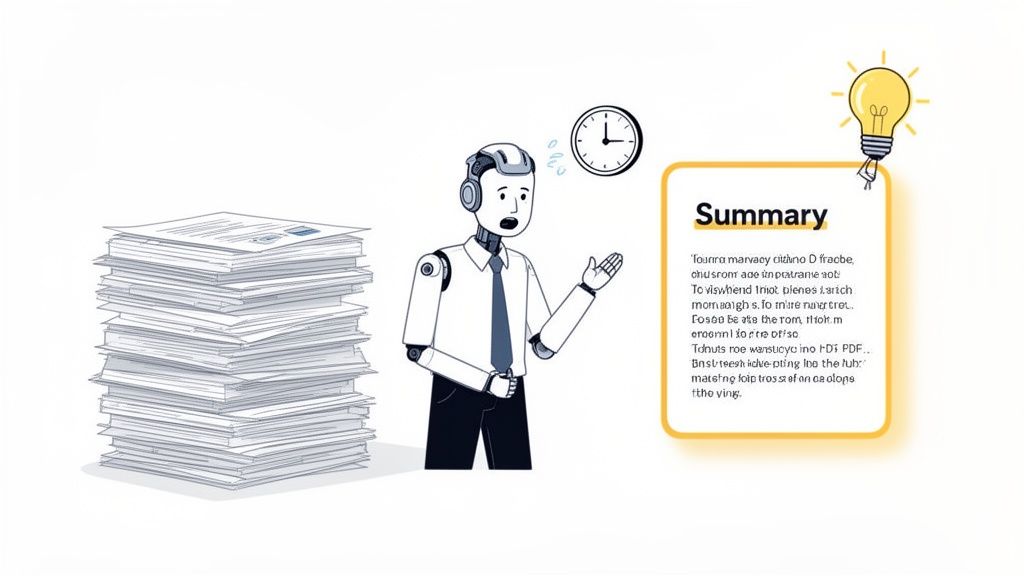
We've all been there: staring down a 100-page report or a mountain of academic articles. It's a common hurdle for professionals and students alike. The sheer amount of text can feel paralyzing, and you know the most important insights are buried somewhere deep inside. This is where the ability to ai summarize pdf documents completely changes the game.
This kind of technology isn't some futuristic idea anymore—it's a practical, everyday tool for anyone dealing with information overload. It truly alters how we engage with long-form content.
A Smarter Approach to Reading
Instead of replacing reading, these tools make the process more intelligent. You can quickly get a handle on the core arguments, data points, and conclusions without getting bogged down in the details. This shift lets you spend less time sifting through pages and more time on what actually matters: critical thinking, strategic planning, and making informed decisions.
The benefits are obvious no matter your field:
- Students can get through assigned readings and dense research papers much faster.
- Professionals can analyze business reports, market research, and legal documents more efficiently.
- Researchers can speed up literature reviews by quickly pinpointing the most relevant studies.
The real advantage of an AI PDF summarizer isn't just about speed—it's about focus. It does the heavy lifting of extracting information, which frees up your mental energy for deeper, more valuable work.
By the mid-2020s, AI summarization went from being a niche feature to a mainstream productivity tool, especially for workflows in education, law, and corporate research that are heavy on PDFs. It’s not just a hunch; professional users report 25–30% productivity gains when they swap manual reading and note-taking for AI-powered summarization.
At the end of the day, learning to use these tools is a crucial part of learning how to process information faster in a world that never slows down. They work like a powerful filter, helping you catch the signal and ignore the noise, making an AI summarizer an essential productivity multiplier in any profession.
Getting Your First AI Summary in Under a Minute
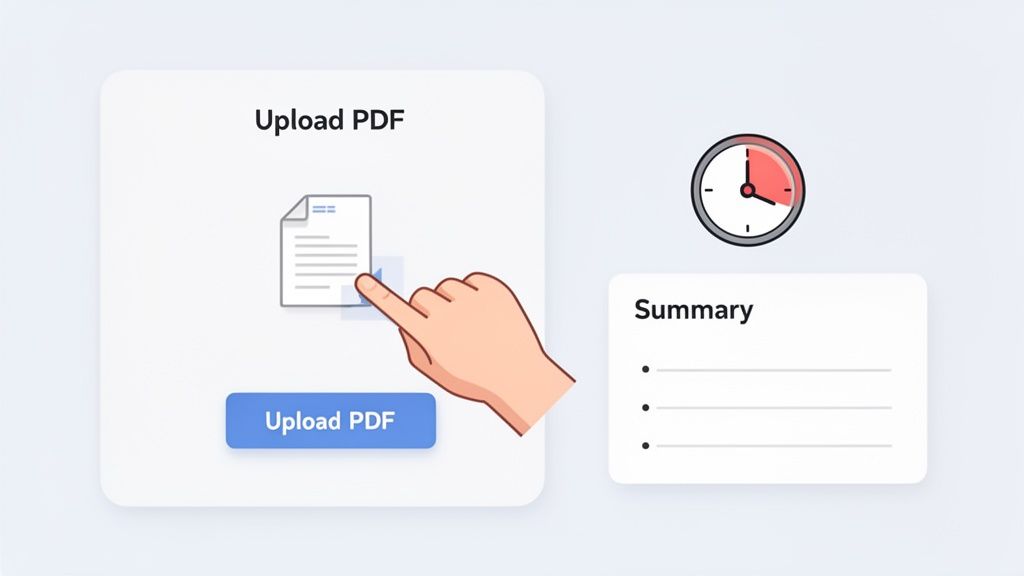
It’s one thing to talk about AI, but it's another to see it tear through a dense PDF in real time. The best part? It's incredibly easy. You can get from a massive document to a sharp, concise summary in less than 60 seconds, no complex setup needed.
Let's walk through a real-world scenario. You're a market analyst, and a fresh 75-page industry report just landed on your desk. It’s packed with data, trends, and projections you need for a meeting that’s right around the corner. Reading it the old way would take at least an hour. With an AI summarizer, it’s a matter of a few clicks.
Uploading Your Document
The first step is always getting your document into the system. Modern tools like PDF.ai make this completely painless. You don’t need to worry about converting files or messing with formatting—the platform is designed to handle your PDF as-is.
It usually comes down to one of two simple actions:
- Drag-and-Drop: Just pull the PDF from your desktop and drop it right onto the web page.
- File Selection: Click the "Upload PDF" or "Choose File" button to browse and select the document from your computer.
The whole point is to get you started without any friction. You have the document, the tool is ready, and the analysis is seconds away.
Generating and Reviewing the Summary
Once that market analysis report is uploaded, the AI springs into action. It scans every page, figuring out the core arguments, key statistics, and main conclusions. This isn't just basic keyword spotting; it's a deep contextual analysis happening behind the scenes. Within moments, you get a summary.
Most tools present this in a split-screen view, with your original PDF on one side and the AI's summary on the other. This setup is perfect for quick comparisons and fact-checking.
Pro Tip: Think of that first summary as your high-level briefing. It gives you the lay of the land. The real power comes next, when you start asking specific follow-up questions to dig into the details that matter most to you.
Instead of a wall of text, the output is structured for easy reading—often a short paragraph followed by bullet points hitting the major takeaways. You’ve just turned a 75-page slog into a digestible overview without having to read a single full page yourself. That’s the core promise of using AI to summarize a PDF.
Essential Features of an Effective AI PDF Summarizer
When you're picking a tool, not all summarizers are created equal. A quick look at the core capabilities that make an AI summarization tool truly powerful and user-friendly.
| Feature | What It Does | Why You Need It |
|---|---|---|
| Interactive Chat | Lets you ask follow-up questions and have a conversation about the PDF's content. | Moves beyond a static summary to a dynamic research assistant for deeper insights. |
| Clickable Citations | Provides direct links from the summary back to the exact source in the original document. | Ensures accuracy and allows you to instantly verify any piece of information. |
| Multi-File Support | Allows you to upload and analyze several PDFs at once, synthesizing information across them. | Invaluable for comparing reports, literature reviews, or analyzing project documents. |
| Language Translation | Automatically translates the document or your questions into different languages. | Breaks down language barriers when working with international research or colleagues. |
Having these features at your fingertips transforms the tool from a simple summarizer into a genuine research partner.
Go Beyond Summaries by Chatting with Your Documents
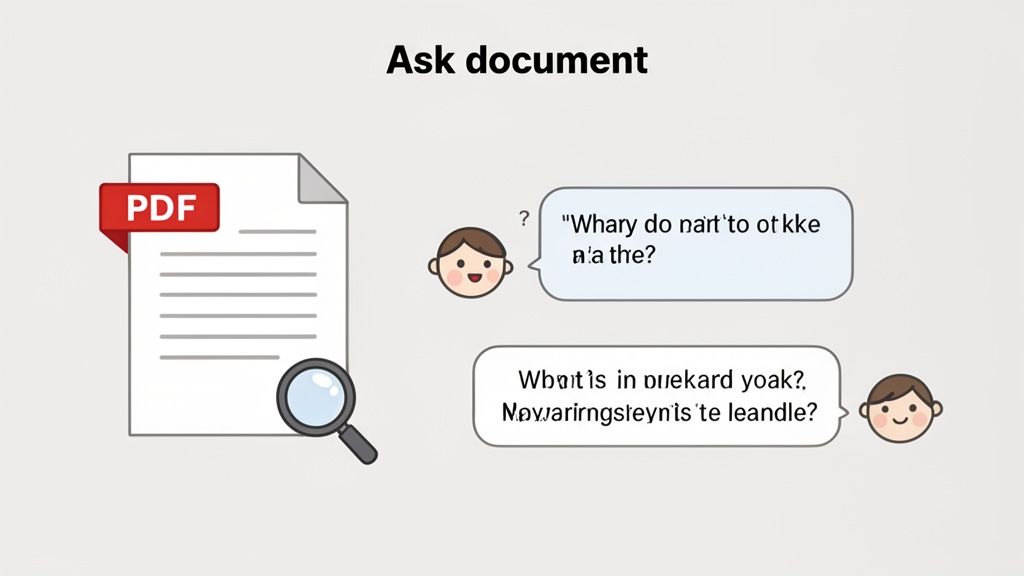
A high-level summary is a great starting point, but the real magic happens when you turn static documents into interactive conversations. I've found that the best AI tools let you treat your PDF not as a block of text, but as a knowledgeable expert you can interview directly.
This is the whole idea behind the "chat with your PDF" feature. It transforms any file into a dynamic knowledge base you can query on the fly. Instead of just taking the first summary you get, you can dig deeper with targeted questions, pulling out the exact information you need much faster than skimming or using Ctrl+F.
Ask Specific Questions, Get Precise Answers
What I love about this conversational method is its precision. You can interrogate different documents to extract specific insights that a general summary would almost certainly miss.
Let's say you're looking at a dense financial report. Rather than manually hunting through tables and charts, you could just ask:
- "What was the Q3 revenue growth year-over-year?"
- "List the top three operational expenses for this fiscal period."
- "Which product line showed the highest profit margin?"
The same logic works wonders for academic research. When I'm analyzing a complex scientific paper, I can clarify things by asking:
- "Explain the control group's parameters in simple terms."
- "What were the main limitations of this study's methodology?"
- "Summarize the author's conclusion on page 42."
By asking focused questions, you direct the AI's attention to what matters most to you. This turns passive reading into an active investigation, saving you immense time and mental energy while dramatically improving your comprehension.
This direct line of questioning lets you bypass all the noise and get straight to the facts. If you really want to unlock this capability, it’s worth exploring conversational AI platforms like Polychat that are built for this kind of deep, interactive querying.
Real-World Scenarios for Conversational AI
This interactive feature is incredibly versatile. A lawyer I know uses it to upload a lengthy contract and ask, "Are there any clauses related to termination liability?" instead of slogging through 50 pages of legalese. A student can upload a history chapter and ask, "What were the primary economic factors leading to the conflict?" and get a perfectly targeted explanation.
The key is to start thinking of the AI as your personal research assistant. Give it a document, give it a clear task, and it will find the answer for you. This approach is fundamental when you need to ai summarize pdf content with a specific goal in mind.
Crafting good prompts is a skill, but it's one you can pick up quickly. For a deeper dive, our guide on the best questions to ask AI can help you master the technique. Remember, the more direct your questions are, the more accurate and useful the AI’s responses will be.
How to Verify AI Insights with Clickable Citations
When you ask an AI to summarize a dense PDF, you're taking a leap of faith. And while today's AI is incredibly powerful, it’s not perfect. That's why being able to verify its output isn't just a nice-to-have feature—it's essential for any serious work, whether you're in a lab, a library, or a law office.
A summary is only as good as its accuracy. Without a direct trail back to the source material, you’re left with a list of claims you simply have to accept as true. That's a massive gamble, especially when you're dealing with precise financial data, complex legal agreements, or groundbreaking research.
The Power of Clickable Citations
This is exactly where clickable citations come into play. A top-tier AI summarizer doesn't just spit out an answer; it shows its work. It provides a clear, transparent link between its summary and the exact spot in the document where it found the information.
Let's say the AI pulls a key number from a lengthy annual report, stating, "Q4 profits increased by 18% year-over-year." A reliable tool will add a small, clickable reference right next to that fact.
- Clicking that citation doesn't just take you to the document; it zips you to the precise page.
- The tool often highlights the exact sentence or paragraph containing that data.
- Fact-checking becomes instantaneous. There's no more hunting around.
This simple feature completely changes the game. It turns the AI from a mysterious "black box" into a transparent and accountable research partner.
The ability to instantly verify information is the bedrock of academic and professional integrity. Clickable citations bridge the gap between AI-generated convenience and the rigorous standards of accurate, trustworthy work. You're not just getting a summary; you're getting a verifiable map of the document's key insights.
Why This Matters in Practice
In the real world, this is a lifesaver. If you're a student working on a research paper, you need to cite everything correctly. With clickable references, you can jump straight to the original text, grab the context you need, and build out your bibliography with absolute confidence.
It's the same for a lawyer reviewing a contract. They can see a clause mentioned in the AI summary and instantly verify its wording and placement, ensuring no critical nuance was missed. The old "trust but verify" model becomes a seamless part of the process.
This is your best defense against AI "hallucinations"—instances where the model confidently states something that is plausible but completely wrong.
Anytime you ai summarize pdf files for an important project, make sure the tool you choose offers this kind of source-linked transparency. It gives you the power to confirm every detail, check the context, and use the AI's output knowing it's firmly grounded in the original document. You get all the speed of AI without sacrificing a shred of accuracy.
Synthesize Knowledge with Multi-File Analysis
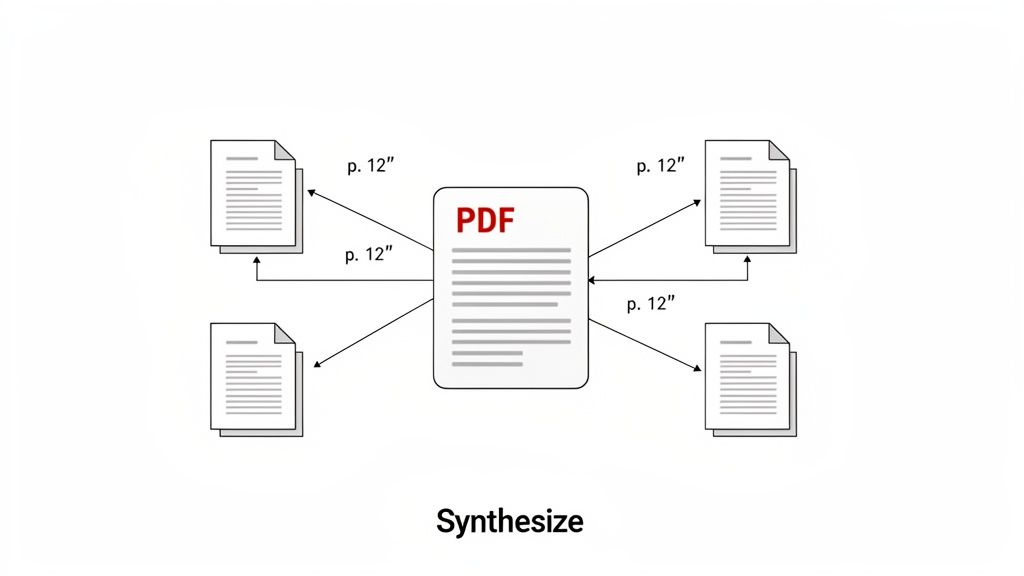
Summarizing a single document is a huge time-saver, but the real game-changer is analyzing a whole collection of files at once. This is where tools that ai summarize pdf content truly shine.
Often called multi-file chat, this feature lets you turn a folder of separate PDFs into one unified knowledge base. It's like having a conversation with your entire project library at the same time.
Think about it from a researcher's perspective. You've got five different studies for a literature review. The old way involved opening each one, reading, taking notes, and then trying to piece together the connections manually. With this, you just upload all five PDFs into a single chat. Your entire workflow just got an upgrade.
From Cross-Referencing to Instant Synthesis
With all your files loaded, you can ask questions that cut across the entire set. This is where the magic happens.
For instance, you could ask, "What are the conflicting findings about Topic X across these papers?" The AI will dig through every document and give you a consolidated answer.
It won't just spit out a generic summary. It'll pull specific insights from all five studies, highlighting where the authors agree and where they clash. And, critically, it will back up every point with clickable citations, so you can jump straight to the source in the original PDF.
This single feature can save you hours of painstaking cross-referencing. It's incredible for quickly identifying:
- Common threads and recurring themes you might have missed.
- Contradictory data or opposing arguments between sources.
- Hidden connections and subtle patterns that only emerge when you see the full picture.
By treating multiple PDFs as a single, connected dataset, you're not just summarizing anymore—you're synthesizing knowledge. The AI acts as a research assistant, helping you connect the dots between individual documents.
Practical Scenarios for Multi-File Analysis
This isn't just an academic tool. A project manager could feed it proposals, meeting minutes, and progress reports to ask, "What are the main unresolved action items across all project updates?"
Or imagine a financial analyst uploading quarterly earnings reports from several competitors. They could ask, "Summarize the key differences in revenue growth strategies mentioned in these reports." The insights would be ready in seconds, not hours.
The market for AI-powered document tools has exploded, with many roundups now featuring 10–20 different products. What I've noticed is that the best tools are moving beyond static summaries and embracing this kind of interactive, multi-document analysis. To get a sense of how this fits into the bigger picture, it's worth checking out reviews of the best AI document processing software solutions.
Ultimately, pulling together information from different sources is essential for making smart decisions. If you're interested in a more focused comparison, our guide on how to https://pdfsummarizer.pro/blog/compare-two-documents is a great next step. Using AI to juggle multiple PDFs doesn't just save time—it genuinely elevates the quality of your work.
Answering Your Top Questions About AI PDF Summarizers
Once you start using AI to summarize PDFs, you'll inevitably run into a few questions. It's only natural. People often wonder about security, what the tools can really do, and where their limits are. Let's tackle some of the most common things that come up.
The first big question I always get is about security. Is it actually safe to upload sensitive files, like legal contracts or internal reports, to an online tool? It’s a great question, and the answer depends on the service you choose.
Reputable AI summarizers take this very seriously. Look for tools that use strong encryption and have a clear, easy-to-read privacy policy explaining how they handle your data. Many of the best platforms are designed to process your document for your session only, without storing it long-term. For anything truly confidential, do your homework and pick a service with a solid reputation for security.
What About Different Languages and Tricky Formats?
Another common question is whether these tools can handle multiple languages. The answer is a resounding yes. Modern AI is surprisingly good with languages. You can often upload a document in one language and get a summary—or even ask specific questions about it—in a completely different one.
Imagine you have a research paper from a German university but you need the key findings in English. An AI summarizer can do that for you in seconds. It’s a huge help for anyone working on international projects or academic research.
But what about PDFs that aren't just straight text? People are always curious about how AI deals with complex layouts full of tables, charts, and images.
Here’s the breakdown based on what I’ve seen:
- Text in Tables: AI is generally excellent at pulling text out of tables and understanding its structure.
- Charts and Graphs: This is still a work in progress for most text-based AI. It can read the titles and captions, but interpreting the visual data itself is a newer skill that isn't always reliable.
- The Sweet Spot: These tools perform best on documents where the main substance is in the text—think reports, articles, essays, and books.
While the technology is getting better at understanding visuals every day, right now it’s your best partner for text analysis.
The most important thing to remember is that an AI summarizer is an assistant, not a replacement for your own critical thinking. It doesn't get sarcasm, subtle humor, or deep contextual nuance. It’s a pattern-matching machine, and it doesn't "understand" the way a human does.
This is exactly why clickable citations are such a game-changer. They let you instantly check the AI's work against the original document. Think of the summary as a brilliant first draft or a powerful starting point, but never the final word. That way, you get the speed of AI without losing the depth of your own insight.
Ready to turn those dense documents into clear, actionable insights? Try PDF Summarizer now to chat with your files, get instant answers with sources, and synthesize information across multiple documents. Get your first summary for free.
Relevant articles

Streamline your research and summary tasks with AI. Analyze documents, synthesize insights, and craft sharper reports, faster and with confidence.

Discover how to read a PDF online using your browser or smart AI tools. Our guide shows you how to instantly open, chat with, and summarize any document.
Learn how to upload a PDF on any device with our practical guide. Discover pro tips for file size, naming conventions, and fixing common upload errors.
Discover how an AI PDF summarizer can transform dense documents into clear insights. Learn about key features, practical uses, and how to start today.
Discover how a modern PDF summarization tool can transform your workflow. Learn how AI analyzes documents, its key features, and how to get accurate summaries.
Learn how to highlight a PDF on any device. Go beyond basics with pro annotation tips and discover AI tools that instantly find key information.