Translate Chinese PDF to English: Quick Guide to Accurate OCR and Layout
Learn how to translate chinese pdf to english with precise OCR, preserve layout, and pick top tools for accurate results.
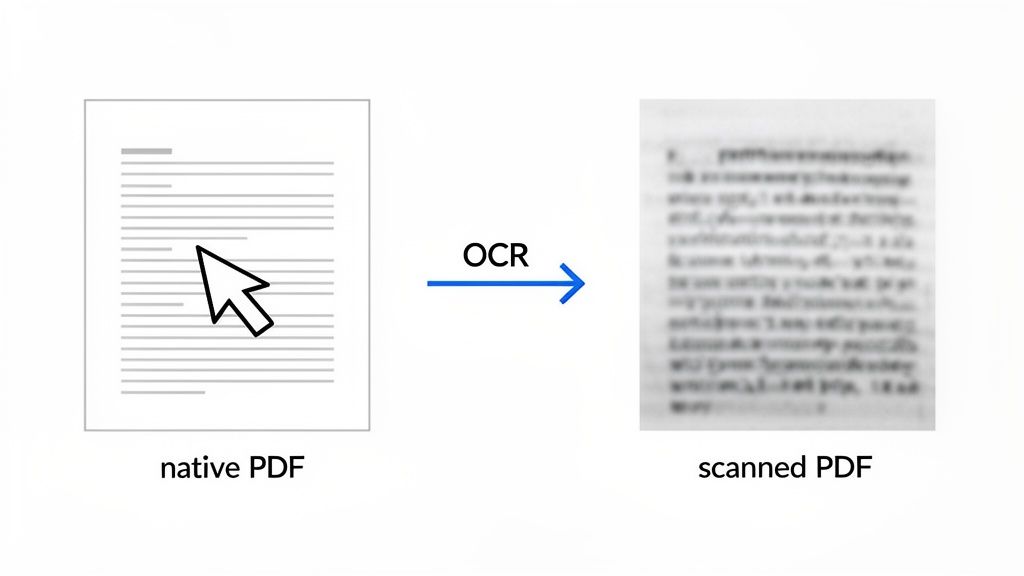
Before you can even think about translating a Chinese PDF, you have to figure out what kind of file you're dealing with. This one simple check determines your entire workflow. Is it a standard, text-based PDF, or is it a scanned image? Get this wrong, and you'll hit a wall immediately.
For a text-based PDF, you can jump right into translation. But if you have a scanned or image-based PDF, you have an extra, non-negotiable step: you must use Optical Character Recognition (OCR) to pull the Chinese characters out of the image and turn them into editable text. This is the single most important distinction to make.
Your Practical Toolkit for Chinese PDF Translation
The demand for translating documents between Chinese and English is massive and only getting bigger. It's one of the top language pairs in the global translation market, a sector valued at around USD 60.68 billion in 2022 and on track to hit USD 96.21 billion by 2032. In tech-forward cities like Beijing and Shanghai, using smart, tool-assisted workflows for document translation is just how business gets done. You can dig deeper into these translation industry trends at Redokun. This isn't a niche task anymore; it's a core business need.
Native vs. Scanned PDFs: A Critical Distinction
So, let’s start with that crucial first question: is your PDF "native" or "scanned"?
A native PDF is born digital. Think of a document you saved directly from Microsoft Word or Google Docs. The text is live—you can click, highlight, and copy-paste it with no problem. These are the easy ones because the text is already set up for translation.
A scanned PDF, however, is just a picture of a document. It might be a photo from your phone or something you ran through a flatbed scanner. The text you see is locked into the image file, which is why you can't select it. If you try to feed this directly into a translation tool, it will fail because the software can't read pixels.
This is where Optical Character Recognition (OCR) saves the day. OCR software is designed to look at an image, recognize the shapes of the Chinese characters, and convert them into actual digital text. Once you have that text, you can finally run it through a translation engine.
Understanding Your Tool Options
Once you know your PDF type, you can pick the right tool for the job. There's no single best option; the right choice depends entirely on your needs.
Simple Online Translators: Tools like Google Translate or DeepL are fantastic for getting a quick sense of a native PDF. You can just copy-paste sections or, in some cases, upload the whole file for a rough-and-ready translation. Perfect for when you just need the gist.
OCR + Translation Combos: If you're working with a scanned document, you'll need a two-step approach. First, you run it through an OCR tool to extract the text. Then, you take that raw text and put it into your translator of choice. Some more advanced platforms bundle these two functions together.
AI-Powered Platforms: A newer generation of tools like PDF Summarizer offers a much more interactive experience. They can often handle both native and scanned PDFs and let you do more than just translate. Instead of a static block of text, you can ask questions in English about the Chinese document and get back answers pulled directly from the source. This is a game-changer for research and analysis.
Making the right choice here at the beginning will save you a ton of frustration and lead to a much more accurate and useful final translation.
Choosing Your Chinese PDF Translation Method
This table offers a quick comparison of different translation approaches to help you decide which path is best for your specific needs, from quick checks to professional-grade translations.
| Method | Best For | Speed | Layout Preservation |
|---|---|---|---|
| Online Translators | Quick gist of native PDFs, informal content. | Very Fast | Poor to None |
| OCR + CAT Tool Combo | Scanned academic papers, technical manuals, professional documents. | Moderate | Good to Excellent |
| PDF Summarizer | Interactive research, understanding key points without a full translation. | Fast | N/A (Text-based) |
Ultimately, the best method depends on your goal. For a quick understanding, an online tool is fine. For professional work where formatting and accuracy are paramount, the OCR and CAT tool combination is the way to go.
Getting Your PDF Ready for Translation
The quality of your final English translation is only as good as the file you start with. Before you even think about translation tools, the very first thing you need to do is figure out what kind of Chinese PDF you're holding. This one quick check determines your entire workflow and saves you from a world of headaches later on.
It's a simple test. Open your PDF and try to select a line of Chinese text with your cursor, just like you would in a Word document. If you can highlight the characters, you're in luck. You have a native PDF with machine-readable text.
But if your cursor just draws a box around a section of the page and you can't select any individual characters, you're working with a scanned PDF. Think of it as a flat picture of a page. Translation tools can't read pictures, so you'll need an extra step: Optical Character Recognition (OCR).
Why OCR is Non-Negotiable for Scanned Documents
For scanned PDFs, OCR isn't optional—it's essential. This technology scans the "image" of your document, recognizes the shapes of the Chinese characters, and turns them into actual, usable text that a translation engine can process. Trying to translate a scanned PDF without OCR is like asking someone to read a book with the cover glued shut.
Properly converting a PDF to text is the foundation of a good translation. Get this part right, and you'll avoid the garbled, nonsensical output that happens when a tool tries to work with poor-quality text.
Pro Tip: The accuracy of your OCR directly dictates the accuracy of your translation. If the OCR spits out jumbled or incorrect characters, even the most advanced translation software will produce gibberish. Garbage in, garbage out.
Tweaking Your PDF for the Best OCR Results
To get clean, translatable text from a scanned document, you need to feed your OCR tool a high-quality file. A few minutes of prep work can make a massive difference, especially given the intricate nature of Chinese characters.
Here’s what I always do before running OCR:
- Boost the Resolution: A sharp, clear scan is everything. Aim for a resolution of 300 DPI (dots per inch) or higher. Fuzzy, low-resolution images are the number one reason OCR tools make mistakes, as they can't easily tell similar-looking characters apart.
- Fix Contrast and Clarity: The text needs to pop. If the document is faded or has a dark background, a quick trip to a basic photo editor to increase the contrast can work wonders. You want crisp, dark text on a clean, light background.
- Set the Right Language: This one is critical. Your OCR software will ask for the source language. Always choose Chinese (Simplified or Traditional). This tells the program which character set to look for, drastically improving its accuracy.
Taking these steps ensures the OCR process goes smoothly. It helps you avoid the painful task of manually fixing a mountain of character errors, which is nearly impossible if you don't read Chinese. For more on this, our guide on how to extract text from a PDF online has some additional techniques you might find useful.
Selecting the Right Translation Tool for the Job
Alright, you've got your Chinese text ready to go. Now comes the crucial part: picking the right tool to actually translate it into English. The market is flooded with options, but trust me, they are not all the same. Your choice really boils down to what you need to accomplish—are you just trying to get the gist of an article, or do you need a legally sound translation of a contract?
Think of it like choosing a vehicle. You wouldn't take a sports car on a muddy trail, and you wouldn't use a dump truck for a quick trip to the store. Using the wrong translation tool can lead to embarrassing mistakes, wasted time, and in some cases, serious data security risks.
This simple decision tree lays out the very first question you need to answer: is your text ready for a direct translation, or does it need to go through OCR first?
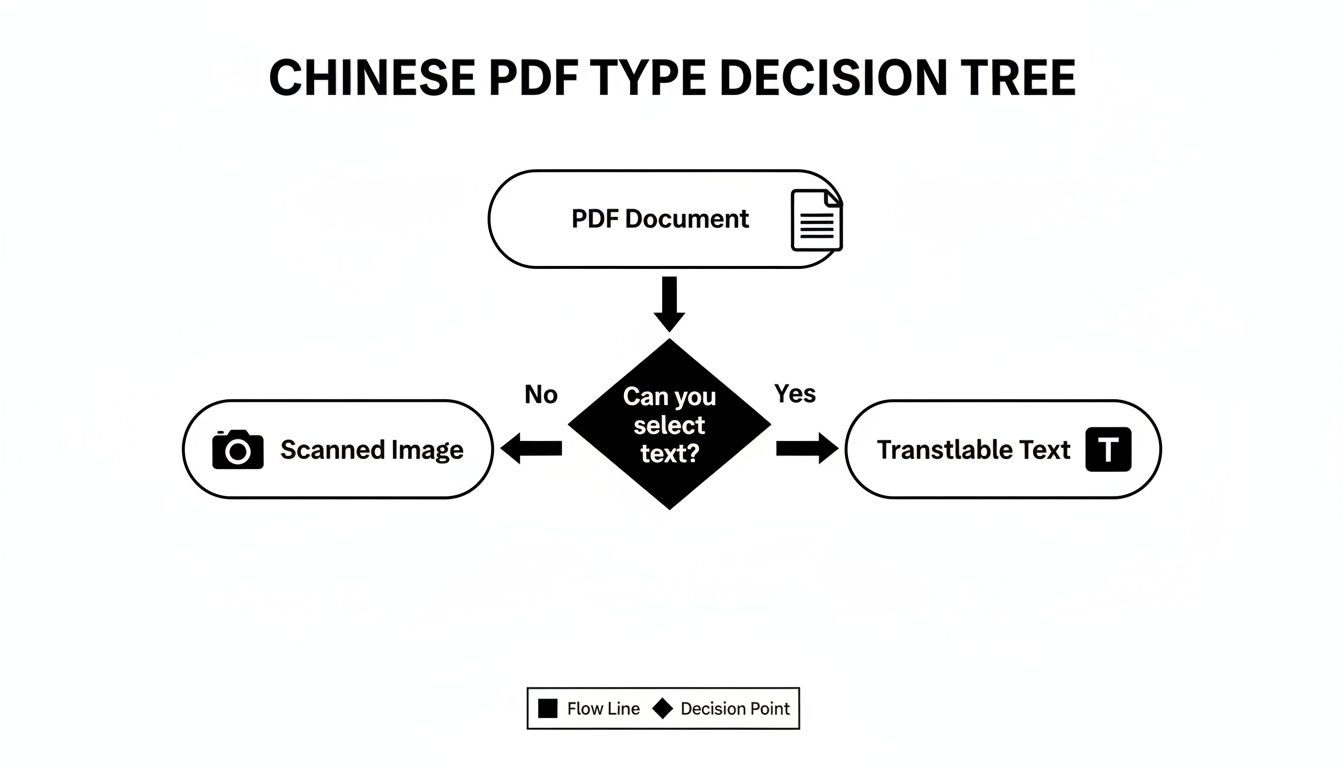
Nailing this first step is everything. It determines whether your PDF has selectable text or is just a flat image that needs OCR before you can do anything else.
For Quick and Informal Understanding
If all you need is a general sense of a non-sensitive document, free online tools are your best bet. Services like Google Translate and DeepL are incredibly fast and easy to use. Just copy and paste the Chinese text you extracted, or in some cases, upload the entire file.
These are fantastic for situations like:
- Getting the main idea of a news article.
- Figuring out the topic of a blog post.
- Translating a casual email from a coworker.
Just be aware of their limits. These tools can miss cultural nuance and subtle meanings. And a word of caution: never upload confidential documents to these free services due to privacy policies.
For High-Stakes and Professional Documents
When accuracy is the top priority, it's time to bring out the heavy-duty tools. For things like legal agreements, technical manuals, or scientific research, a small translation error can have huge consequences. This is where you absolutely need a professional-grade solution.
Professional translators don't just use Google Translate. They rely on Computer-Assisted Translation (CAT) tools. These aren't just simple translators; they're sophisticated platforms with features like translation memory and terminology databases to ensure every word is precise and consistent, especially in long, complex documents.
For projects that demand this level of detail, you should look into dedicated Chinese language translation solutions. These services are built to handle the linguistic complexities and specific jargon that generic tools often fumble.
For Research and Deep Comprehension
But what if your goal isn't just a static, word-for-word translation? This is a common scenario for students and researchers sifting through dense academic papers. You might not need to translate a 50-page study from start to finish, but you definitely need to pinpoint specific data, understand the methodology, and grasp the core conclusions.
This is where a new wave of AI-powered platforms really shines. Tools like PDF Summarizer let you have a conversation with your document. Instead of just getting a massive block of translated text, you can:
- Upload your Chinese PDF.
- Ask specific questions in plain English, like, "What was the sample size in this study?" or "Summarize the author's main argument."
- Get instant answers pulled and translated directly from the source, often with citations pointing back to the original page.
This interactive method completely changes the game for research. Our guide on how to https://pdfsummarizer.pro/blog/extract-information-from-pdf dives deeper into this approach, showing how it takes you beyond basic translation to genuine understanding.
How to Preserve Layout and Verify Accuracy
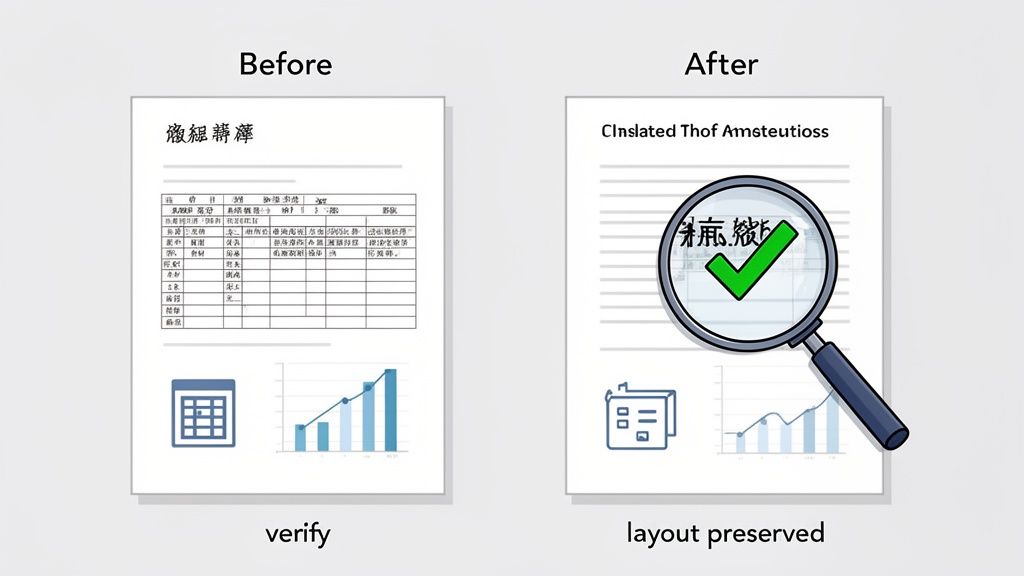
Getting your Chinese text into English is only half the battle. A perfect translation is useless if the document is a jumbled mess of misplaced text, broken tables, and missing images. This is a common frustration when you translate a Chinese PDF to English—the formatting often gets completely scrambled in the process.
The second, and arguably more critical, challenge is verifying accuracy. You can’t just blindly trust the output, especially with technical, legal, or academic content. A single misinterpreted word can change the entire meaning, so the final document must be both readable and reliable.
Maintaining Your Document’s Original Format
Layout preservation is a huge headache. The shift from compact Chinese characters to longer English words and sentences can wreak havoc on tables, graphs, and page flow. While no automated tool is perfect, some are definitely better than others.
Specialized document translators often do a much better job of trying to replicate the original layout than simple copy-paste methods. They analyze the document’s structure and attempt to place the translated text back into its original position. For a deeper dive into how some platforms handle this, check out our guide on how to translate an Adobe PDF with an eye for format.
That said, for truly important documents, you should be prepared for some manual cleanup. This might involve:
- Adjusting column widths in tables to fit the new English text.
- Resizing text boxes in presentations or reports.
- Manually re-inserting images that may have shifted during the translation.
Think of the automated translation as creating the raw material. It's on you to polish it into a finished, professional-looking document.
How to Confirm Translation Accuracy
Blind faith in machine translation is a risky game. A 2023 evaluation of machine translation on 3,000 Chinese–English technical sentences reported quality scores that varied wildly, showing a huge range in performance. Experts caution against using raw machine translation in high-risk contexts, as it can easily misrepresent statistics or technical findings. You can explore the full research on translation quality for the nitty-gritty details.
This doesn't mean the tools are useless; it just means you need a verification strategy. Your goal isn't to become fluent in Chinese overnight but to intelligently cross-check the output for critical errors.
Start by spot-checking key information. Isolate names, dates, numerical data, and specific technical terms. Compare the English translation directly against the same terms in the original Chinese document. Even if you can’t read the sentences, you can often match character strings to ensure they haven’t been altered or omitted.
A powerful technique, especially with interactive AI tools, is to use the translation to ask clarifying questions in English. For example, if the translated text says, "The experiment showed a significant increase," you can ask the tool, "What was the exact percentage increase reported on page 5?"
This forces the tool to pull the specific data from the original source, giving you a reliable way to confirm the facts without reading the Chinese yourself. This method turns translation from a passive activity into an active verification process.
Advanced Tips for Efficiency and Data Security
Once you get the hang of translating a single PDF, your needs will probably evolve. You'll start thinking less about just getting it done and more about getting it done *smarter*—faster, more consistently, and without putting sensitive information at risk.This is especially true when you're dealing with proprietary business data or unpublished academic research. That's when you have to move beyond a one-off mindset and build a real workflow.
A huge piece of that puzzle is data privacy. When you drag and drop a PDF into a free online translation tool, where does that data go? Many services can legally store, analyze, or use your content, which is a major red flag for things like internal company reports or confidential contracts.
Protecting Your Sensitive Information
For any document containing confidential info, the best bet is to use platforms that are serious about security. You'll want to look for services with transparent privacy policies, end-to-end encryption, and bonus points for data protection certifications like ISO 27001.
But if you want ironclad security, nothing beats an offline tool. This keeps the entire process—from OCR to translation—right on your own computer. Your data never touches an external server, giving you complete control. It's the only way to go for highly sensitive intellectual property or personal data.
Mastering Batch Processing and Consistency
When you’re staring down a folder of Chinese PDFs that all need to be in English, tackling them one by one is a recipe for a long week. This is where batch processing becomes your best friend. Most professional-grade tools let you upload and process an entire folder of documents at once, turning a mountain of work into a much more manageable task.
Another headache with big projects is consistency. You might see a key term translated one way in the first document and completely differently in the tenth, which can cause a lot of confusion for the reader.
The fix here is to build a simple bilingual glossary. Before you even start, pull out all the critical terms—product names, technical jargon, legal phrases—and decide on their exact English translations. Many advanced CAT tools and translators let you upload this glossary, forcing the software to use your preferred terms every single time.
Here are a few other tricks for handling those more complex documents:
- Tackling Non-Standard Text: Things like footnotes, endnotes, and text baked into images often get ignored by automated tools. You’ll likely need to manually copy this text, translate it on its own, and then paste it back into the final English document.
- Creating a Style Guide: Think of this as a step beyond a glossary. A quick style guide can outline the right tone of voice (e.g., formal vs. conversational) and basic formatting rules. It’s a simple way to make sure all your translated documents feel like they came from the same source.
Common Questions About Translating Chinese PDFs
When you're trying to translate a Chinese PDF, a few common questions always seem to pop up. It's one thing to get the text from one language to another, but it's another thing entirely to handle complex layouts, technical jargon, and sensitive data.
Let's break down some of the most frequent hurdles people face.
Can I Actually Translate a Scanned PDF Without Wrecking the Formatting?
This is the big one, and the honest answer is: it's incredibly tough to do perfectly. A scanned PDF isn't a text document; it's an image of text. The process involves two separate steps—first, using OCR to turn the image into machine-readable characters, and then translating those characters.
Most tools treat these as completely separate jobs, which is why the original layout almost always falls apart. Some high-end PDF editors or specialized translation platforms try to put everything back together afterward, but you should expect to do some manual cleanup.
For many people, a more practical approach is to focus on comprehension over perfect formatting. A tool that shows you the original document on one side and the plain translated text on the other can be far more efficient when you just need to understand what the document says.
How Good is AI at Translating Technical or Academic Chinese Papers?
Surprisingly good, actually. Modern AI translators are fantastic for getting the gist of a technical paper. You can quickly grasp the main arguments, understand the methodology, and see the conclusions without spending days on a manual translation. They provide a brilliant first look.
However, they are not infallible. Far from it.
You have to watch out for very specific terminology, subtle scientific nuances, and complex sentence structures, which can easily get twisted. Think of AI as your incredibly fast but sometimes-careless research assistant, not the final word. Always double-check critical data, key findings, and specific names against the original Chinese text before you cite the paper or use its information for anything important.
Is it Safe to Upload My Company’s PDFs to a Free Online Translator?
Absolutely not. You should never upload confidential business documents, unpublished research, or any sensitive personal information to a free online translation service. If you read the fine print, many of their terms of service state that they can store, analyze, and even use the data you upload.
When privacy is on the line, you really only have two safe routes:
- Secure, paid platforms: Look for services that offer end-to-end encryption and have a clear, explicit privacy policy that guarantees your data is protected.
- Offline software: Use OCR and translation tools that run entirely on your local machine. This ensures your data never leaves your computer in the first place.
Ready to skip the headaches and get straight to the insights? With PDF Summarizer, you can upload your Chinese PDF, ask your questions in English, and get back clear, accurate answers with clickable citations pointing back to the original source. It’s the fastest way to turn a complex document into actionable knowledge. Give it a try for free at https://pdfsummarizer.pro.
Recent articles

Learn how to merge pdf foxit reader PDFs quickly with step-by-step tips, free options, and 2026 updates.

Learn how to open pdf in google docs across devices, fix formatting, and edit PDFs with ease.

Discover the 12 best document collaboration tools for any team. Compare features, pricing, and use cases to find the perfect platform for your workflow.

Learn how to add citations in Google Docs using the built-in tool, add-ons like Zotero, and an advanced PDF workflow. Master APA, MLA, and Chicago styles.

Discover the best citation management software for your research. Compare Zotero, EndNote, Mendeley, and more to find the perfect tool for your workflow.

Explore critical thinking skills for students with practical strategies to analyze information, argue persuasively, and boost academic success.