The Ultimate PDF Document Search Engine Guide
Discover how a modern PDF document search engine uses AI and semantic search to unlock information across all your files. Find anything in seconds.
A PDF document search engine is a smart tool that does more than just match keywords. It’s designed to find information and answer complex questions by searching through one or many PDF files at once. It uses AI to figure out the meaning and context behind what you're asking, effectively turning a pile of static documents into a dynamic, interactive knowledge base.
Why Your Old Search Methods No Longer Work
We've all been there: staring at a folder packed with PDFs, armed with only the CTRL+F function. It feels like trying to find a needle in a haystack—a very, very large haystack. That traditional search method is a holdover from a time when documents were simpler and far less numerous.
Think of it like having a massive library with no card catalog. Your only option is to wander the aisles, pulling out every single book and flipping through the pages, hoping you spot the exact word you're looking for.
This old-school approach is frustratingly limited because it only hunts for exact keyword matches. It has zero understanding of concepts, context, or the connections between ideas. If you search for "space exploration," but the document you need uses the term "interstellar travel," CTRL+F will come up completely empty. This limitation is a huge source of frustration for students, researchers, and professionals who need to synthesize information from dense reports, lengthy legal contracts, or complex academic papers. The time lost manually scanning page after page is a serious productivity killer.
The Limitations of Keyword-Based Search
At its core, traditional search is broken for handling today's information overload. It operates on a simple, rigid rule: find this exact sequence of letters. This black-and-white approach doesn't allow for any interpretation, which leads to some major problems:
- No Contextual Understanding: It can’t grasp synonyms, related concepts, or the actual intent behind your query.
- Inability to Synthesize: It can't pull related pieces of information from different sections or even different documents to build a complete answer for you.
- Inefficiency at Scale: Manually sifting through dozens or hundreds of documents isn't just slow—it's practically impossible to do thoroughly.
A PDF document search engine is like having your own AI-powered research assistant. It doesn't just find words; it understands the questions you're asking and retrieves the most relevant concepts, even if they're phrased differently.
To see the difference clearly, let's compare the two side-by-side.
Standard Search vs PDF Document Search Engine
This table breaks down how a modern search tool stacks up against the classic CTRL+F function. It's a clear look at why simply matching keywords isn't enough anymore.
| Feature | Standard Search (CTRL+F) | PDF Document Search Engine |
|---|---|---|
| Search Scope | One document at a time | Across hundreds of documents simultaneously |
| Context Awareness | None. Finds exact text matches only. | High. Understands synonyms & related ideas. |
| Question Answering | No. Can't answer direct questions. | Yes. Provides direct answers with citations. |
| Data Synthesis | Cannot connect ideas across pages. | Yes. Synthesizes info from multiple sources. |
| Efficiency | Extremely slow and manual for large files. | Fast and automated, saving hours of work. |
| Language Nuance | Struggles with variations in language. | Handles complex queries and different phrasing. |
As you can see, the gap is significant. A dedicated engine doesn't just find keywords; it delivers genuine insights.
The Growing Need for Smarter Search
The demand for better search tools isn't just a niche problem; it's a massive global trend. The search engine market is projected to swell from USD 280.48 billion in 2026 to an incredible USD 474.73 billion by 2031. This surge reflects a fundamental shift in how we need to access and manage information. It's being driven by the explosion of digital data, where tools that can intelligently navigate complex files like PDFs are no longer a nice-to-have, but an absolute necessity.
This is exactly where a modern PDF document search engine completely changes the game. Instead of making you hunt for the perfect keyword, it lets you have a conversation with your documents. It transforms document chaos into a clear, interactive dialogue, finally making your files genuinely useful and searchable.
For a deeper look into getting your files ready for this kind of interaction, check out our guide on how to make a PDF searchable.
How an AI Actually Reads Your Documents
A modern pdf document search engine doesn't just scan for keywords like a simple CTRL+F command. It genuinely reads and understands the content inside your files. This isn't magic; it's a sophisticated process where the AI first learns to see the text, then maps it out, and finally grasps its meaning.
It all starts with a common problem: not all PDFs are the same. Many are just image-based files, like scanned contracts or old academic papers. To a computer, the text in these documents is just part of a picture, making it completely unsearchable.
This is where Optical Character Recognition (OCR) comes into play. Think of OCR as a digital translator that can look at an image of a page, identify the shapes of letters and words, and convert them into actual, machine-readable text. It’s the essential first step that makes the "unreadable" readable.
Building a Smart Map of Your Information
Once every word is accessible, the system needs a way to organize everything for quick access. This critical process is called indexing. An index acts like a super-detailed, searchable map of your entire document library. Instead of forcing the AI to re-read every single page for every query, it just consults this pre-built map.
This map doesn't just list words; it charts their relationships and context. It’s what allows a good PDF search engine to give you answers in seconds, even if it's sifting through thousands of pages. Without indexing, every search would feel like trying to find a specific sentence in a library with no card catalog.
The image below shows the jump from basic keyword matching to this more intelligent, AI-powered approach.
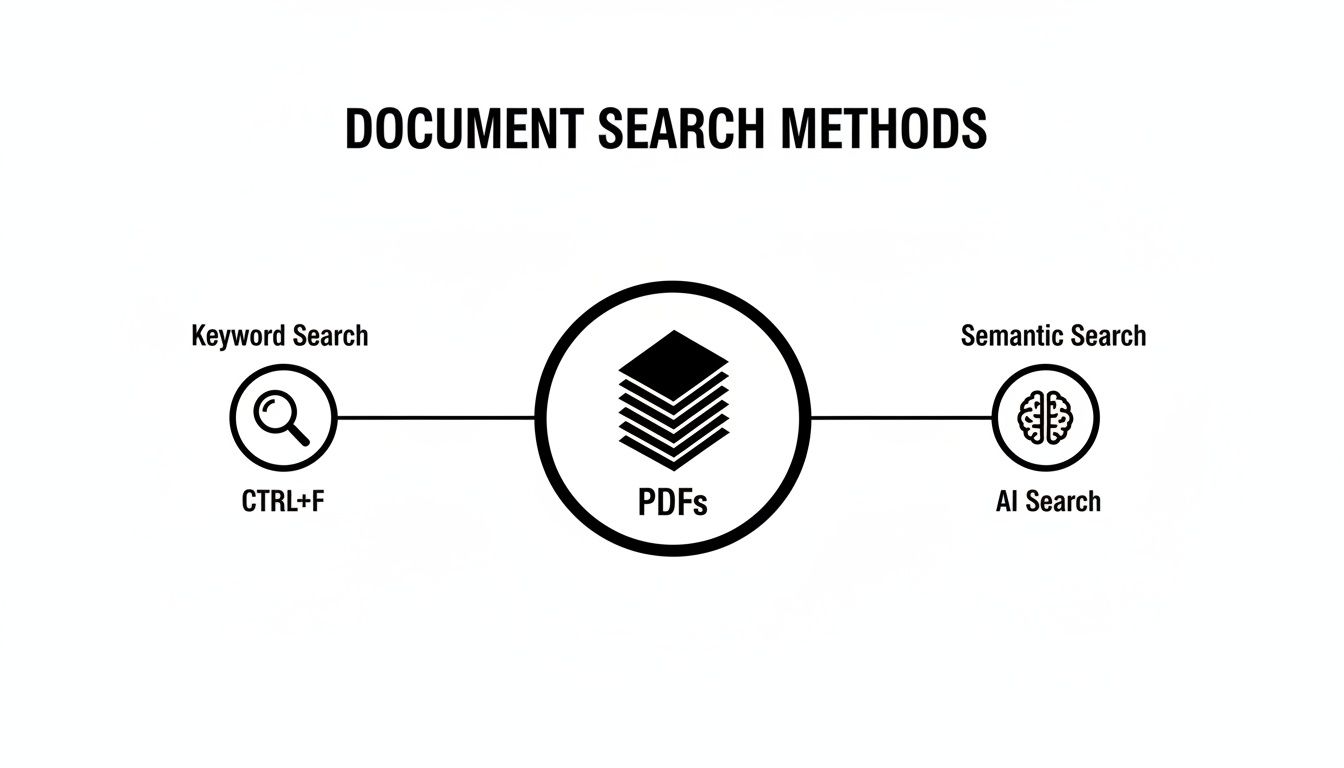
As you can see, AI moves far beyond the limits of CTRL+F to unlock a much deeper way of interacting with your documents.
Searching for Meaning, Not Just Words
With a fully indexed library, the AI can now do what it does best: understand what you actually mean. This is the huge leap from traditional search to semantic search.
- Traditional Search: This is an exact-match game. If you search for "automobile," you'll only find results with that exact word. You'll miss every mention of "car," "vehicle," or "truck."
- Semantic Search: This focuses on the meaning behind your words. When you search for "automobile," the AI understands the concept and finds relevant passages about cars, vehicles, and trucks, even if the word "automobile" never appears.
It’s like asking a librarian for books about "space travel" instead of only books with the word "rocket" in the title. The first requires a real understanding of the subject, and that’s exactly what semantic search delivers. To get the full picture, it's worth exploring the details of how AI search engines work, as this is the engine driving any good PDF search tool.
PDF Summarizer uses semantic search to power its multi-file chat. When you ask, "What are the common themes across these market reports?" it looks for conceptual links, not just repeated keywords, to give you a genuine, high-level summary.
Turning Concepts into Coordinates
So, how does an AI know that "car" and "automobile" are related? It does this using a brilliant technique called vector embeddings.
Imagine you could plot every concept on a giant map. Ideas with similar meanings would be located close to each other. "King," "queen," and "monarch" would be clustered together in one region, while "bicycle," "scooter," and "unicycle" would be grouped in another, far away.
This is essentially what vector embeddings do. The AI converts words, sentences, and entire paragraphs into a string of numbers (a vector) that acts as their unique coordinates on this "map of meaning." When you ask a question, your query is also converted into a vector. The AI then finds the text in your documents with the closest, most similar vectors.
This mathematical approach to meaning allows the tool to find conceptually related information with stunning accuracy, opening the door to a new world of AI-powered question answering.
Key Features of a Powerful PDF Search Engine
Knowing the theory behind how an AI reads your documents is one thing, but seeing it in action is what really matters. The true value of a pdf document search engine comes from its features—the practical tools that turn a technical concept into a tangible, time-saving reality.
These aren't just bells and whistles. They're thoughtfully designed capabilities built to solve the most common and frustrating problems we all face when wading through mountains of documents. Think about conducting a literature review across dozens of research papers or trying to compare clauses in multiple contracts. The right features can shave hours off your workload. It’s about moving past just finding information and starting to have a conversation with it.
The best tools transform a static pile of files into a dynamic, interactive knowledge base you can query and explore.
Chat Across Multiple Files at Once
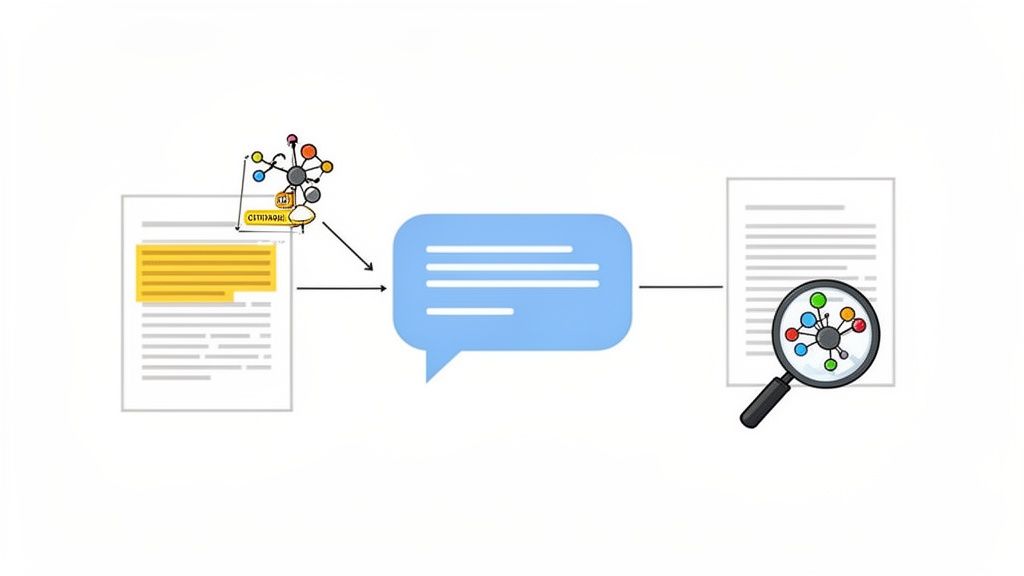
One of the most game-changing features is multi-file chat. Picture this: you’ve uploaded 50 academic papers for a research project. Instead of opening them one by one and hitting Ctrl+F, you can ask your entire library a single question, like, "What are the primary criticisms of this theory?"
The AI scans every single document, pulls out the relevant sections, and weaves them together into a single, comprehensive answer. It's an incredibly powerful way to work. This is perfect for:
- Literature Reviews: Instantly see common themes, conflicting arguments, and gaps in research across a huge body of work.
- Business Analysis: Compare financial reports from different quarters to spot trends without manually cross-referencing a dozen spreadsheets.
- Legal Discovery: Find every mention of a person or event across thousands of pages of case files with just one query.
This feature alone turns a simple search tool into a powerful analytical partner. It lets you see the big picture that’s been hiding in plain sight. This level of understanding is often powered by sophisticated frameworks like Retrieval Augmented Generation (RAG), which helps the AI find and synthesize information intelligently.
PDF Summarizer’s multi-file chat lets you upload multiple documents into a single, unified conversation. This means you can ask complex, cross-document questions and get synthesized answers instantly, turning hours of research into a few seconds of work.
Find Answers with Clickable Citations
Trust is everything, especially when you're doing academic, legal, or professional work. A brilliant answer from an AI is completely useless if you can't tell where it came from. That’s why clickable citations are a non-negotiable feature for any serious PDF search engine.
When the AI gives you an answer, it should also point you directly back to the source. A good tool will provide clear, direct links to the exact paragraph or page in the original document. With just a click, you can jump from the AI’s summary straight to the source text to verify the context and accuracy for yourself.
This is absolutely critical for:
- Academic Writing: Easily and confidently cite your sources for papers and bibliographies.
- Legal Review: Quickly reference specific clauses or precedents in contracts and briefs.
- Fact-Checking: Make sure the AI’s interpretation lines up perfectly with the source material.
Without reliable citations, you’re just working with a black box. This simple feature builds the trust you need to rely on AI for high-stakes tasks.
Uncover Hidden Connections with Cross-Document Queries
While multi-file chat is great for getting a broad overview, cross-document queries take things a step further. This feature is all about uncovering subtle connections between documents that you might have missed on your own. It excels at answering questions that require pulling specific data points from different files and putting them side-by-side.
For instance, a business analyst could upload several market research reports and ask, "Compare the projected market growth for Q4 in the reports from Analyst A and Analyst B." The system would find those specific data points in each report and present a direct comparison. It’s like having an assistant who has read everything at once and can connect the dots for you.
Of course, all these features need to be easy to use.
The most powerful AI in the world won’t help you if it’s buried under a confusing and clunky user interface. The best tools make these advanced capabilities feel effortless and accessible, allowing you to focus on your work, not on learning the software. A seamless user experience is what transforms a powerful engine into a genuinely productive tool.
Putting Your PDF Search Engine to Work
The real value of a PDF document search engine isn't in the tech itself, but in what it helps you accomplish. Let's move past the technical jargon and see how this kind of tool solves real problems for real people, turning hours of mind-numbing work into moments of genuine discovery. These aren't just abstract benefits—they're stories of how smart search turns a mountain of static documents into a dynamic knowledge base.
It’s all about asking better questions and finally getting answers that were previously buried too deep to find.
For the Graduate Student Synthesizing Research
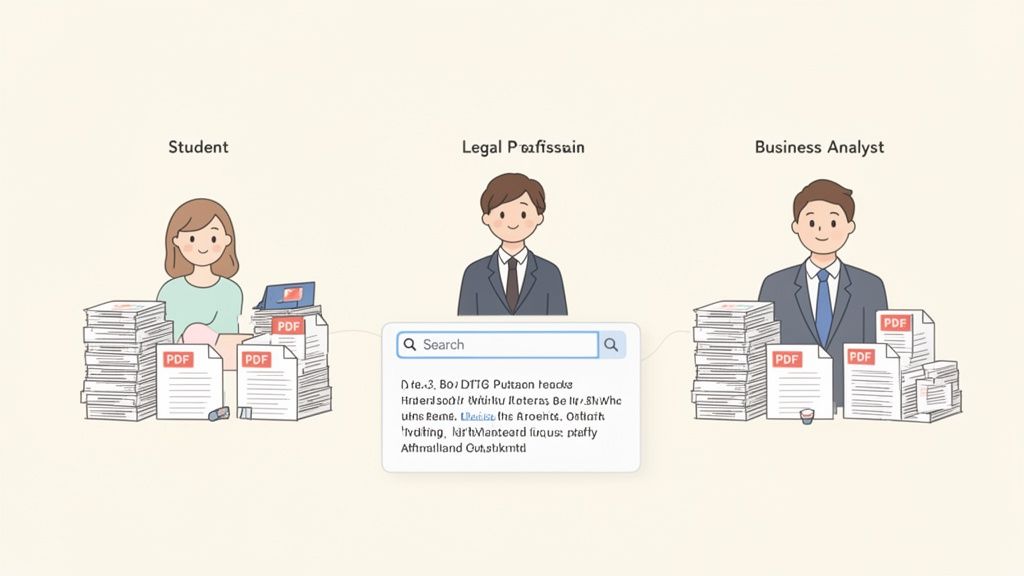
Picture Sarah, a grad student drowning in a literature review for her thesis. She has a folder with 50 dense academic papers, easily thousands of pages long. Her goal is to find and synthesize all the main arguments against a specific economic theory.
The old way? She’d have to open each PDF, hit CTRL+F for keywords like "criticism," "flaw," or "limitation," then manually copy-paste her findings into a separate document. This would take days, and she'd almost certainly miss nuanced arguments that didn't use her exact search terms.
With a PDF document search engine, her workflow is completely transformed:
- Upload Everything: First, she uploads all 50 papers into a single, searchable collection.
- Ask a Direct Question: Next, she just types a natural-language query: "What are the primary criticisms of this theory?"
- Get a Synthesized Answer: In seconds, the AI scans everything and presents a summarized list of the main counterarguments, pulling related concepts from a dozen different papers.
The best part is that each point in the summary comes with clickable citations. When she finds a compelling criticism, she can instantly jump to the exact paragraph in the original paper to check the context. This doesn't just save her days of work; it helps her build a much stronger, more thorough argument for her thesis.
With PDF Summarizer, Sarah can use the Multi-File Chat feature to ask this exact question across her entire research library. The tool synthesizes the answers and provides direct links to the source text, ensuring her work is both fast and academically rigorous.
For the Legal Professional on a Deadline
Now, think about Mark, a paralegal on a tight deadline for a major case. He needs to locate every single instance of a specific contractual clause—"force majeure"—across hundreds of client agreements and case files. To make things worse, the documents are a messy mix of digital PDFs and old scanned papers.
Traditionally, this meant a team of junior associates would have to manually read through every single page. It was incredibly slow, expensive, and dangerously prone to human error. Missing just one reference could have serious consequences for their case.
Using a PDF search engine, Mark’s job becomes much simpler:
- He uploads the entire case library, scanned documents and all. The system's OCR function automatically digitizes the text in the scanned files, making them fully searchable.
- He then runs a query for "force majeure" and its common variations across the whole collection.
- The engine instantly returns a list of every mention, complete with the document name, page number, and a snippet of the surrounding text for context.
What once took a team the better part of a week now takes Mark a few minutes. He can quickly analyze how that clause was used in different situations, giving his legal team a massive strategic advantage.
For the Business Analyst Tracking Trends
Finally, let’s look at Maria, a business analyst trying to identify emerging consumer trends. She has a year’s worth of market research reports, industry white papers, and competitor analyses, all saved as PDFs. She needs to spot patterns that can inform her company’s next big product launch.
Reading these reports one by one is a huge time-sink, and it's easy to miss the subtle connections between different data points scattered across documents. Maria uses a PDF search tool to get to the insights faster.
She uploads all the reports and asks a high-level, cross-document question: "Summarize the key shifts in consumer sentiment regarding sustainable packaging mentioned across all Q3 and Q4 reports."
The AI doesn't just hunt for keywords. It actually understands the concepts of "consumer sentiment" and "sustainable packaging." It synthesizes information from charts, executive summaries, and survey data across multiple files, presenting her with a concise summary of how consumer attitudes evolved over six months. This allows her to pinpoint a growing demand for recyclable materials—a crucial insight that directly shapes her final recommendation.
How to Choose the Right PDF Search Tool
Let's be honest, not all search tools are built the same. With a flood of options out there, figuring out which PDF document search engine is actually right for you means cutting through the marketing fluff and focusing on what really matters.
The goal is to find a tool that feels less like software and more like a sharp, reliable research assistant. That means it needs to be accurate, quick on its feet, and trustworthy with your information. Let's walk through the key things to look for so you can pick a tool that genuinely makes your work easier.
Accuracy and Relevance
This is the big one. If a search tool gives you irrelevant results or, even worse, misses crucial information, it's not just useless—it's actively working against you. When you're testing a platform, don't just count keyword hits. Look for context-aware answers.
A truly powerful search engine digs deeper to understand what you're actually asking. If you search for "projected growth," you want analysis about future performance, not just a list of every time those two words appear.
Here’s what to look for:
- Contextual Understanding: Does the engine understand synonyms and related ideas? Can it find what you need even if you don't use the exact jargon from the document?
- Source Citations: This is non-negotiable. The tool must provide direct, clickable links back to the original paragraph in the PDF. Without this, you can't verify anything.
- Answer Synthesis: Does it intelligently weave together information from multiple files to give you one complete answer, or does it just dump a bunch of disconnected text snippets on you?
Speed and Performance
When you're up against a deadline, waiting for a tool to load and process files is maddening. The ability to chew through huge documents—or entire folders full of them—without breaking a sweat is what separates the good from the great. A slow, laggy tool just kills your momentum.
Put it to the test. Upload a real beast of a document, like a 500-page technical manual or a dense legal filing. See how long it takes to process the file and start giving you answers. A well-built system should have you searching in seconds, not minutes.
PDF Summarizer is engineered for exactly this. Its indexing is built to handle massive, complex documents and multiple files at once, so you can get straight to analysis without the wait.
Language and File Support
Let's face it, your files are rarely perfect, text-based English PDFs. A truly practical tool has to be flexible enough to handle the messy reality of your document collection.
That means having excellent Optical Character Recognition (OCR) to make scanned documents and image-based PDFs searchable. It's also critical for the tool to handle multiple languages, especially if you work with international clients, research, or teams. Does it search accurately in Spanish, German, or Japanese?
Privacy and Security
In a world where data breaches are common, you have to be absolutely sure your sensitive information is locked down. This is especially true if you're working with proprietary business plans, confidential legal contracts, or unreleased research data.
Before you upload a single file, read the privacy policy. Ask the tough questions:
- Where is my data stored, and is it encrypted?
- Who can access my documents?
- What happens to my files after I'm done with them?
A service that values your trust will be upfront about its security measures. Look for enterprise-grade security, compliance with privacy laws like GDPR, and trial options that don't force you to create an account. Your data's security isn't just a feature; it's a prerequisite.
For a deeper dive, check out our complete overview of what makes an ideal PDF search engine.
PDF Search Engine Evaluation Checklist
Choosing the right tool can feel overwhelming. This checklist simplifies the process by breaking down the key factors we've discussed. Use it to compare different options side-by-side and find the one that best fits your needs.
| Evaluation Criteria | What to Look For | Why It Matters |
|---|---|---|
| Accuracy | Contextual understanding, not just keyword matching. Ability to find related concepts. | You need answers you can trust. Inaccurate or incomplete results can lead to bad decisions. |
| Citations | Clickable links that point directly to the source text in the original PDF. | Verifiability is crucial. Without citations, you can't confirm the information's authenticity. |
| Speed | Fast indexing and search response times, even with large or multiple documents. | Slow tools disrupt your workflow and kill productivity, especially under tight deadlines. |
| OCR Capability | High-quality OCR to accurately make scanned or image-based PDFs searchable. | Your documents aren't always perfect. OCR ensures nothing gets left out of your search. |
| Language Support | Ability to accurately search and process documents in multiple languages. | Essential for anyone working with international teams, clients, or global research materials. |
| Security | Clear privacy policy, strong data encryption, and transparent data handling practices. | Your sensitive information must be protected from unauthorized access or breaches. |
| User Experience | Intuitive interface, easy file uploads, and clear presentation of results. | A complicated tool won't get used. It should make your job easier, not add another learning curve. |
By systematically going through this checklist, you can move beyond flashy features and focus on the core performance that will actually save you time and deliver reliable insights.
Frequently Asked Questions About PDF Search
When you start looking into AI-powered tools for searching your documents, a few questions always pop up. It makes sense—you want to understand the technology, how your data is handled, and how it’s different from what you’re already using. Let’s clear up the most common ones.
Can a PDF Document Search Engine Read Scanned PDFs?
Yes, the best ones certainly can. A high-quality pdf document search engine uses a technology called Optical Character Recognition (OCR) to tackle scanned documents or image-based files.
Think of OCR as a smart digital assistant that reads a picture of a page, recognizes the letters and words, and turns them into text your computer can actually understand and search. This is what lets you dig into the contents of old scanned reports, digitized books, or saved articles just as if they were born-digital PDFs. If you have a lot of scanned files, make sure any tool you consider has solid OCR support.
Is My Data Safe When I Upload Documents Online?
This is a big one, and any reputable service takes security very seriously. The standard is strong encryption for your files both while they’re being uploaded (in transit) and while they’re stored on servers (at rest). Good platforms will also have a clear, easy-to-understand privacy policy that spells out how your data is managed.
For corporate legal departments, research teams, or anyone handling highly sensitive information, you’ll want to look for enterprise-level security, compliance with standards like SOC 2 or GDPR, or even options for on-premise solutions. Don't compromise on data safety.
Some tools, like PDF Summarizer, offer an extra bit of privacy by letting you try the service without creating an account first, which limits the personal information you have to share.
How Is This Different from My Computer’s Desktop Search?
This gets to the core of what makes these tools so powerful. The search function on your computer, like Spotlight on a Mac or Windows Search, is great for finding files by their names or for doing a basic keyword search. It finds a word, and that’s about it.
An AI-powered PDF search engine is playing a completely different game. It uses semantic search, which means it focuses on the meaning and context of what you’re asking, not just matching keywords. This allows it to do some pretty amazing things:
- Answer complex questions that require understanding, not just finding a word.
- Pull together and synthesize information from multiple different documents at once.
- Find relevant passages that are conceptually related to your query, even if they use entirely different words.
Put simply, your desktop search helps you find files. An AI search engine helps you find answers inside those files.
Ready to stop hunting and start finding? Chat with your documents and get instant, accurate answers with PDF Summarizer. Try it for free.
Relevant articles

Discover the 12 best document collaboration tools for any team. Compare features, pricing, and use cases to find the perfect platform for your workflow.

Learn how to upload a PDF on any device with our practical guide. Discover pro tips for file size, naming conventions, and fixing common upload errors.
Learn how to combine multiple PDFs into one free. This guide covers the best tools and methods for Mac, Windows, mobile, and online PDF merging.
Discover how to combine pdf files on any device with quick, practical steps for students and pros to merge docs effortlessly.
Discover how legal document automation software transforms legal workflows. This guide covers features, real-world uses, and AI's role for modern legal teams.