How to Summarize a PDF Without Reading Every Word
Learn how to summarize a PDF efficiently using both manual techniques and AI tools. Get actionable advice for students, researchers, and professionals.
Staring at a dense, 100-page report that’s due tomorrow? I’ve been there. The most effective way to tackle this is with a solid AI-powered tool. These aren't just fancy gadgets; they genuinely analyze a document's context and pull out the core insights in seconds, turning what feels like an impossible task into a completely manageable one.
Why Summarizing PDFs Is a Modern Necessity
We’ve all felt that sinking feeling when faced with extracting critical information from a massive document under a tight deadline. It doesn't matter if you're a student prepping for an exam, a researcher digging through literature, or a professional trying to make sense of a business proposal—the sheer volume of text can be completely overwhelming.
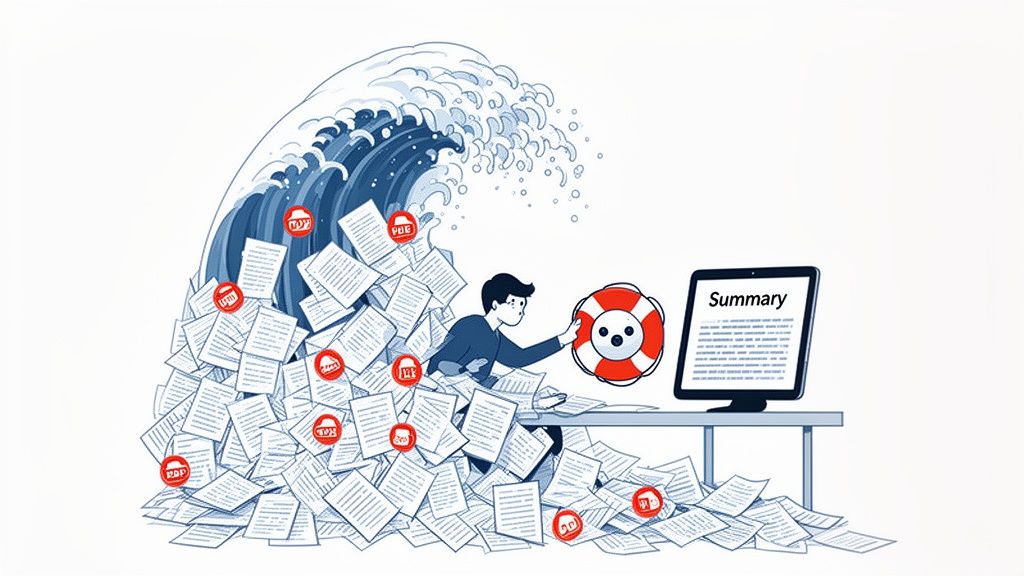
Manually sifting through page after page isn't just slow; it's often a poor use of your energy. This is about more than just saving a few hours—it’s about working smarter. The ability to quickly get to the main arguments, key data points, and overall conclusion of a document gives you a massive advantage.
This need for efficiency is exactly why document management tools are booming. The global PDF software market, valued at $4.05 billion in 2026, is on track to hit $18.2 billion by 2033. That incredible growth isn't just about storing files; it's about the massive demand for tools that help us understand them quickly. For academics I've worked with, a feature that lets them combine multiple PDFs into one chat has cut their literature review time by as much as 70%. You can dig deeper into these market growth insights about PDF software for the full picture.
The Old Way vs The New Way
Not long ago, summarizing meant printing out the entire document, grabbing a highlighter, and dedicating hours to reading and scribbling notes. While that method forces you to engage deeply with the material, it’s a luxury most of us simply don't have anymore. The new approach gets AI to do the heavy lifting for you.
Think of it this way: manual summarization is like reading a map street by street, while an AI summarizer is like using a GPS that instantly shows you the best route and key landmarks. Both get you there, but one is dramatically faster.
Deciding between the two approaches often comes down to your specific needs for time, depth, and accuracy.
Manual vs AI PDF Summarization at a Glance
Here’s a quick breakdown of how these two methods stack up against each other.
| Aspect | Manual Summarization | AI PDF Summarizer |
|---|---|---|
| Time Investment | High; hours or even days for long documents. | Low; seconds to minutes. |
| Effort Required | Intense focus and critical reading skills needed. | Minimal; upload the file and ask questions. |
| Accuracy & Nuance | Can achieve deep understanding but prone to human error or bias. | Highly accurate for factual extraction but may miss subtle context. |
| Best For | In-depth scholarly analysis, creative interpretation, learning complex theories. | Quickly grasping key points, finding specific data, answering direct questions. |
Ultimately, modern AI tools have moved far beyond simple summaries. They offer interactive features that completely change how you engage with the content. Imagine chatting directly with your PDF and asking, "What were the main conclusions of this study?" and getting an instant, accurate answer with clickable citations. It’s a game-changer for document analysis.
Getting Your Hands Dirty: The Art of Manual Summarization
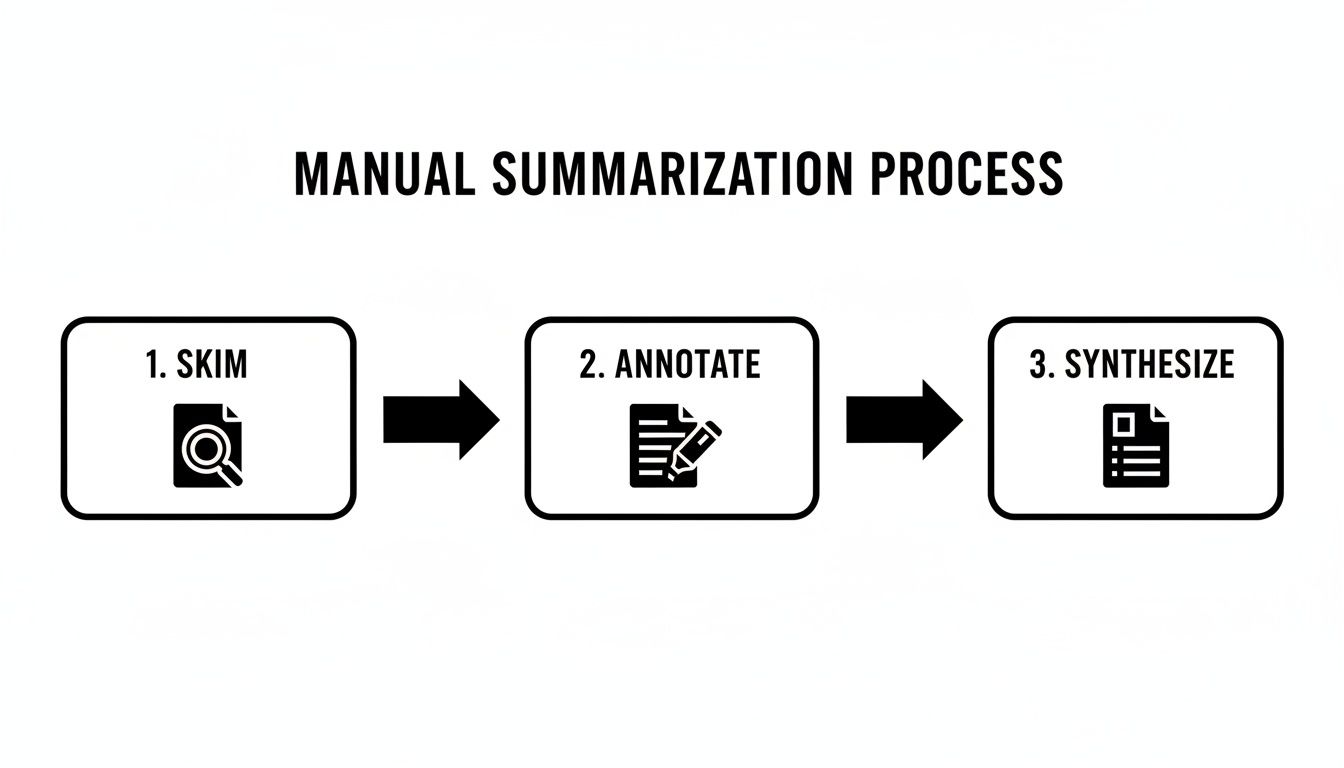
Before you let an AI do the heavy lifting, it's worth knowing how to summarize a PDF the old-fashioned way. Honestly, it’s a foundational skill. It's not just about reading; it’s about wrestling with the material, building a deep understanding that technology can't quite replicate.
Taking the time to do it manually forces you to engage directly with the author’s arguments, catch the subtle nuances, and form your own opinions. When you absolutely have to master a subject for a big exam or need to become the go-to expert on a topic, this is the way to do it.
Start With a Quick, Strategic Skim
Your first pass shouldn't be a deep read. Think of it as creating a mental map of the terrain before you start exploring. The goal here is a quick, targeted overview.
I always focus on a few key areas first:
- The Intro and Conclusion: These are gold. They bookend the entire document, giving you the main thesis and the summary of the findings right off the bat.
- Headings and Subheadings: A quick scroll through these tells you the entire story's structure. It's like looking at a roadmap before a long drive.
- Charts, Graphs, and Tables: Visuals are often where the most critical data lives. They’re designed to condense complex information, so give them a good look.
This initial skim is your reconnaissance mission. It should only take a few minutes, but it provides the context you need to make your detailed read far more productive.
Dive In: Active Reading and Annotation
With a mental outline in place, it's time to roll up your sleeves for a much deeper, more active read. This is where you stop being a passive reader and start having a conversation with the text. Your job is to pull apart the document and identify its essential building blocks.
A simple color-coded highlighting system works wonders here. Try something like this:
- Yellow: Grab the main ideas and topic sentences.
- Pink: Pinpoint the supporting evidence, key stats, or powerful examples.
- Blue: Flag any unfamiliar terms or concepts you need to look up later.
Don't just highlight, though. Scribble notes in the margins (or use the comment feature in your PDF reader). Ask questions. Challenge what the author is saying. Try to rephrase complicated sentences in your own words. This annotation process is what cements the information in your brain. For a more detailed guide on this, check out our post on how to extract information from a PDF.
When you actively engage with the text—highlighting, questioning, and note-taking—you're not just reading. You're entering into a dialogue with the document, and that dialogue is what a great summary is built on.
Pull It All Together: Synthesize and Write
Now for the final phase: turning your collection of notes and highlights into a coherent summary. Start by going over everything you’ve marked up. Look for the big, recurring themes and the most crucial points that kept popping up.
Kick off your summary with a powerful topic sentence that nails the document's central argument or purpose. From there, use your notes to construct the body of the summary, arranging the key points in a logical flow. Be ruthless here. Cut out the fluff and stick to what is absolutely essential. The end goal is a short, accurate reflection of the original document, but written entirely in your voice.
2. Using an AI PDF Summarizer for Instant Insights
Let’s be honest, manual summarization is thorough, but it takes time—a lot of time. This is where AI PDF summarizers come in, completely changing the game. Think of these tools not as simple text scanners but as interactive knowledge partners you can have a conversation with.
They use complex language models to understand the meaning behind the words, the nuances, and how different ideas connect throughout a document. Instead of you spending hours hunting down key points, the AI does the heavy lifting in seconds. It's a massive shift in how we approach research and analysis.
The AI-Powered Summarization Workflow
Getting started is usually as simple as dragging and dropping a file. But the real magic happens after you upload the PDF. The best tools present you with an interactive interface, often with your original document on one side and a chat window on the other.
This side-by-side view is critical. It keeps you in control, allowing you to instantly fact-check the AI's output against the source material.
Here’s a practical workflow I use:
- Upload the PDF: Just drag your file into the tool’s interface.
- Get a Quick Overview: I always start with a broad prompt like, "Give me a one-paragraph summary of this document." This gives me a high-level lay of the land.
- Dig Deeper with Specific Questions: This is where the real value is. I follow up with targeted questions to extract exactly what I need.
The demand for this kind of efficiency is why the PDF editor software market is expected to explode, jumping from $5.54 billion in 2026 to $24.7 billion by 2035. This isn't just about convenience; it’s about solving real problems. I’ve seen legal teams slash contract review times by up to 80% using multi-file chat and instant citations. Students are turning four-hour reading assignments into 20-minute Q&A sessions.
How to Write Prompts That Actually Work
The summary you get is only as good as the questions you ask. Vague prompts lead to vague, unhelpful answers. You have to be specific and tell the AI exactly what you want it to do.
Forget asking "What is this about?" Instead, try prompts like these:
- "Extract the key findings from the results section and list them as bullet points."
- "What are the main limitations of the study mentioned in the discussion?"
- "Summarize the author's primary argument from the introduction in 3-4 sentences."
- "List all action items assigned to the marketing team in this meeting report."
My Pro Tip: Treat the AI like a junior research assistant. Give it clear, direct instructions. The more context you provide, the better and more relevant the answers will be.
Don't Trust—Verify with Clickable Citations
Here’s the single most important feature to look for: clickable citations. Blindly trusting an AI summary is a recipe for disaster. Hallucinations are real. A trustworthy AI summarizer must be able to back up every single claim it makes with a source.
The best tools will link every part of the summary directly back to the specific passage in the original PDF where the information came from.
This "human-in-the-loop" approach is non-negotiable. It allows you to:
- Confirm Accuracy: Instantly check if the AI interpreted the source material correctly.
- Understand the Full Context: Jump to the original text to read what comes before and after a statement for deeper understanding.
- Build Confidence: Know for a fact that your summary is grounded in the document, not an AI’s best guess.
When a tool offers this level of transparency, you can confidently use an AI to summarize a PDF without worrying about accuracy. If you're curious about the mechanics behind how these systems pull answers, it helps to understand how to rank in AI search results, as it sheds light on how they're trained to deliver information directly.
Tailoring Summaries for Different Goals
A generic summary is rarely a great summary. The real value of summarizing a PDF comes from shaping the output for a specific reason. What a student needs to prep for an exam is worlds apart from what a lawyer needs to build a case.
This is especially true when you're using AI. The technology is incredibly flexible and can act like a specialized assistant for almost any field, but it needs your guidance. Just asking for "a summary" is a missed opportunity.
For Students and Academics
When you're staring down a mountain of reading assignments, your goal is all about retention and clarity. You need to pull out the core arguments, key definitions, and the evidence that backs it all up so you can actually remember it later. It’s less about getting a simple overview and more about building a functional study guide from the source material.
For instance, a student could drop several research papers into a multi-file chat and get specific:
- "Compare the methodologies used in Document A and Document B. What are the key differences?"
- "Pull out all key definitions from these chapters and pop them into a table for me."
- "What are the main counter-arguments the author addresses in Document C?"
This changes passive reading into an active Q&A session, which is a much more effective way to learn. To take this a step further, you can refine these outputs into structured study materials. For more on this, check out our guide on how to turn any PDF into effective study notes.
For Business Professionals
In the business world, time is money. Executives and managers don't have time to wade through a 50-page report; they need the bottom line, fast. The goal here is to boil down dense information into actionable insights and clear strategic recommendations.
The explosion of Document AI—a market expected to hit $27.62 billion by 2030—is fueled by this need for speed. Think about it: traditional PDF wrangling eats up an estimated 28% of a knowledge worker's time. For business pros, AI summarizers deliver instant answers. For legal and compliance teams, features like side-by-side views with clickable citations can slash error rates by 40%. You can dig into the full research on the growing Document AI market on marketsandmarkets.com.
Prompts that get straight to business value might look like this:
- "Give me a one-page executive summary of this Q4 financial report. Focus on revenue growth and the biggest challenges."
- "What are the main risks called out in this project proposal? List them for me, from most to least severe."
A strong business summary should immediately answer the "so what?" question. It needs to lay out the situation, what it means for the business, and what the next steps should be.
For Legal and Compliance Teams
In the legal world, precision is everything. There is zero room for mistakes or fuzzy language. When you're summarizing contracts, regulations, or case files, the mission is to create a factually airtight overview where every single point can be traced directly back to the source.
This is where an AI tool with clickable citations becomes non-negotiable. A legal professional could ask:
- "Summarize all clauses related to intellectual property rights in this contract."
- "Scan this document for potential compliance issues based on GDPR."
- "Extract every date and deadline mentioned in this legal brief."
This gives legal teams a way to quickly get the gist of a complex document while having an instant verification system at their fingertips. The principles of good summarization also apply beyond PDFs; learning how to summarize a meeting effectively, for example, ensures crucial decisions are captured accurately. When you tailor your approach, a simple summary becomes a powerful, purpose-built tool.
Common Summarization Mistakes to Avoid
Summarizing a PDF seems easy enough on the surface, but a few common missteps can quickly turn a helpful tool into a source of frustration and misinformation. I've seen these happen time and time again. Knowing what to watch out for is the key to creating summaries that are actually accurate, concise, and useful.

One of the most common errors I see is over-summarizing. In the rush to be brief, people often chop out way too much, stripping away vital context. What you're left with is a generic, hollow shell that loses all the original's nuance, making it practically useless.
On the flip side, you have the "summary" that’s almost as long as the original document. A summary is supposed to be a shortcut, not the scenic route. If you find yourself writing a summary that's approaching the length of the source material, you're not really synthesizing information—you're just rewording it.
Misrepresenting Intent and Ignoring Bias
A more subtle but equally dangerous pitfall is accidentally twisting the author's original message. This usually happens when our own biases, whether we're aware of them or not, sneak into the summary. A good summary has to be an objective reflection of the source, not a commentary filtered through your own lens.
When you bring an AI tool into the mix, this problem takes on a whole new dimension. The absolute biggest mistake here is blind trust.
Never, ever treat an AI-generated summary as the final word. Always think of it as a "human-in-the-loop" process. The AI is a brilliant but sometimes flawed research assistant, not an infallible expert. Your job is to guide its work and then verify it.
This means taking a few crucial steps to make sure your AI-assisted summary is solid.
- Always Verify Claims: This is non-negotiable. If your tool provides source-linked citations, click on them. Check the key facts, figures, and quotes. This is how you confirm the AI understood the text and isn't "hallucinating" information.
- Write Specific Prompts: Don't just ask for "a summary." Give the AI specific instructions. For instance, ask it to "extract the main arguments against the proposal" or "list the key statistical findings from the study's conclusion." The more targeted your request, the better the output.
- Review for Tone and Nuance: AI often misses the human element—things like sarcasm, irony, or the overall tone of a piece. A quick read-through by a human is the only way to ensure these important contextual clues aren't lost in translation.
By consciously sidestepping these common mistakes, you'll be able to create summaries that are not just shorter, but far more accurate and true to the original PDF. It’s this careful, deliberate approach that ensures you get the insights you need without sacrificing an ounce of reliability.
Got Questions About Summarizing PDFs?
Even with a solid game plan, you're bound to run into a few questions when summarizing PDFs. It happens whether you're doing it the old-fashioned way or using an AI tool. Let’s tackle some of the most common ones that come up.
What's the "Right" Length for a Summary?
There’s no single answer here, because the ideal length depends entirely on your goal.
A good starting point is the 10-15% rule. If you have a 10-page research paper, a one-page summary is a pretty solid target. But for a hefty 50-page business report, an executive summary might just be one tight paragraph designed to give a busy manager the absolute essentials in 60 seconds.
The real goal is to be as brief as possible without sacrificing crucial information. Before you even start, ask yourself: What is the one thing my reader must walk away with? Let that question guide the length.
A summary's value isn't measured in pages, but in its clarity. Its job is to deliver the core message fast, whether that takes a few sentences or a full page.
Can AI Really Handle Dense Technical or Scientific Papers?
Absolutely. Modern AI tools, especially those built on sophisticated language models, are surprisingly adept at parsing complex technical documents. They've been trained on mountains of academic literature, so they recognize the standard structure—hypothesis, methods, results, conclusion—and can pull out the key pieces.
The trick is to guide the AI with specific prompts. Instead of just saying "summarize this," get more granular. Try something like:
- "What statistical methods did the authors use in this study?"
- "List the main conclusions and how they impact future research."
And here's the most important tip: stick with tools that give you verifiable, clickable citations. This is non-negotiable for technical work, as it lets you instantly check that the AI isn't misinterpreting or, worse, making things up.
Is It Plagiarism to Use an AI Summarizer?
Using an AI tool to help you digest a document is perfectly fine—think of it as a super-powered research assistant, not a ghostwriter. It’s no different from getting detailed notes from a study group or a tutor.
Plagiarism comes into play only if you copy the AI's output verbatim and pass it off as your own work.
The best way to use it is as a first draft or a detailed set of notes. Let the AI give you the main points, then go back to the original PDF to confirm everything. From there, rewrite the concepts in your own voice, adding your own perspective and analysis. And, of course, always double-check your school's or company's specific policies on using AI tools.
Ready to turn dense documents into clear insights instantly? PDF Summarizer lets you chat with any PDF, get answers with verifiable sources, and even synthesize information across multiple files at once. Try it for free and see how much time you can save at https://pdfsummarizer.pro.
Relevant articles

Streamline your research and summary tasks with AI. Analyze documents, synthesize insights, and craft sharper reports, faster and with confidence.

Discover how to read a PDF online using your browser or smart AI tools. Our guide shows you how to instantly open, chat with, and summarize any document.
Learn how to upload a PDF on any device with our practical guide. Discover pro tips for file size, naming conventions, and fixing common upload errors.
Discover how question answering AI transforms documents into conversations. Learn how NLP and machine learning deliver instant, sourced answers from your files.
Discover how a modern PDF summarization tool can transform your workflow. Learn how AI analyzes documents, its key features, and how to get accurate summaries.
Learn how to AI summarize PDF documents to save time and boost productivity. This guide covers how to get instant insights and chat with your files.